
Flowers & nature · Step-by-step guide
Two-Color Frangipani
Layer white and yellow paper to create a five-petal flower with a bright center.
What you’ll need
- One 15 × 15 cm white paper square
- One smaller yellow paper square
- Scissors
- Craft glue
- Tweezers, optional
Paper craft · Folding and assembly
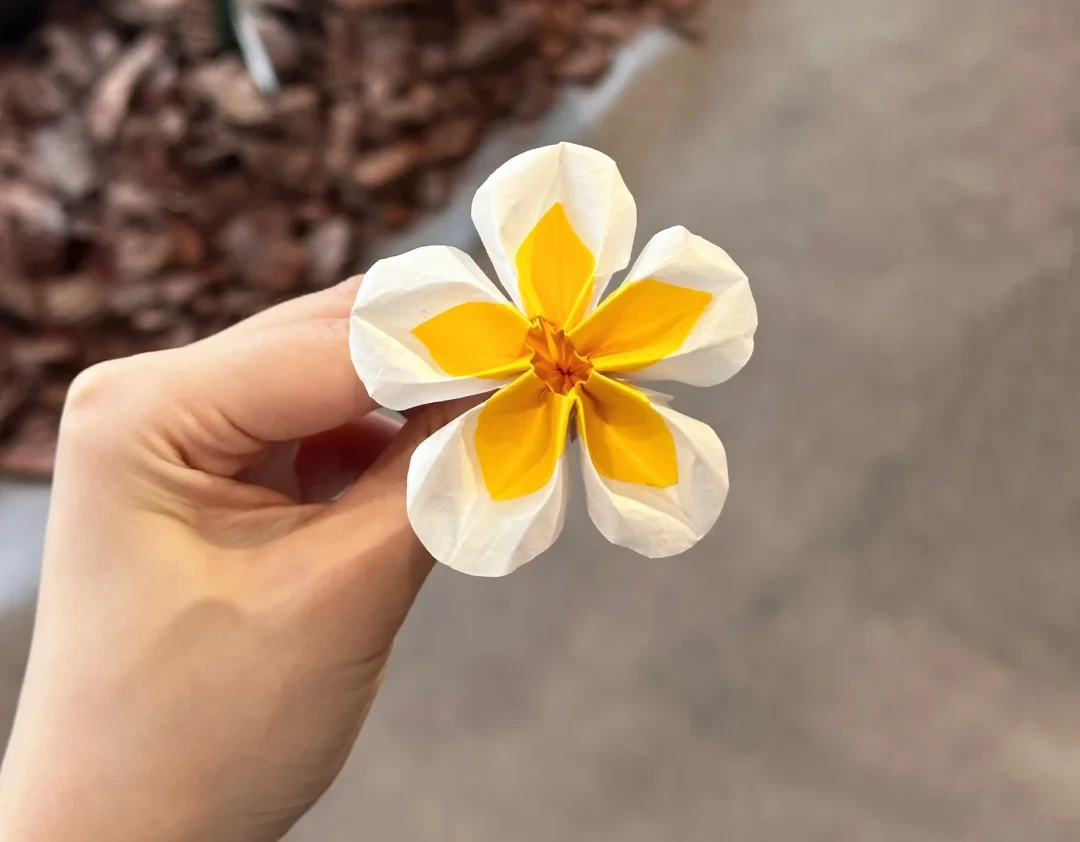
Make it, step by step.
9 steps · Original diagrams with English instructions
Read each picture from left to right, then top to bottom.
Finished model
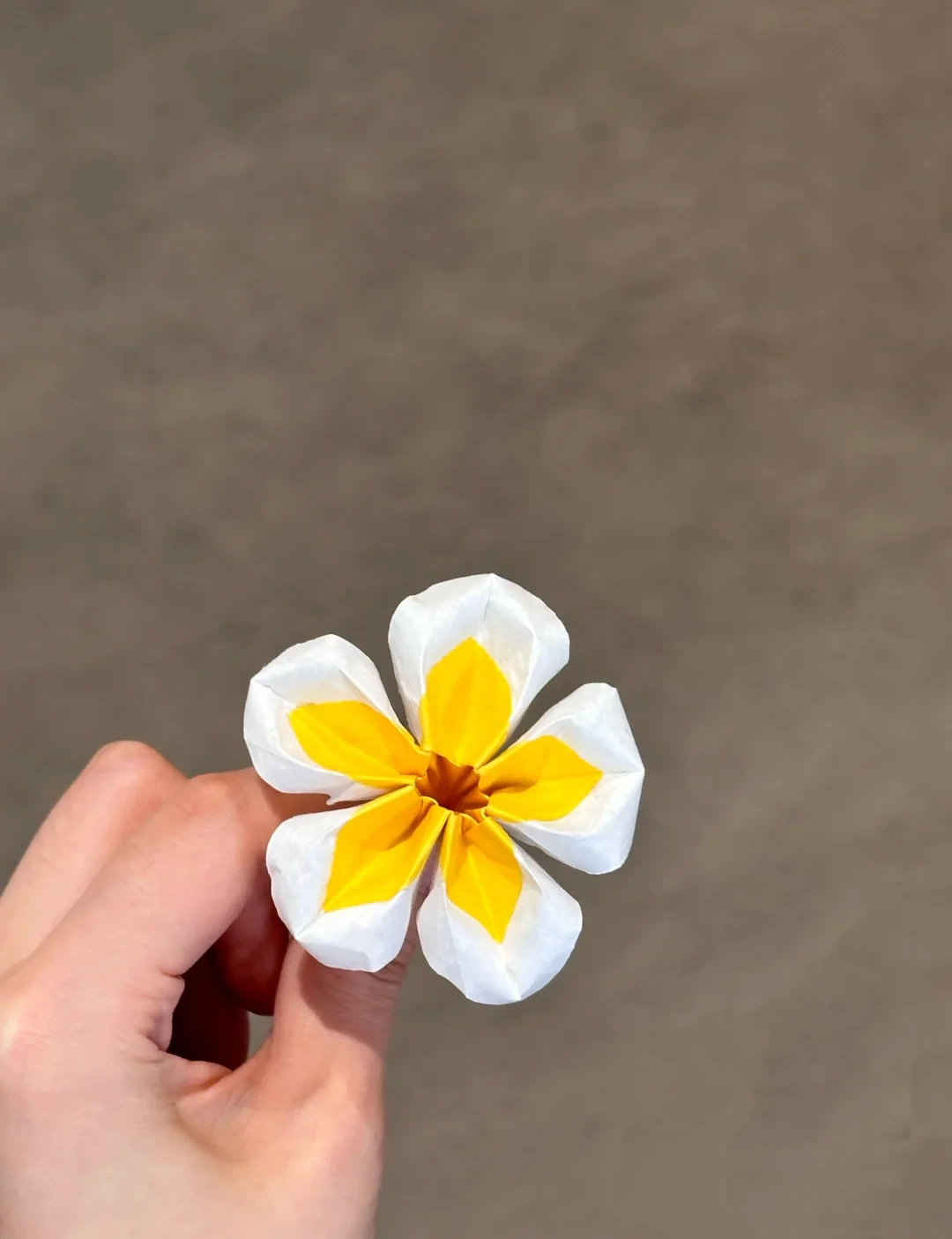 Open image at full size ↗
The completed model, shown from another angle to help check its shape and proportions.
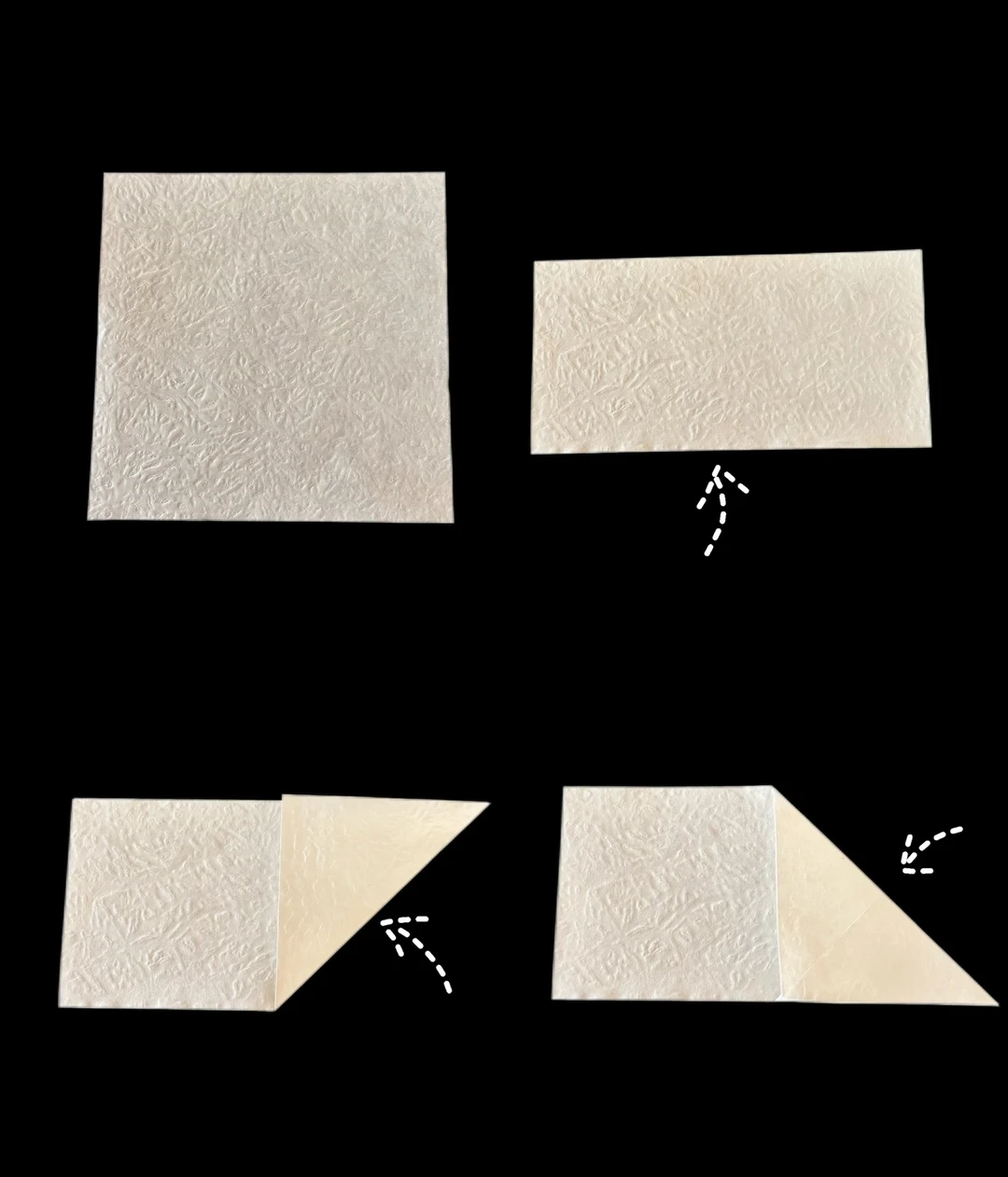
Mark the pentagon
 Open image at full size ↗
Fold the white square in half upward. Fold the right end diagonally up and down, opening each fold to mark an intersection.
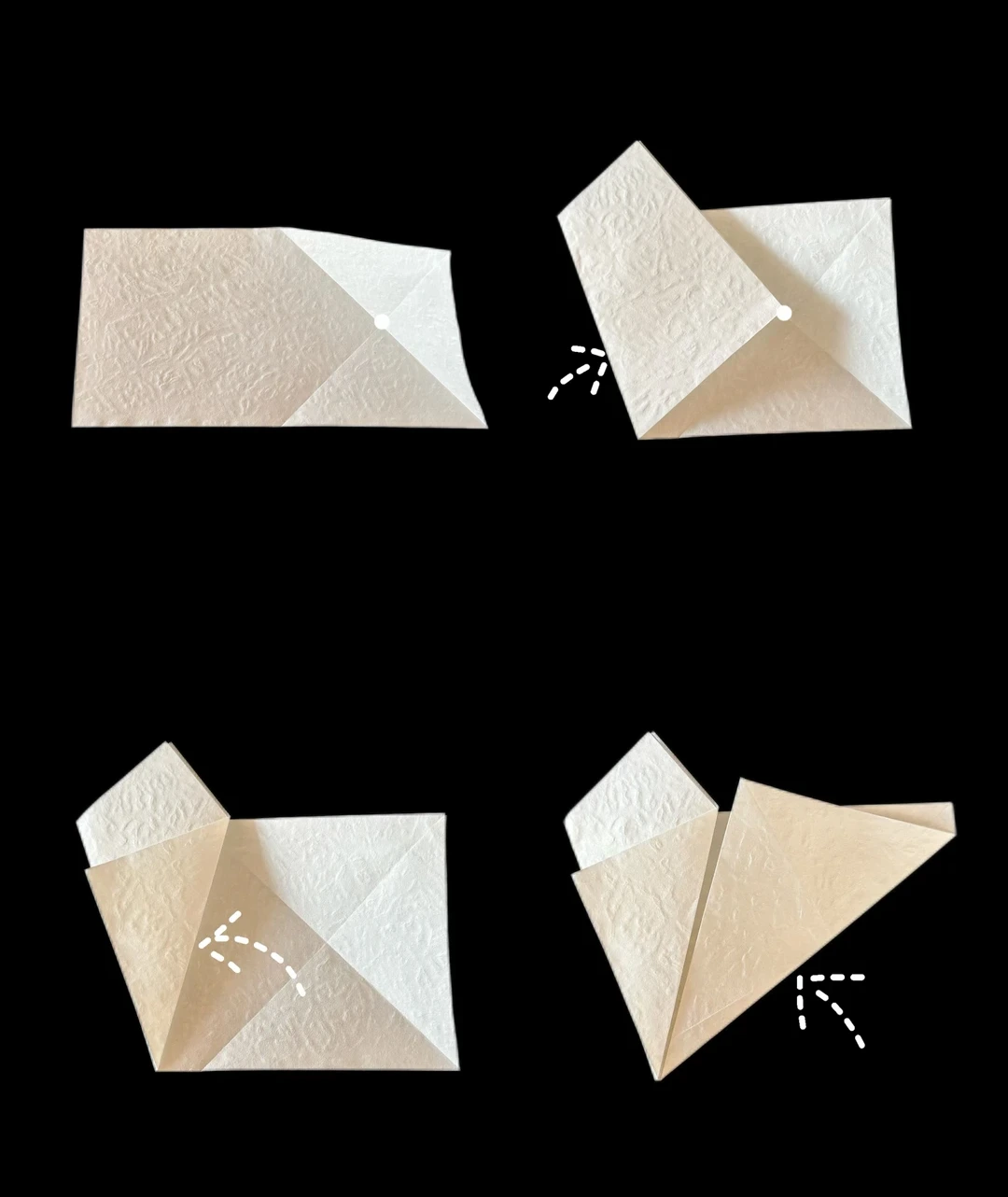
Form the cutting wedge
 Open image at full size ↗
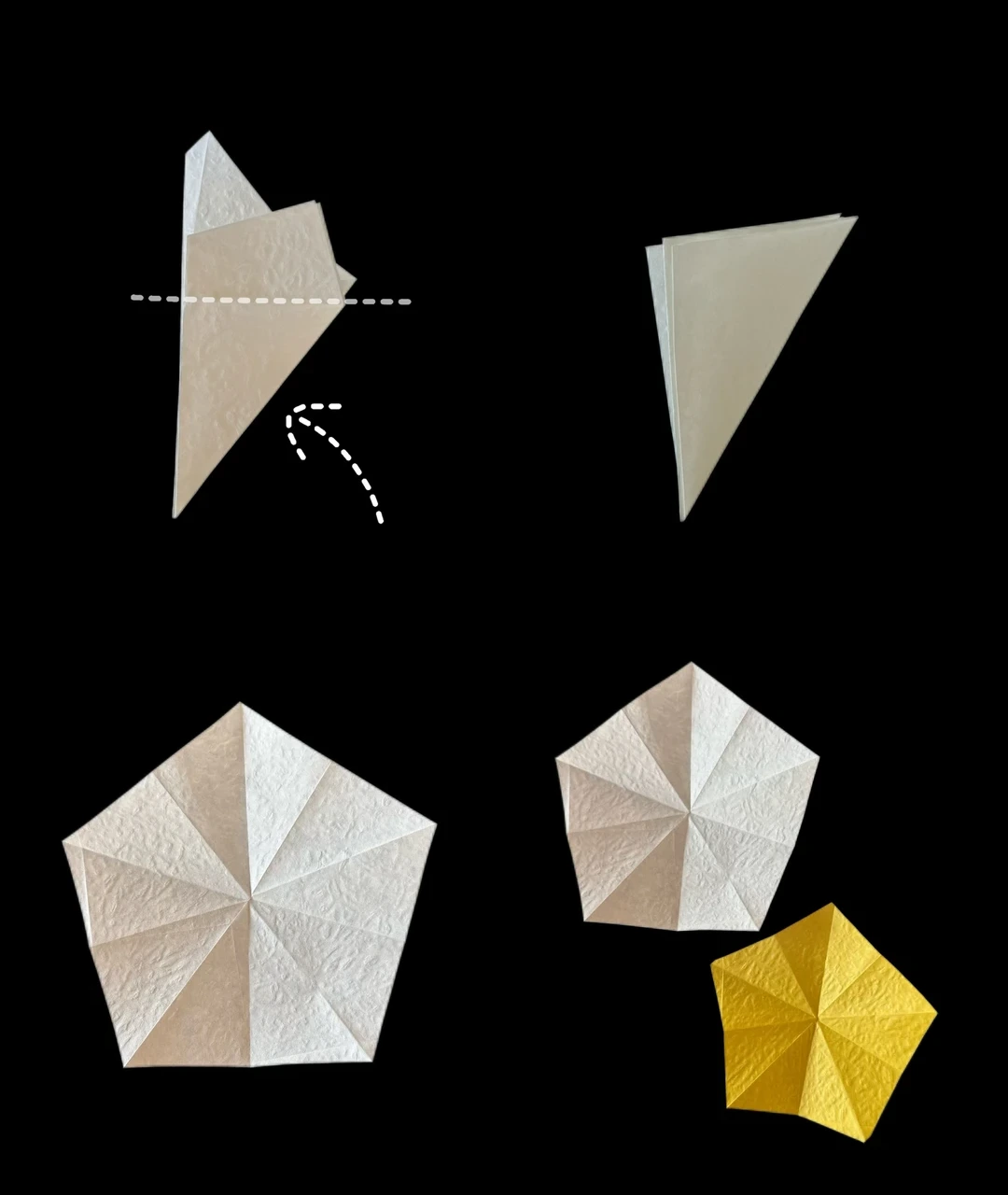
Bring the opposite corner to the intersection. Fold the flap back to align the edges, then fold the right side toward the left.
Cut two pentagons
 Open image at full size ↗
Fold the wedge backward along the guide and cut away the excess. Unfold into a pentagon. Prepare a smaller yellow pentagon in the same way.
Layer and collapse
 Open image at full size ↗
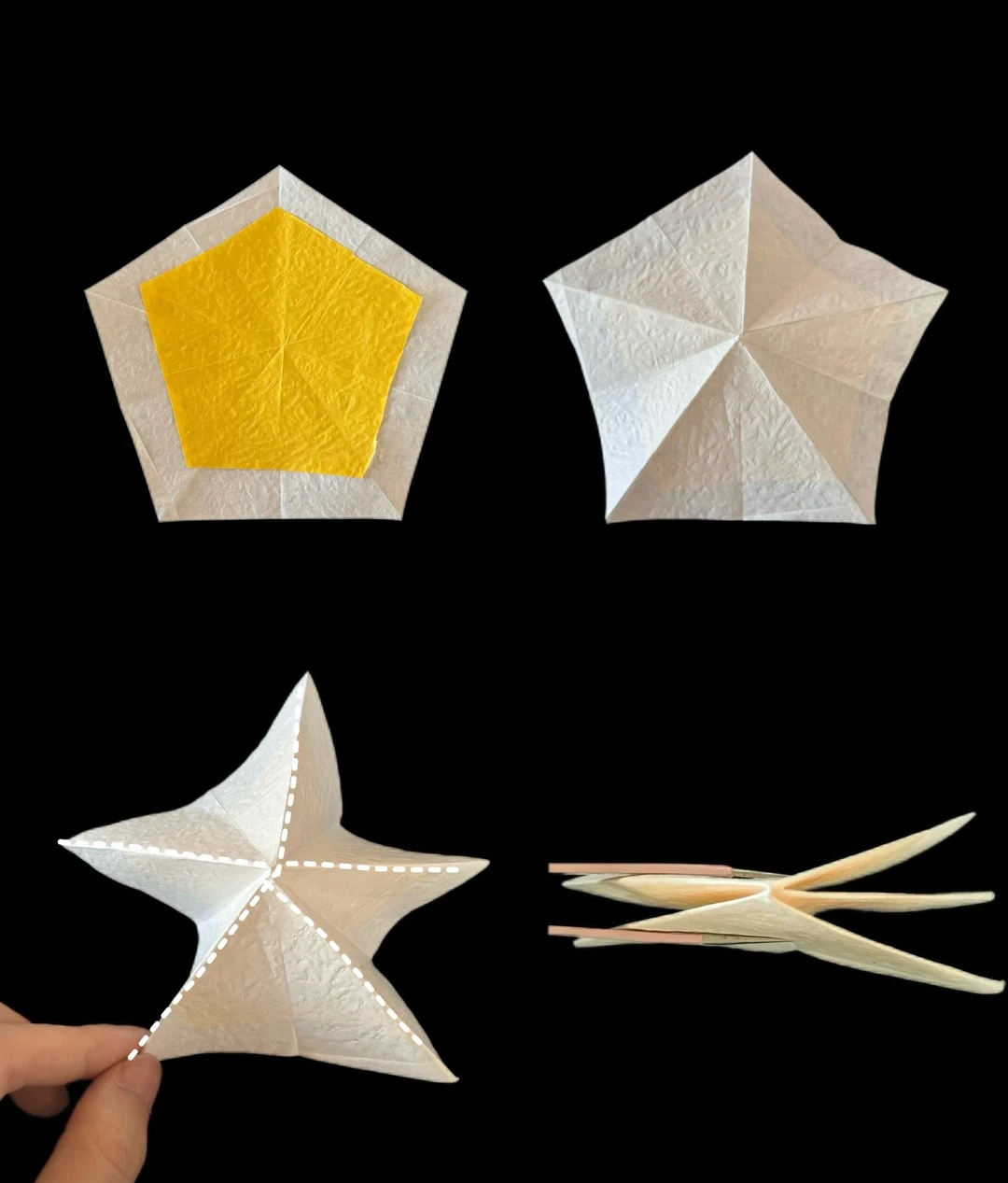
Center the yellow pentagon on the white one and glue them together. Turn the paper over, raise the radial creases, and gather the five sections into a layered triangular shape.
Fold the first section
 Open image at full size ↗
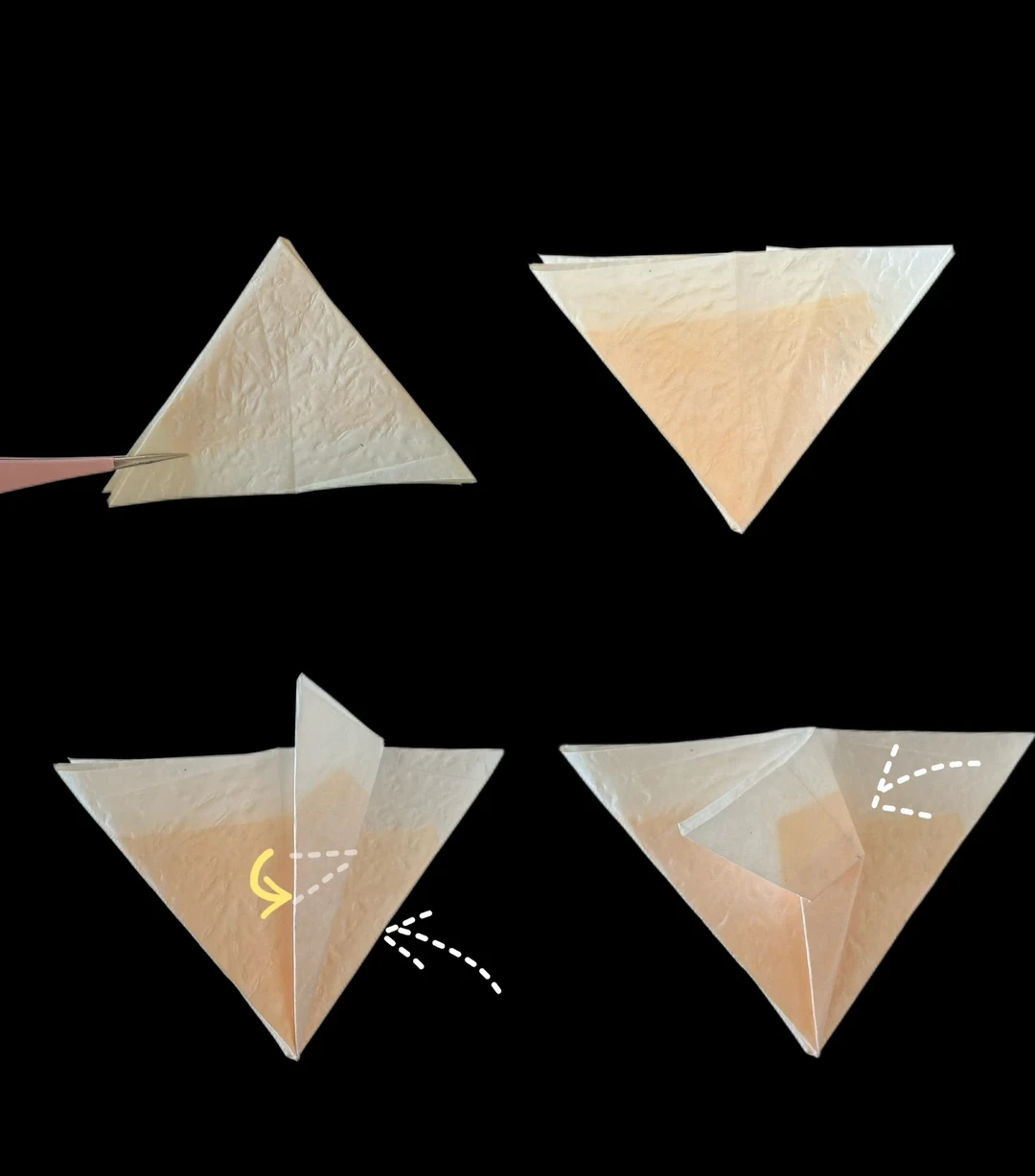
Turn the triangle over. Fold one side toward the center, then lower the flap slightly along the crease shown.
Open a pocket
 Open image at full size ↗
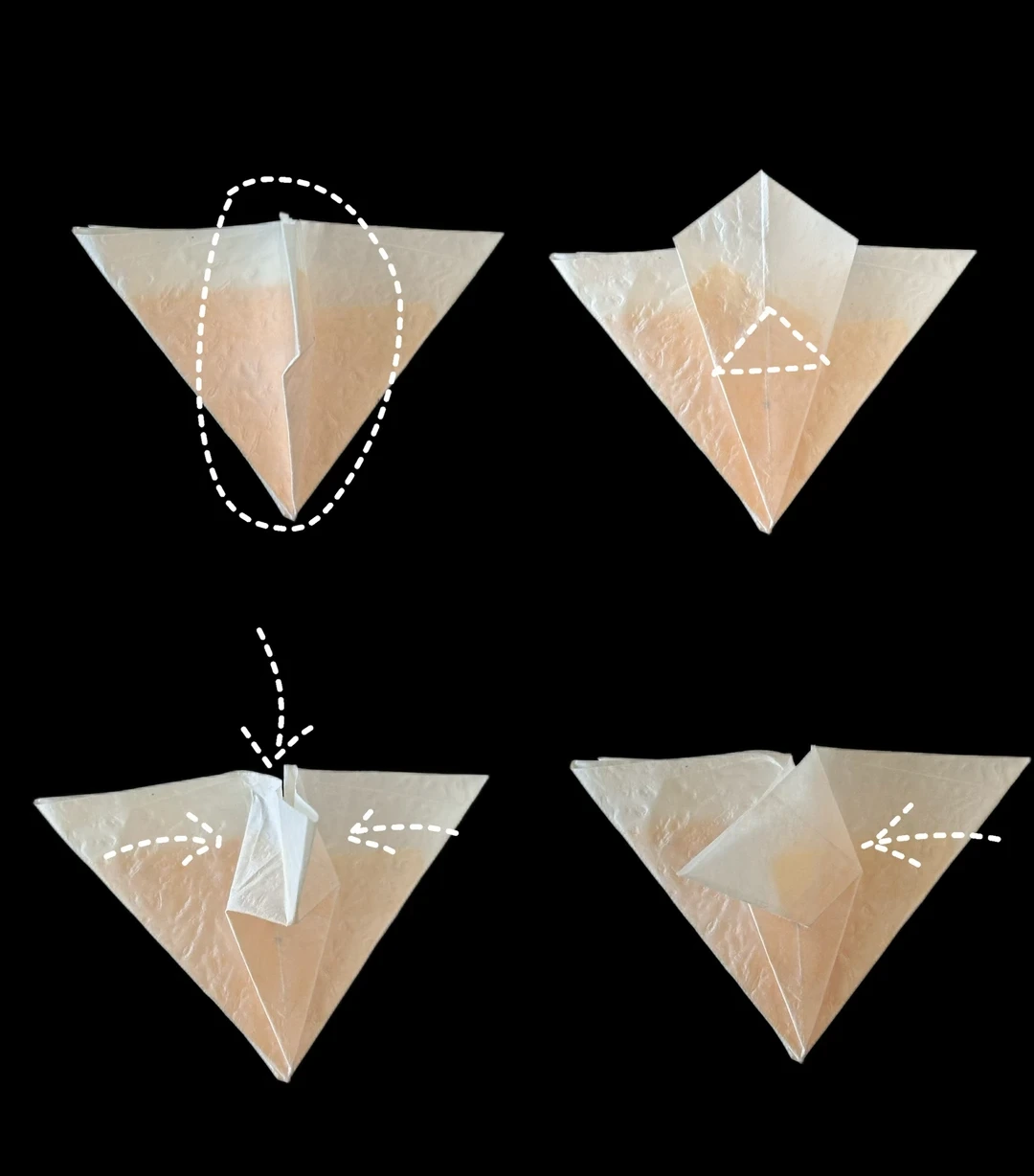
Lift the indicated flap, open its pocket, and squash it flat. Lift the small triangle, fold it down along its crease, and bring the sides inward. Turn the layer to the left.
Repeat the petal folds
 Open image at full size ↗
Repeat the pocket-fold sequence on each section. Turn the layers to show the indicated face, fold the upper point down, and repeat around the model.
Open the flower
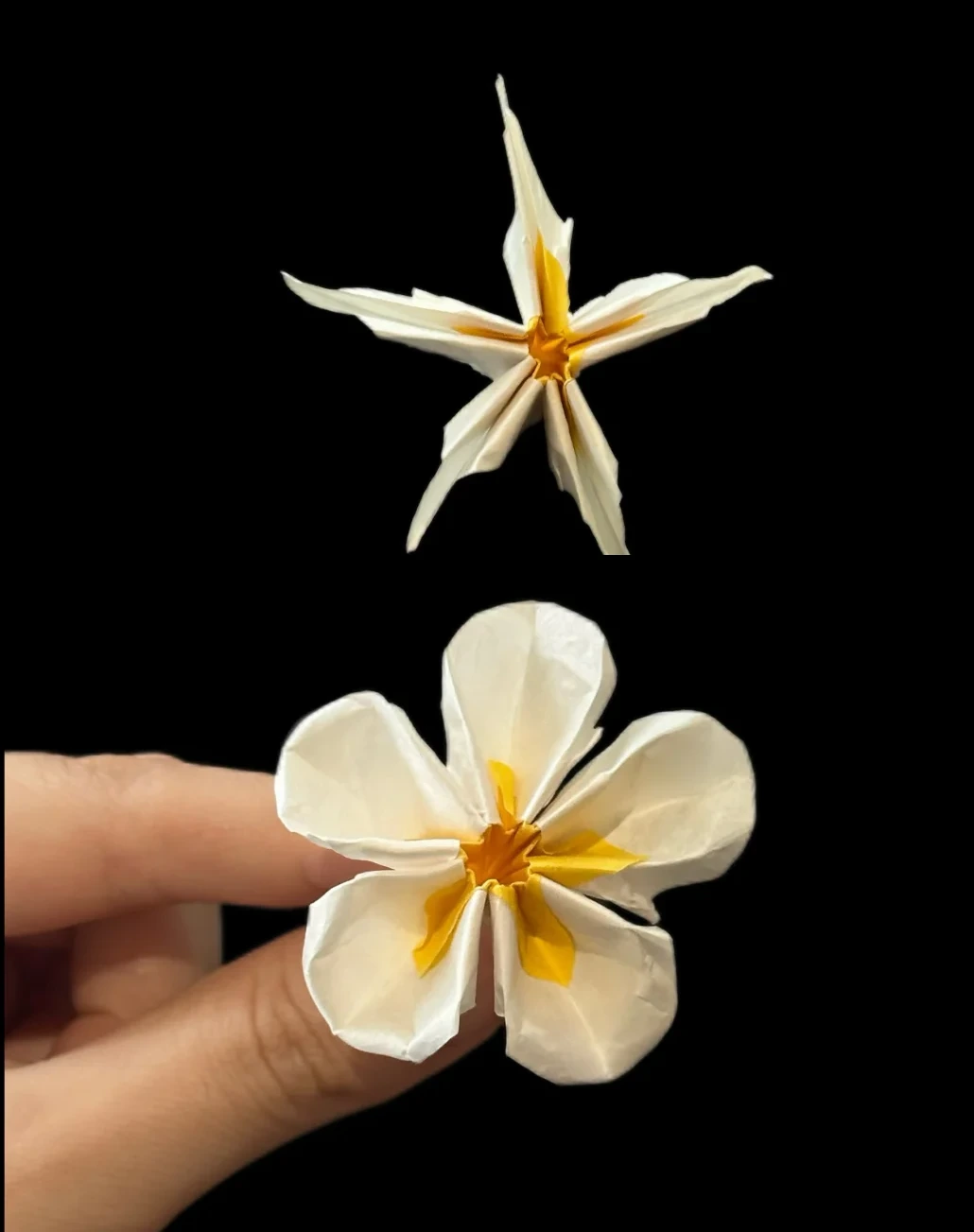 Open image at full size ↗
Turn the model to its top and gently spread all five petals. Round their edges to expose the yellow inner layer.
Adjust the yellow center
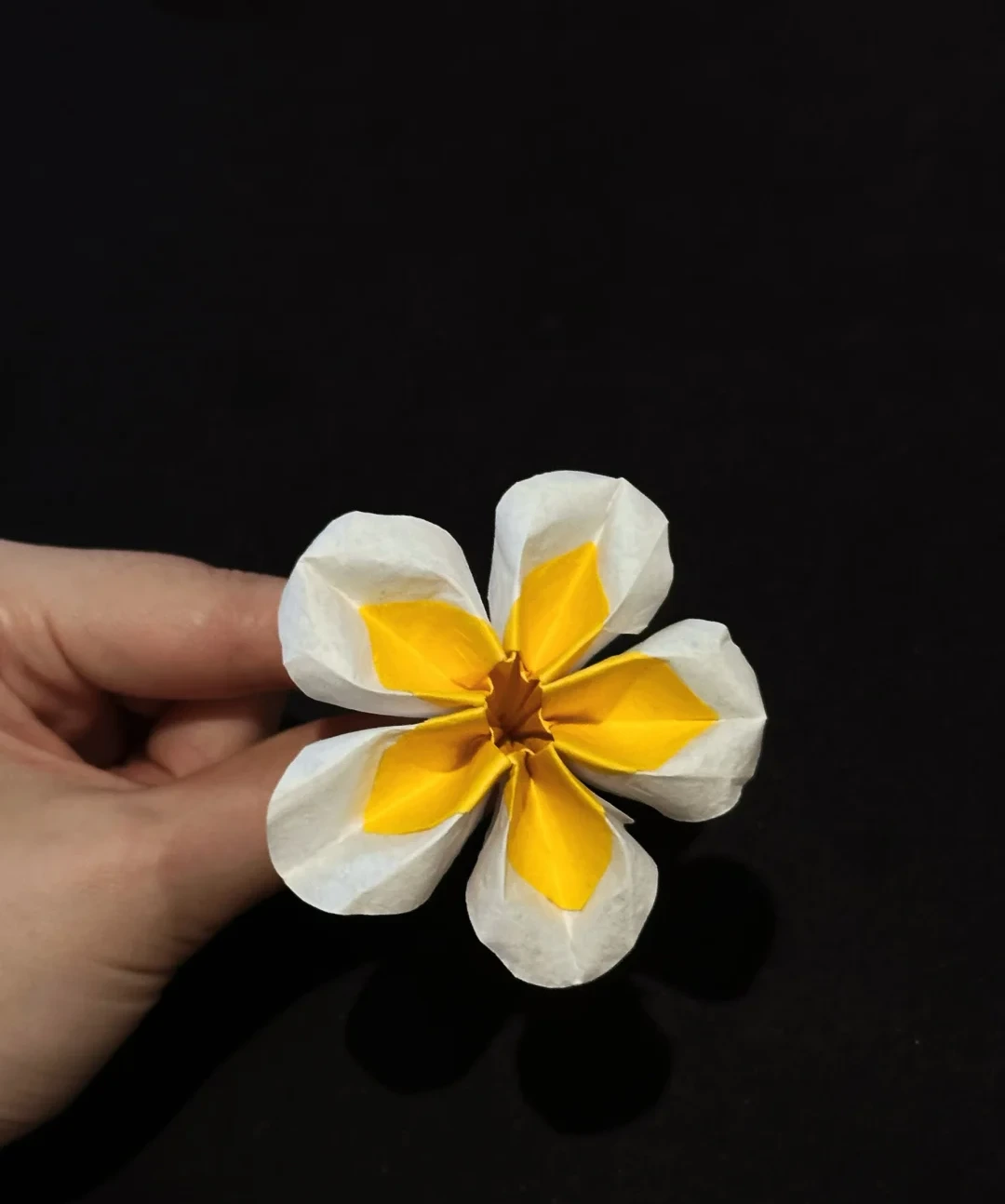 Open image at full size ↗
The size of the yellow pentagon controls how much yellow is visible: a larger inner sheet gives a larger colored area.
Finished model
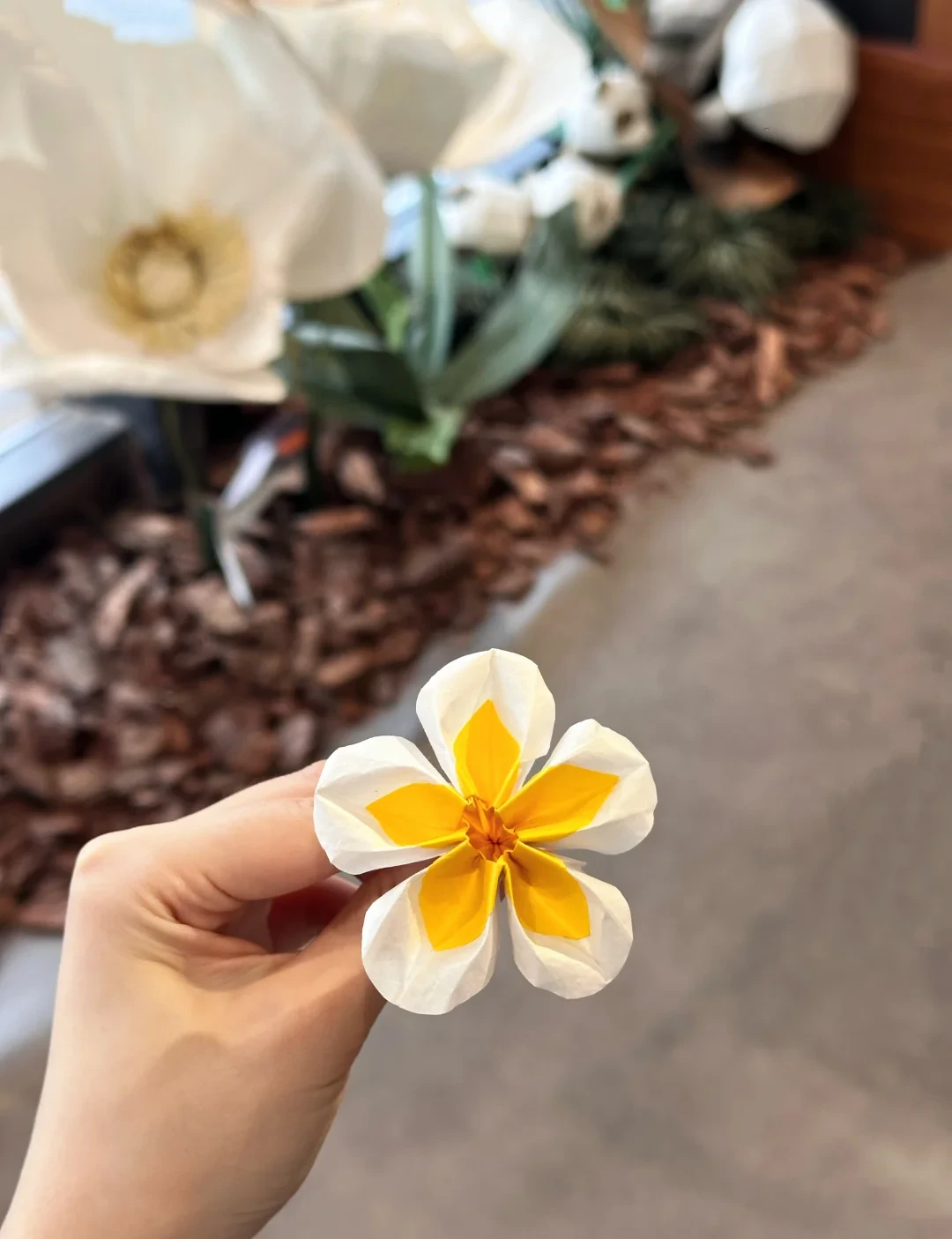 Open image at full size ↗
The completed model, shown from another angle to help check its shape and proportions.
Follow the diagrams alongside the step-by-step English instructions.
Choose your next project →