Paper toys · Step-by-step guide
Pixel-Style Paper Pickaxe
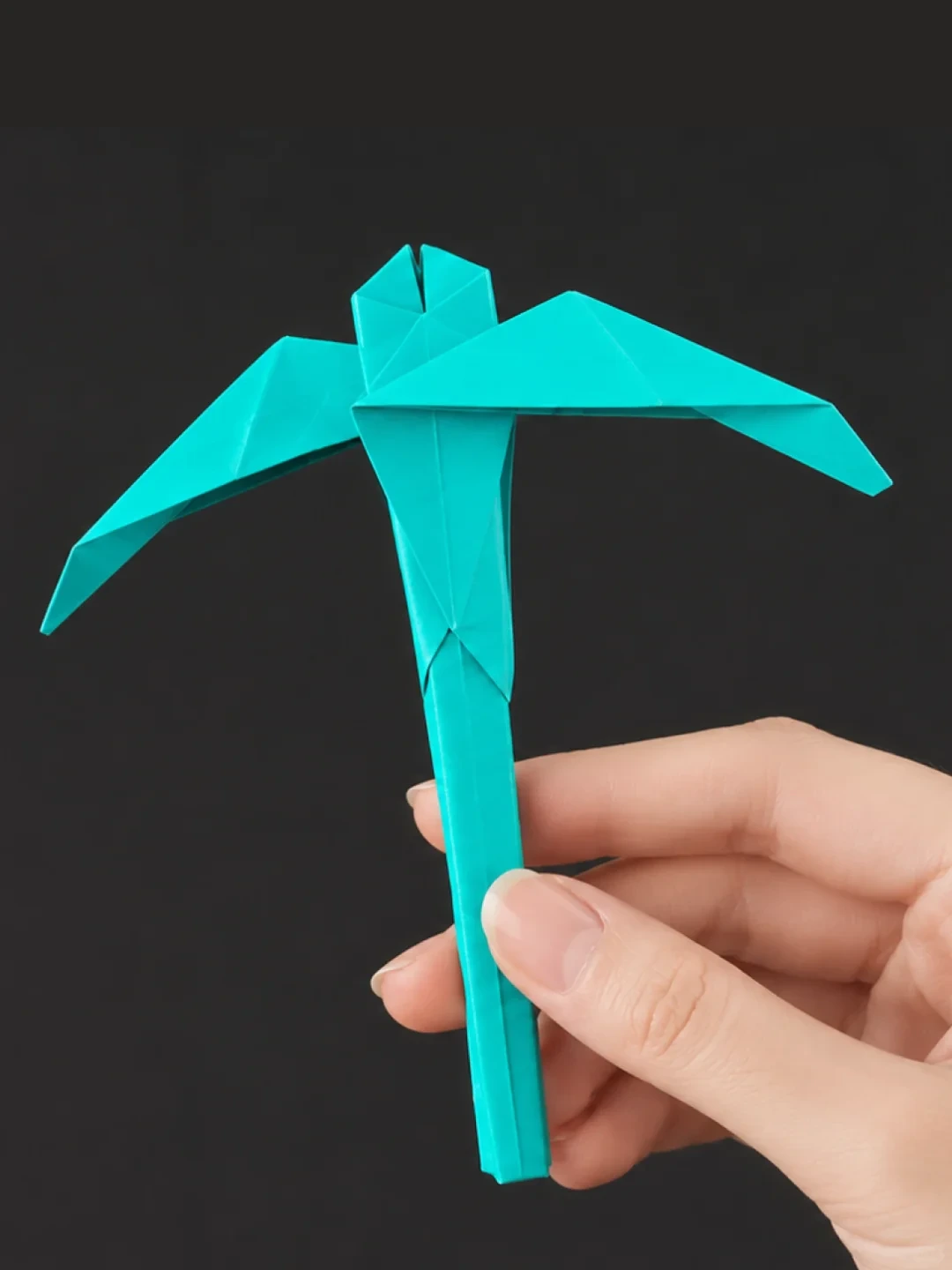
Fold a Minecraft-inspired paper pickaxe with a long handle and angular head.
What you’ll need
- Square colored paper
Paper folding and shaping
Make it, step by step.
40 steps · Original diagrams with English instructions
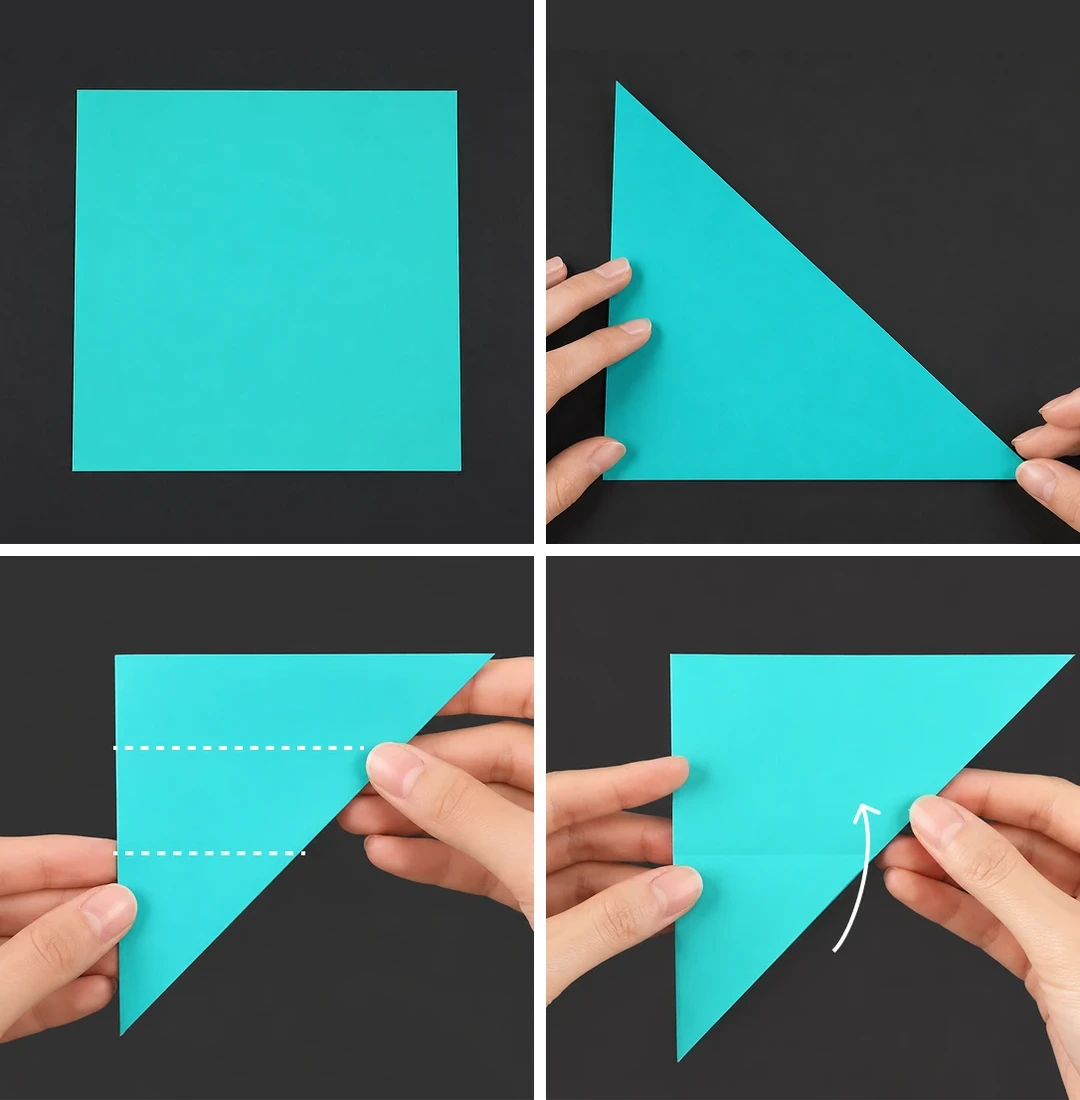
Steps 1–4
 Open image at full size ↗
Prepare a square sheet.
Fold along a diagonal.
Divide the folded triangle into thirds.
Fold the triangle upward.
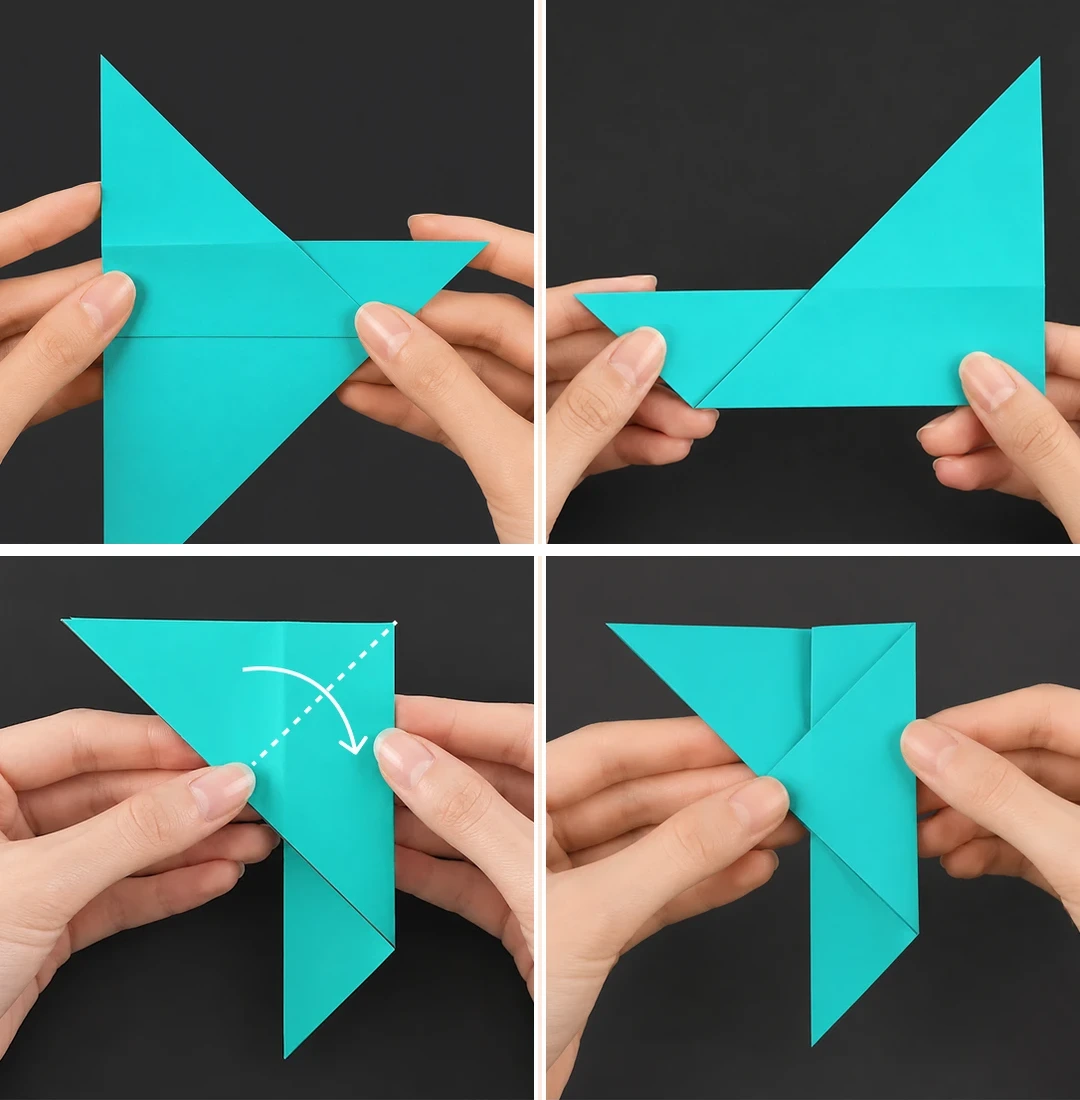
Steps 5–8
 Open image at full size ↗
Bring the indicated crease to the top edge and press.
Turn over and repeat.
Fold to the right along the dotted line.
Flatten into the shape shown.
Steps 9–12
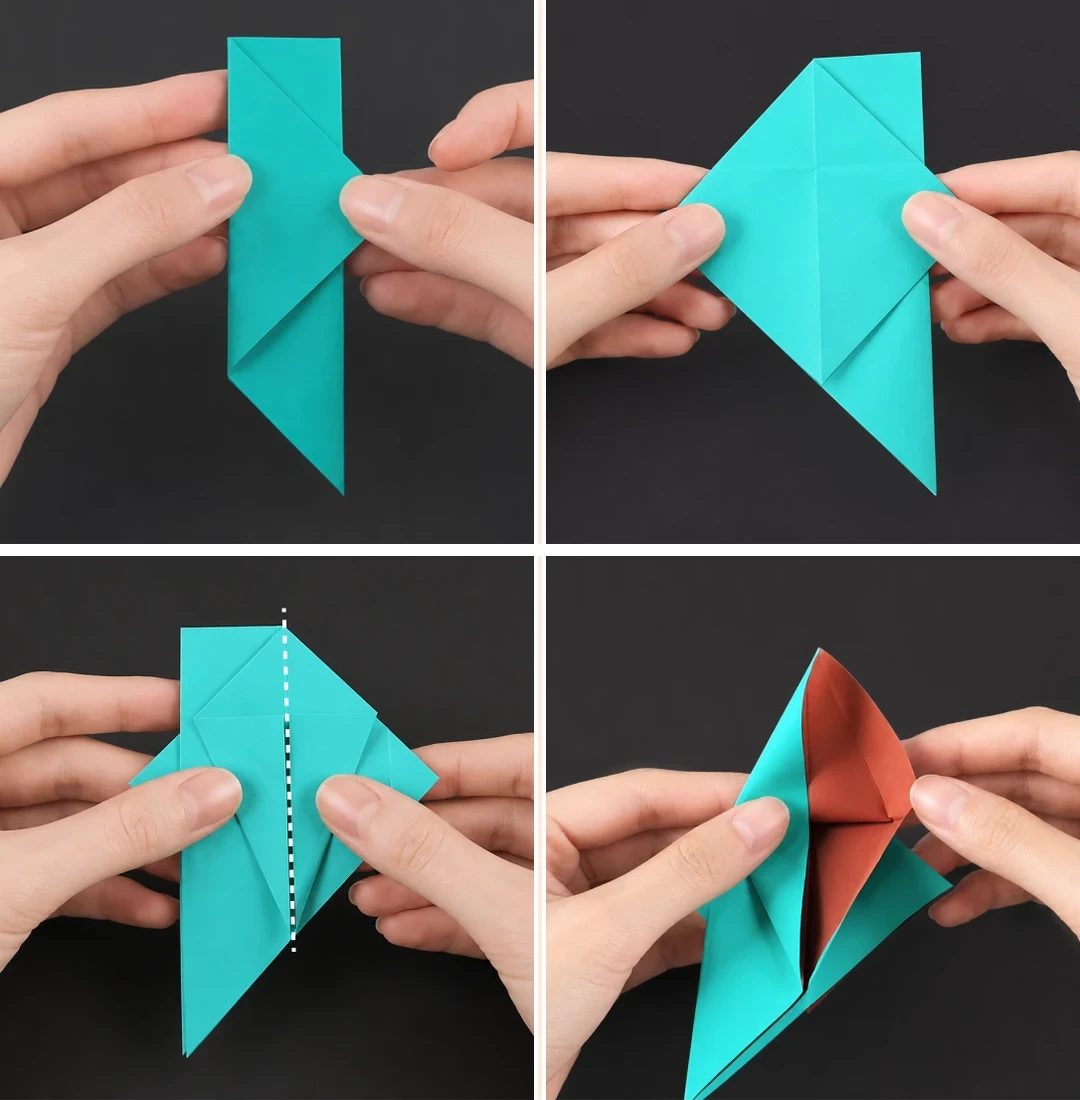 Open image at full size ↗
Turn over and repeat the same fold.
Open the triangle and squash it into a square.
Fold both edges toward the dotted centerline.
Open the layers and fold both sides toward the center again.
Steps 13–16
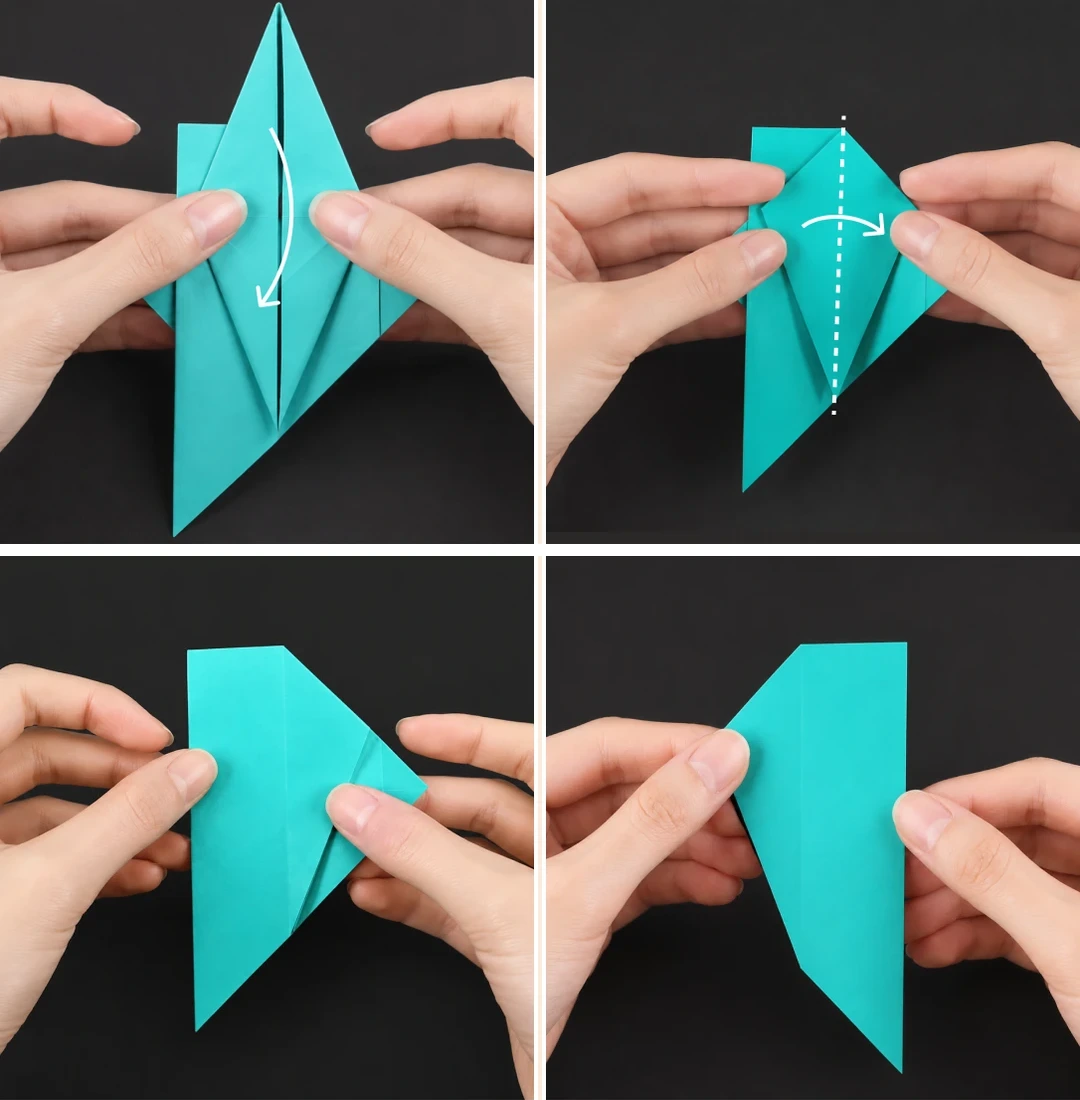 Open image at full size ↗
Press along the creases and fold the upper triangle downward.
Fold the left flap rightward along the centerline.
Check the resulting arrangement.
Turn over and repeat.
Steps 17–20
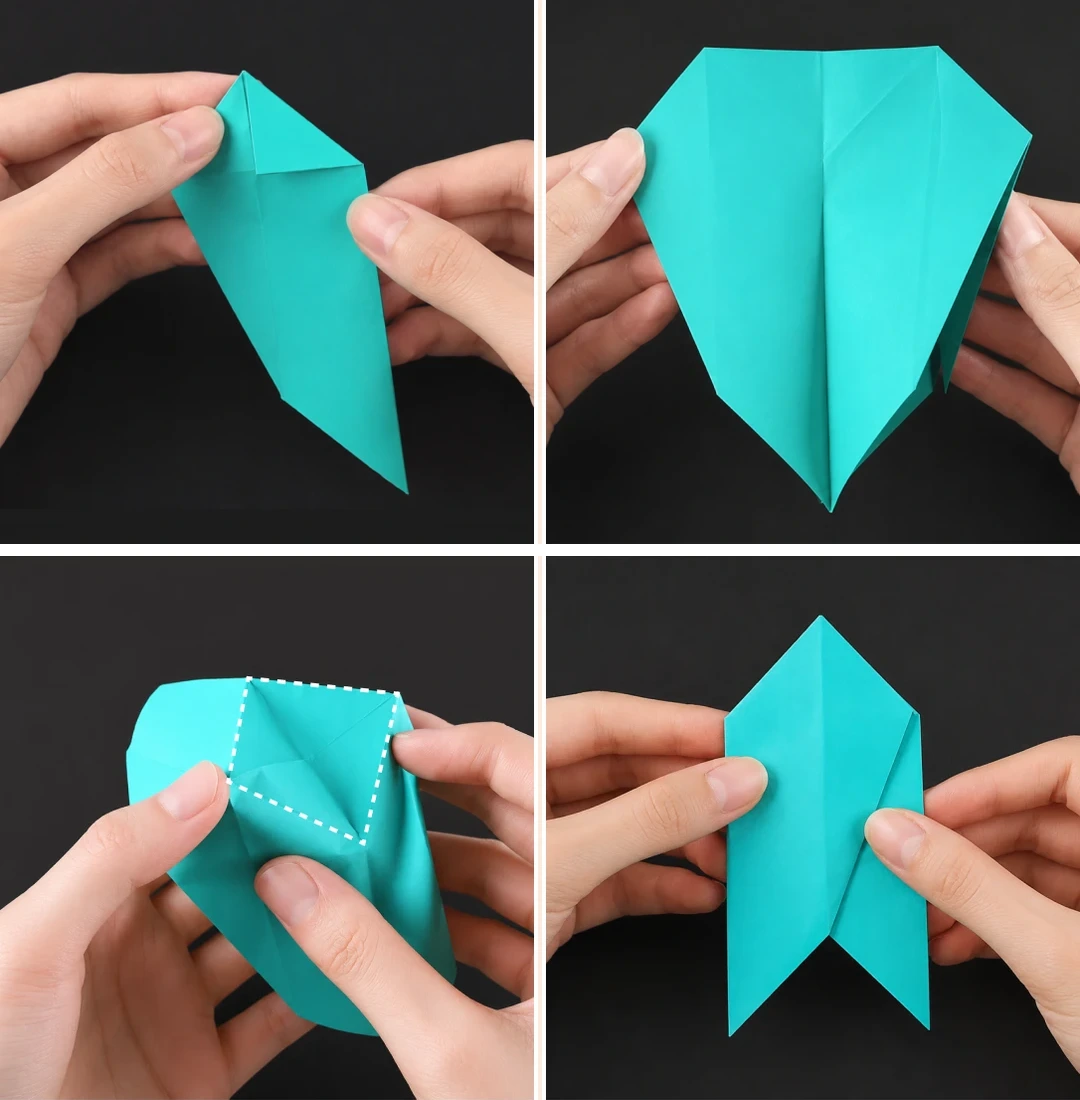 Open image at full size ↗
Fold a triangle down at the upper-right corner.
Open it as shown.
Spread the layers to form the central diamond.
Fold it inward and check the shape.
Steps 21–24
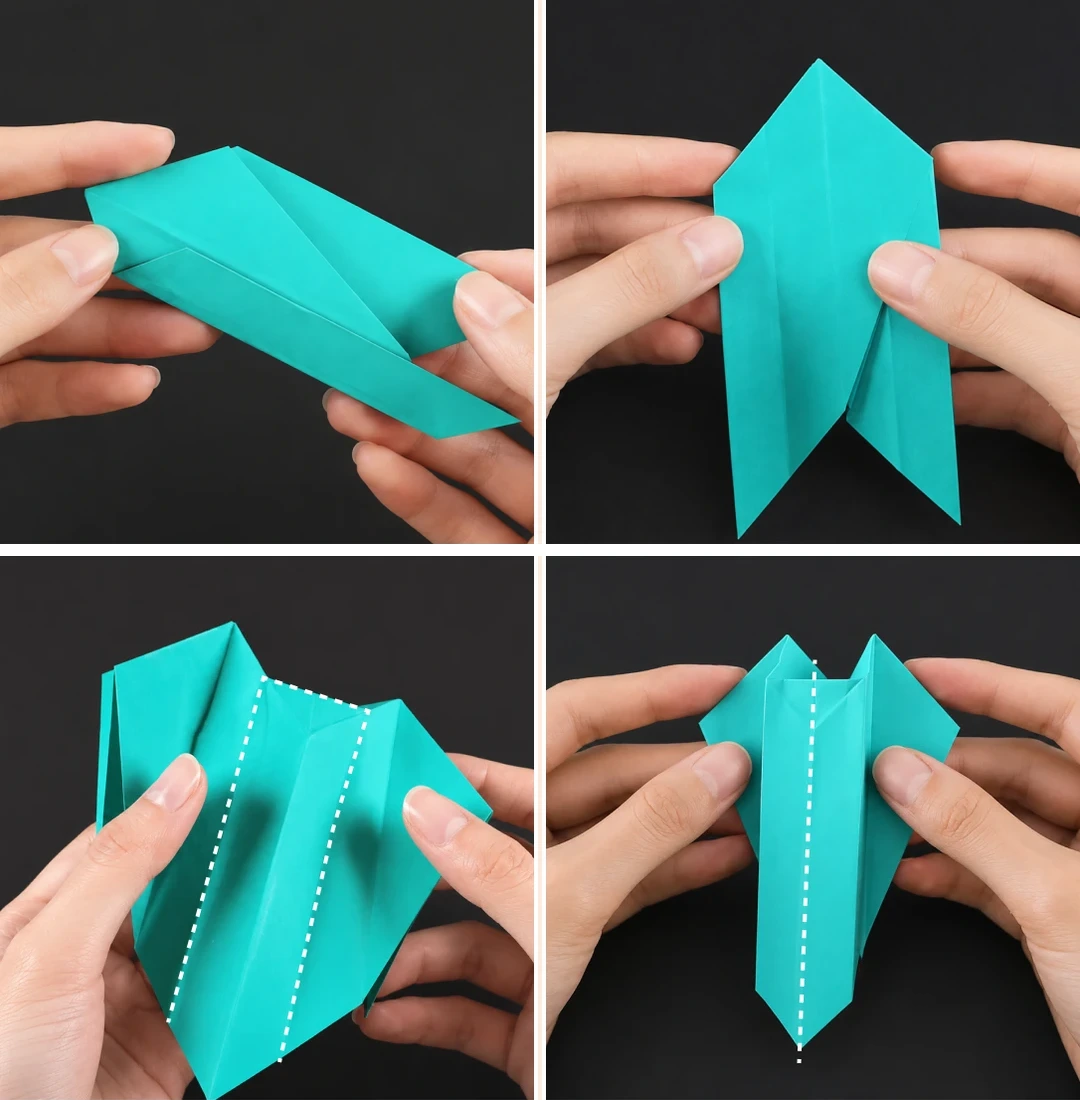 Open image at full size ↗
Fold the left side to the centerline.
Turn over and repeat.
Open and press along the dotted line.
Fold inward at the centerline.
Steps 25–28
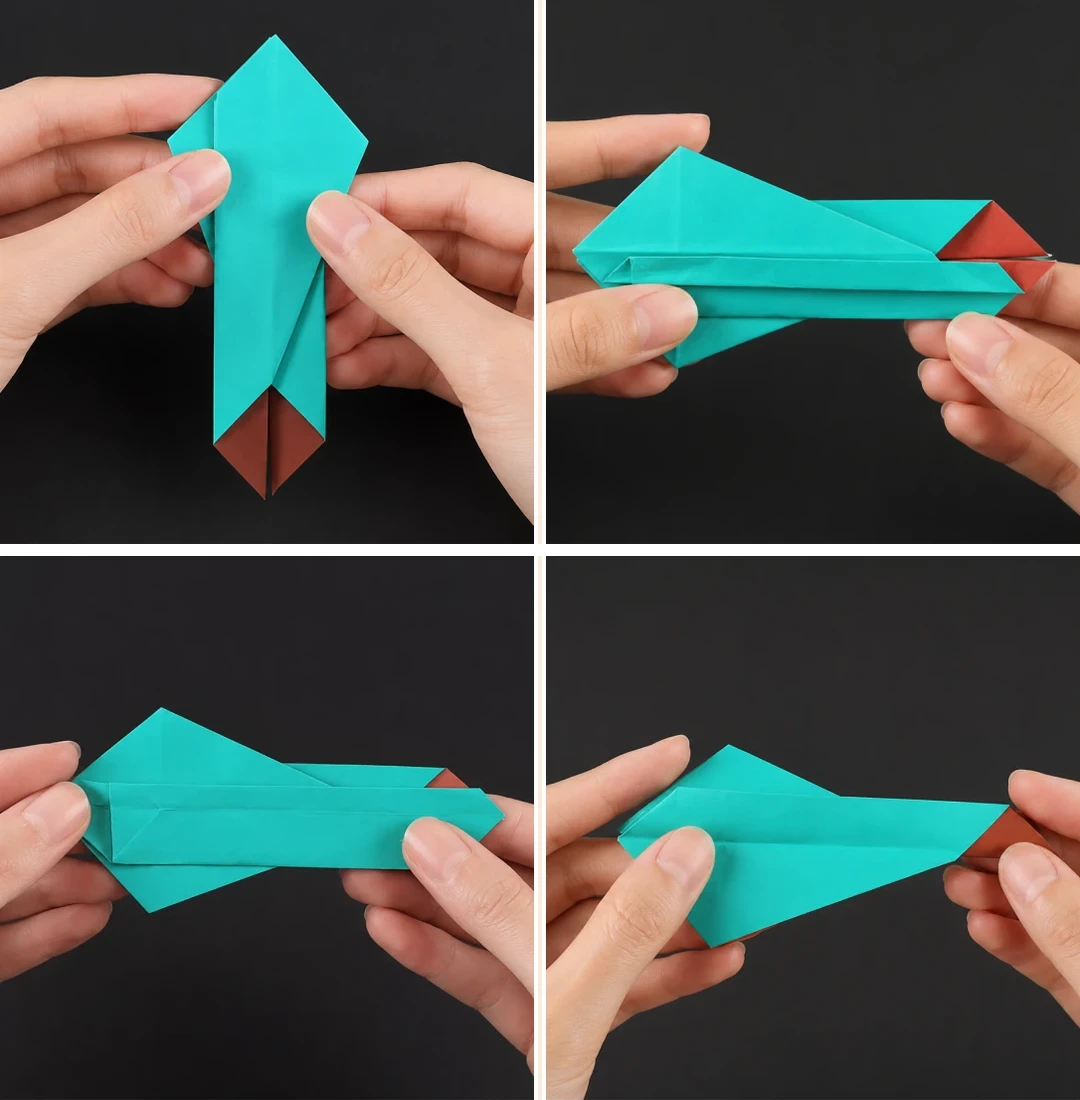 Open image at full size ↗
Check the folded shape.
Fold the left side toward the centerline.
Fold upward once more.
Turn over and repeat.
Steps 29–32
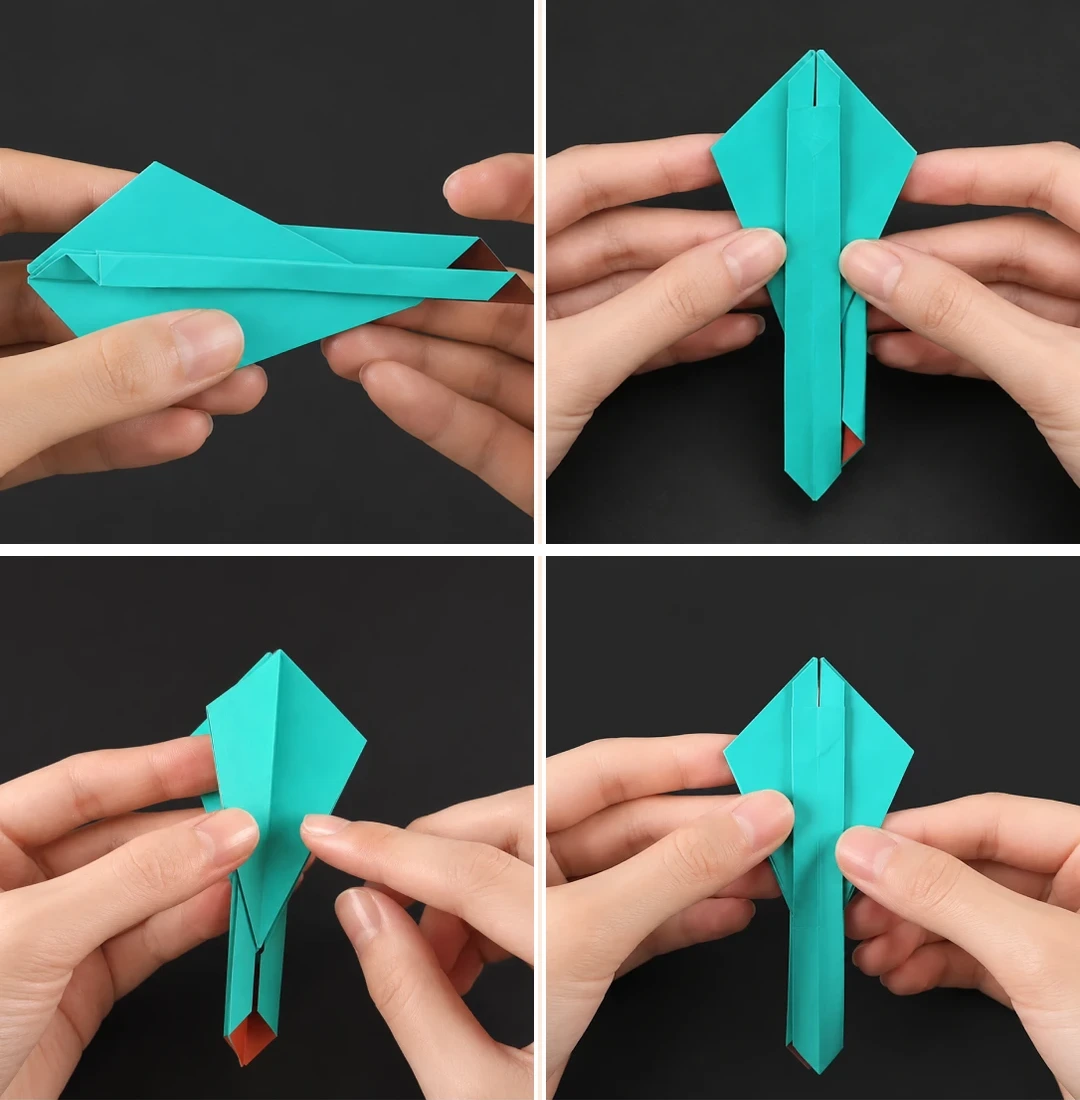 Open image at full size ↗
Fold downward.
Open from the middle.
Repeat on the other side.
Turn the model as pictured.
Steps 33–36
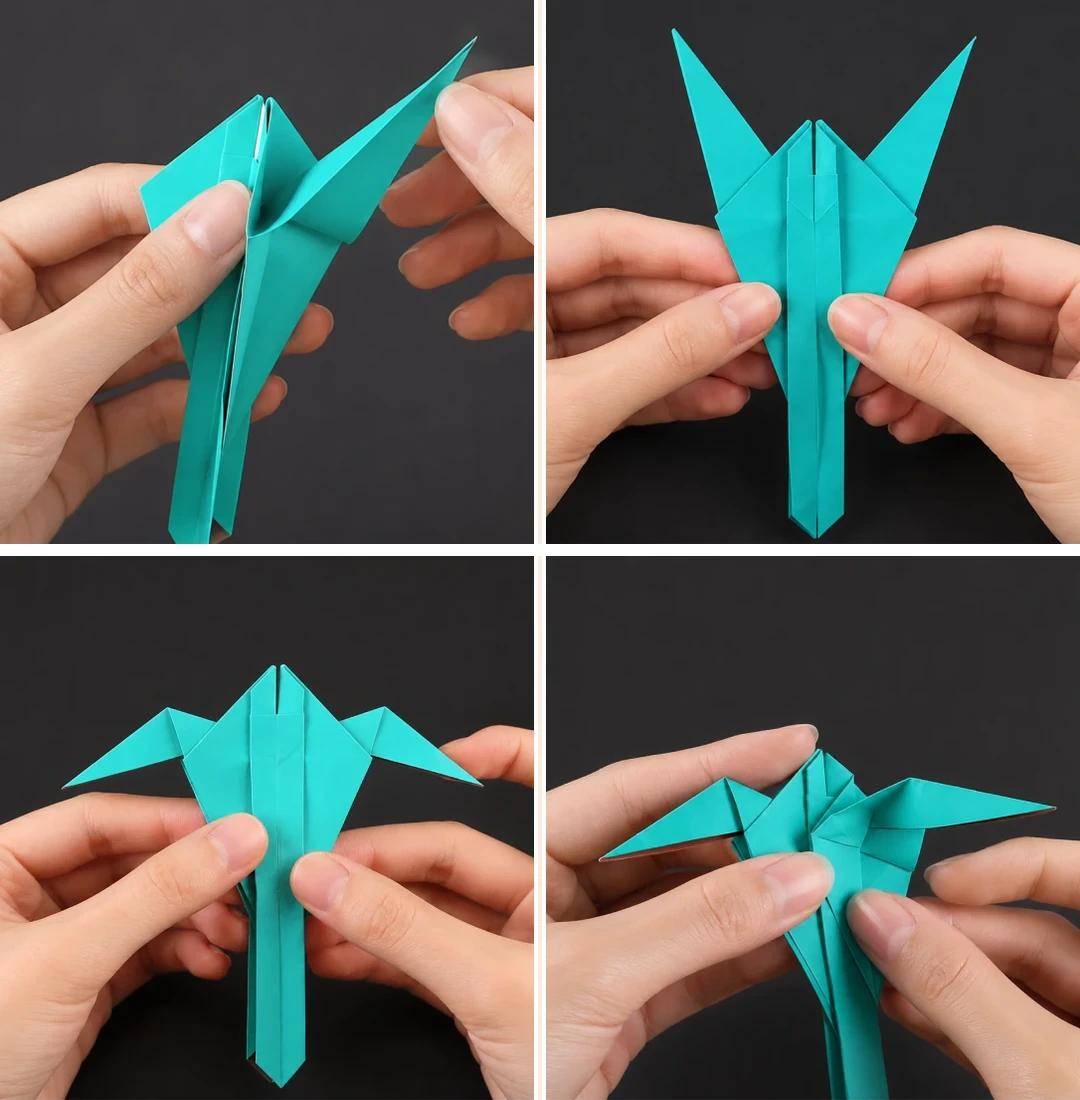 Open image at full size ↗
Open the side triangle and fold it inward.
Adjust the angle and repeat on both sides.
Fold the inner triangular flap downward.
Open the side and press as shown.
Steps 37–40
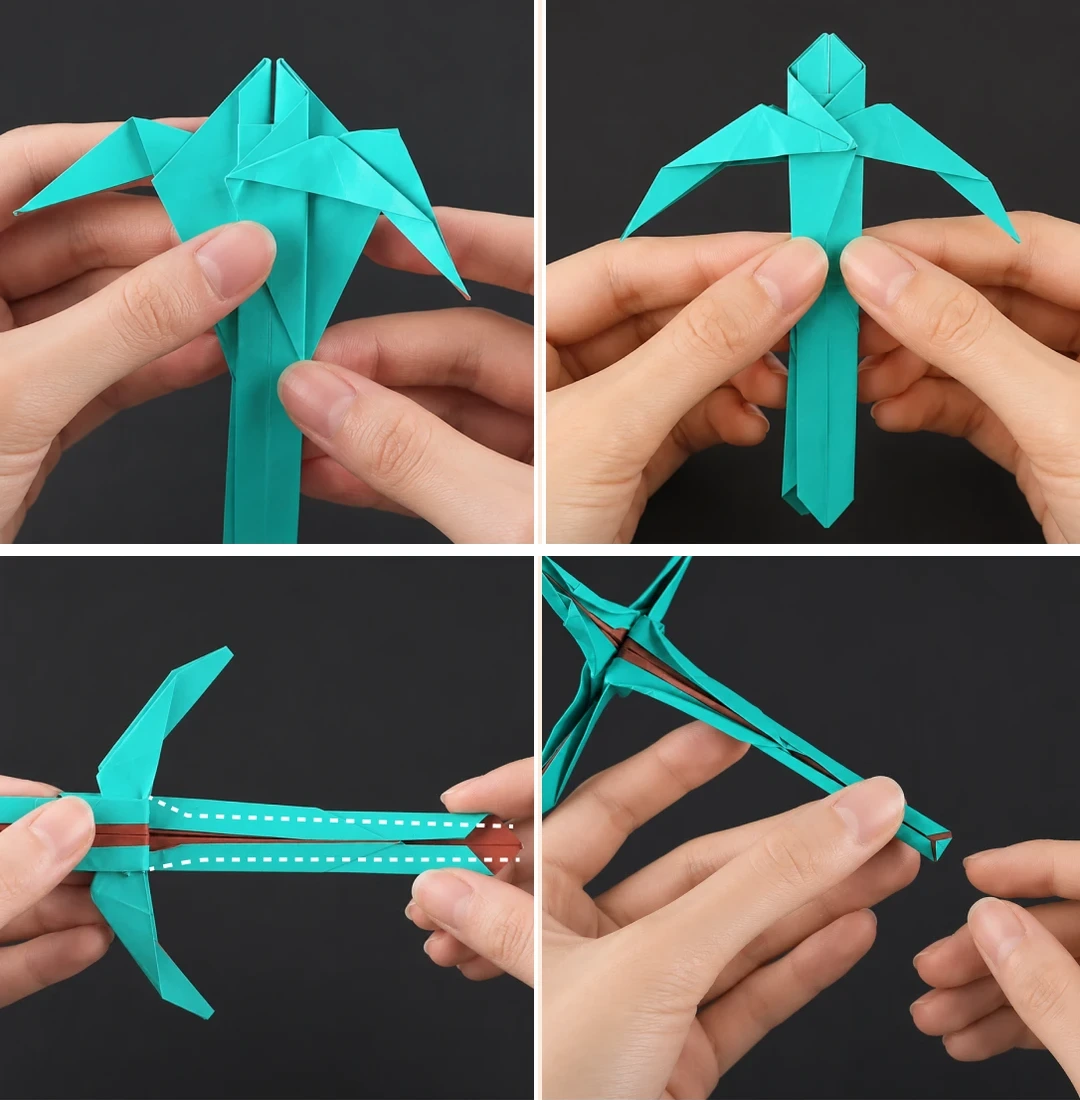 Open image at full size ↗
Repeat on the other three faces.
Flatten into the illustrated shape.
Open the lower section and fold toward the center along the dotted lines.
Fold the bottom triangle upward.
The finished project
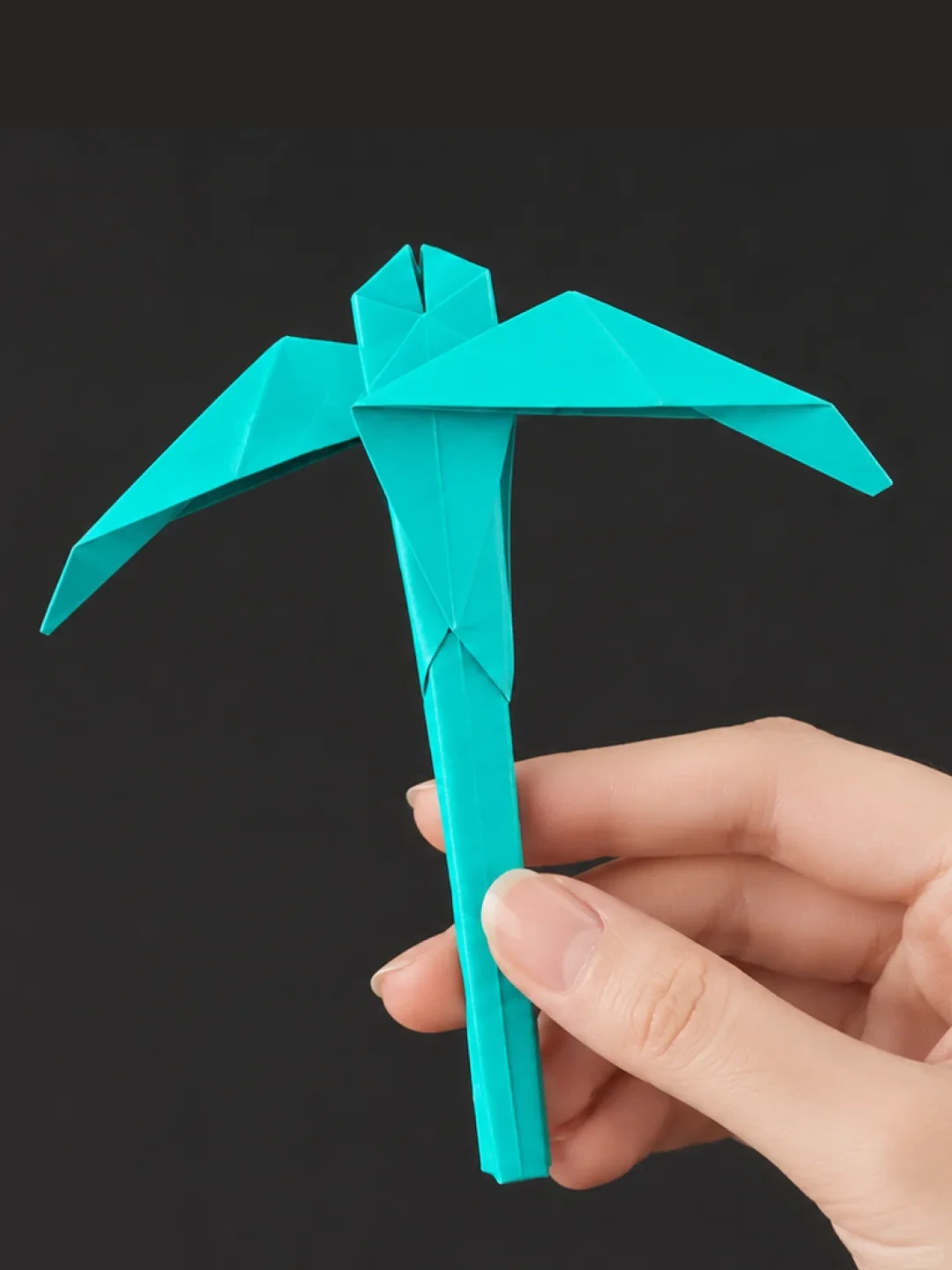 Open image at full size ↗
The finished paper pickaxe. Adjust the head and handle to match the final photograph.
Follow the diagrams alongside the step-by-step English instructions.
Choose your next project →