
Decorations · Step-by-step guide
Heart with Paper Wings
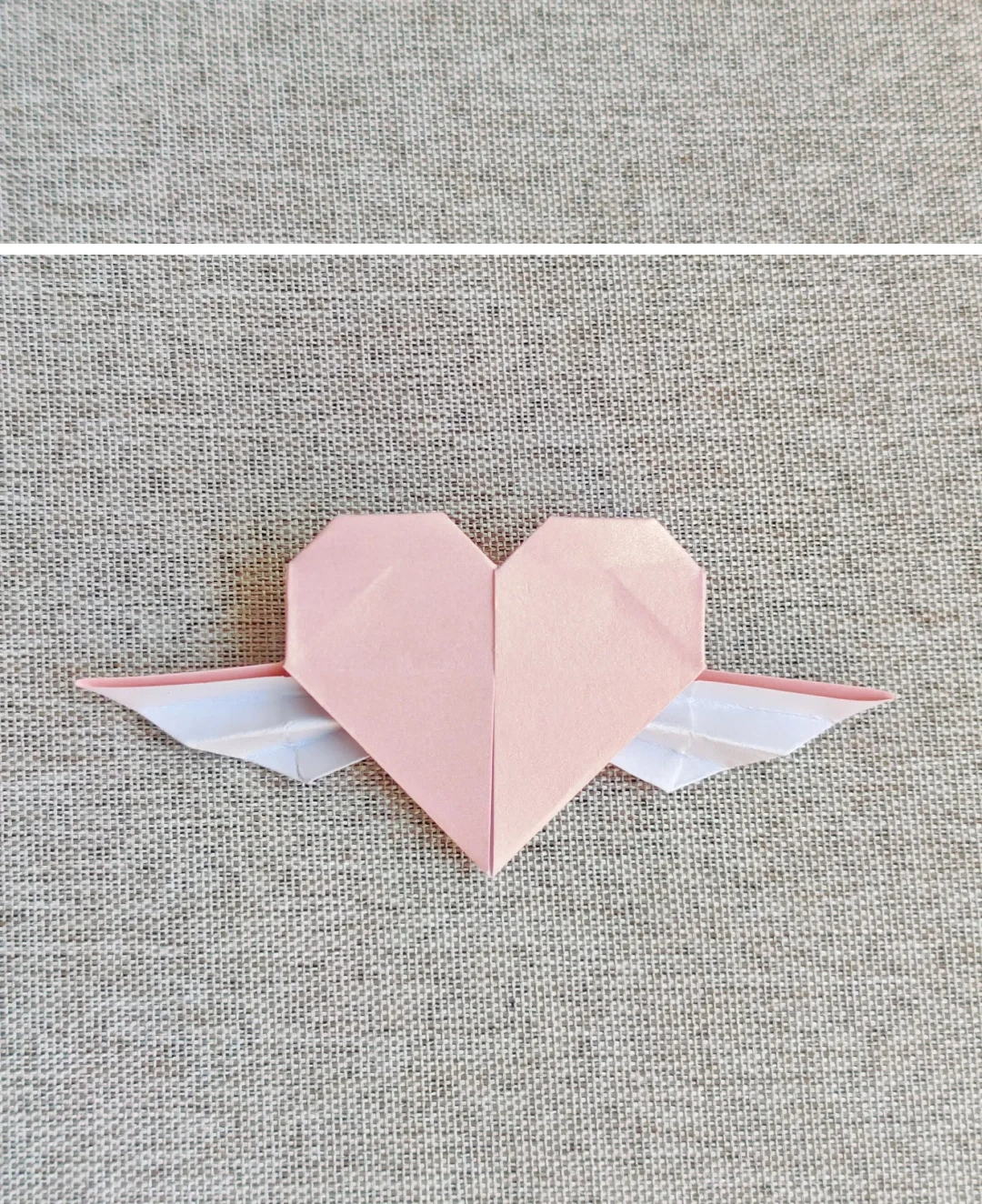
Fold a two-color heart with small pleated wings extending from either side.
What you’ll need
- One square with different colors on each side
- Glue, optional
Origami · Creasing, collapse folds & shaping
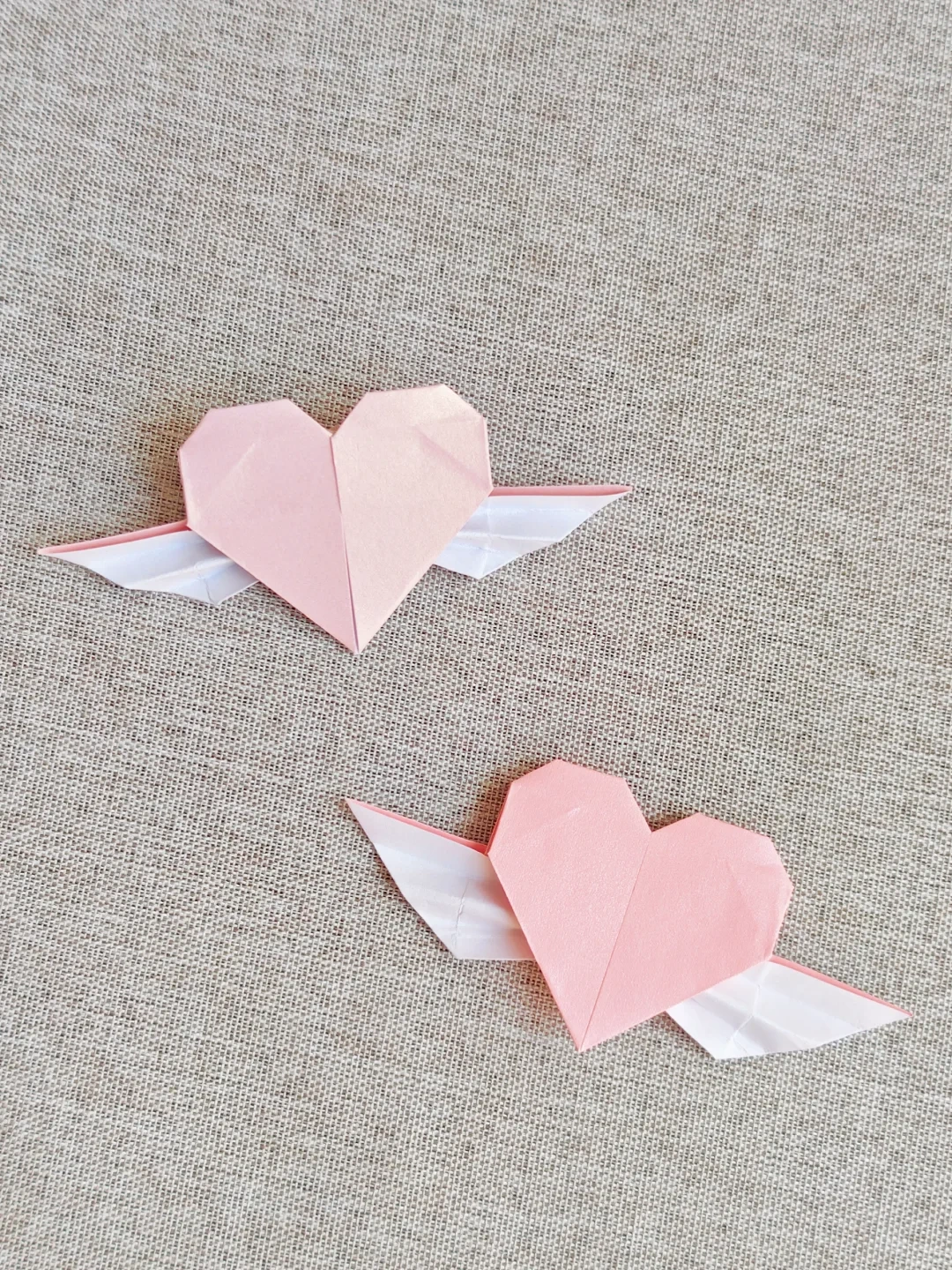
Make it, step by step.
16 steps · Original diagrams with English instructions
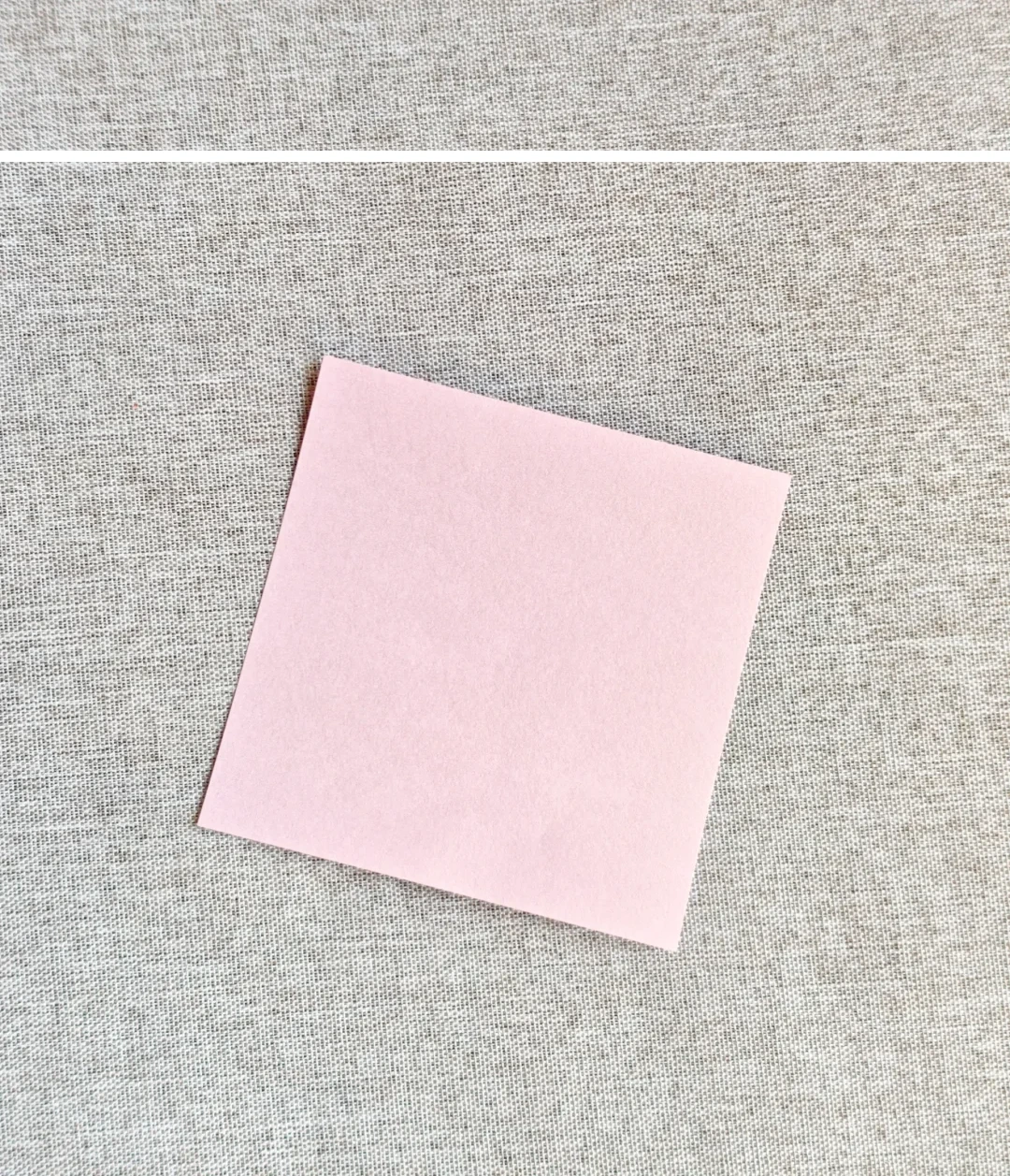
Prepare the paper
 Open image at full size ↗
Use a two-sided square to make the heart and wings contrast.
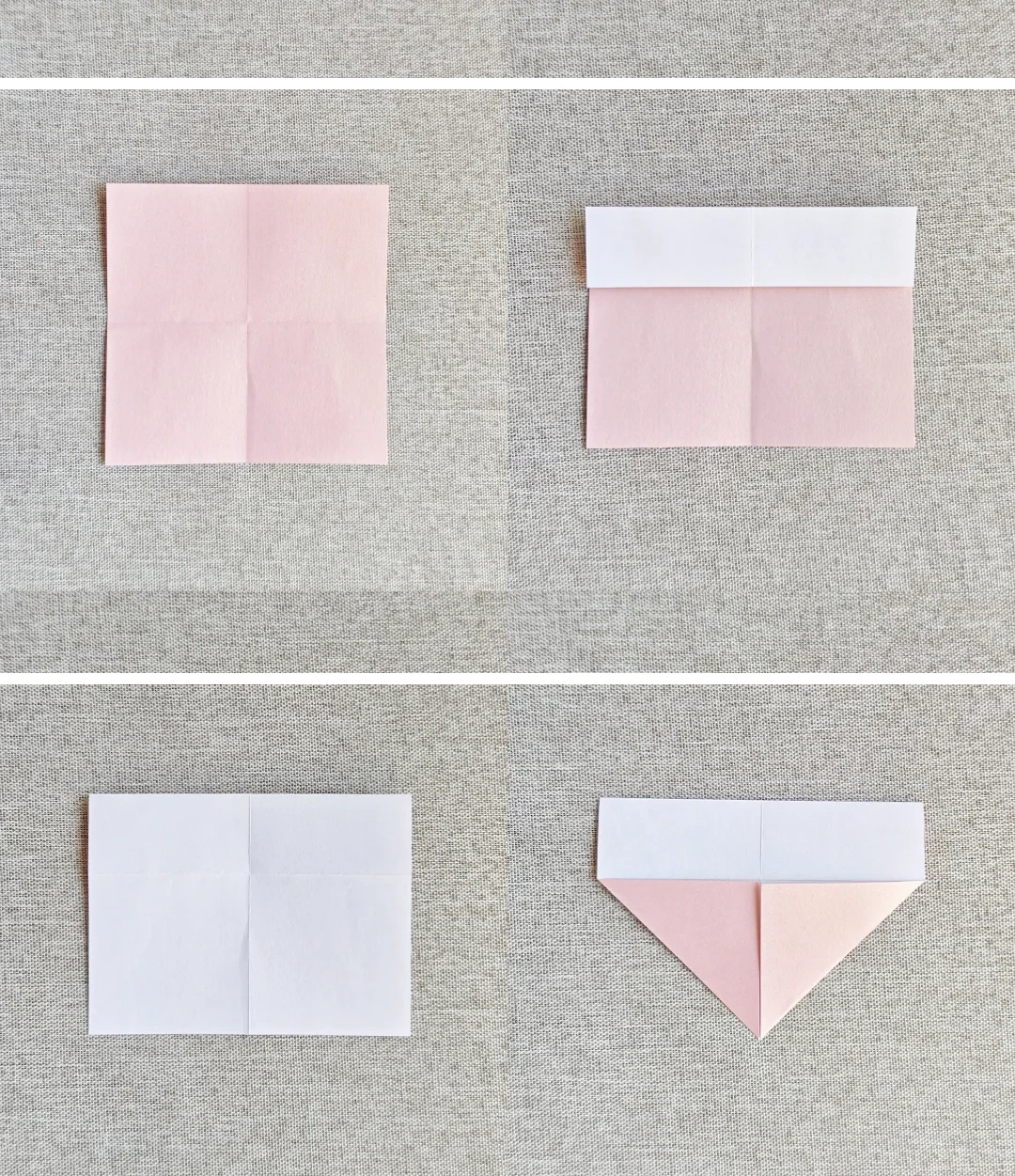
Set the base folds
 Open image at full size ↗
Crease the square across its center. Fold the top edge to the middle, turn over and fold the lower corners inward.
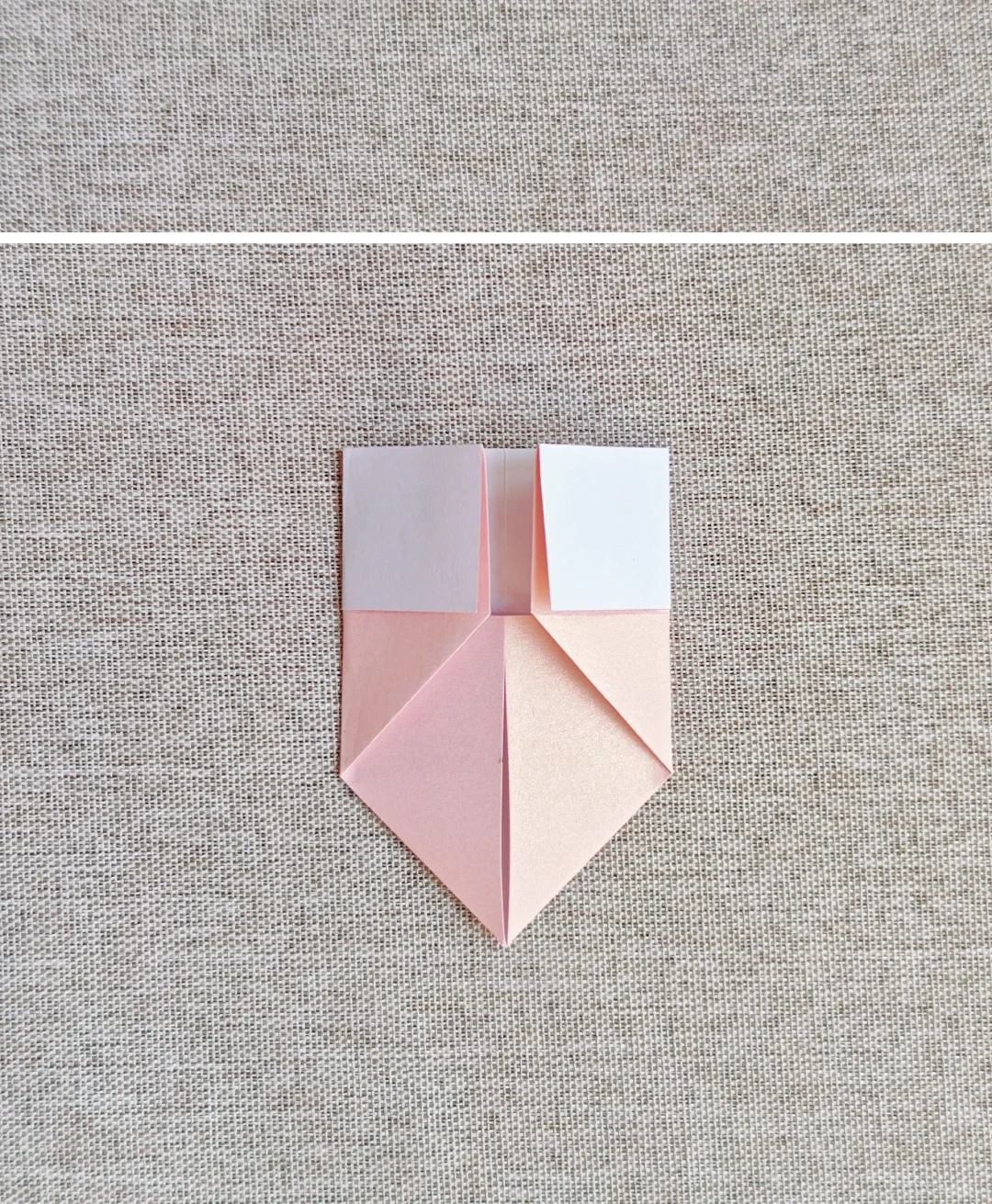
Bring the sides in
 Open image at full size ↗
Fold both side edges toward the center line.
Open the upper corners
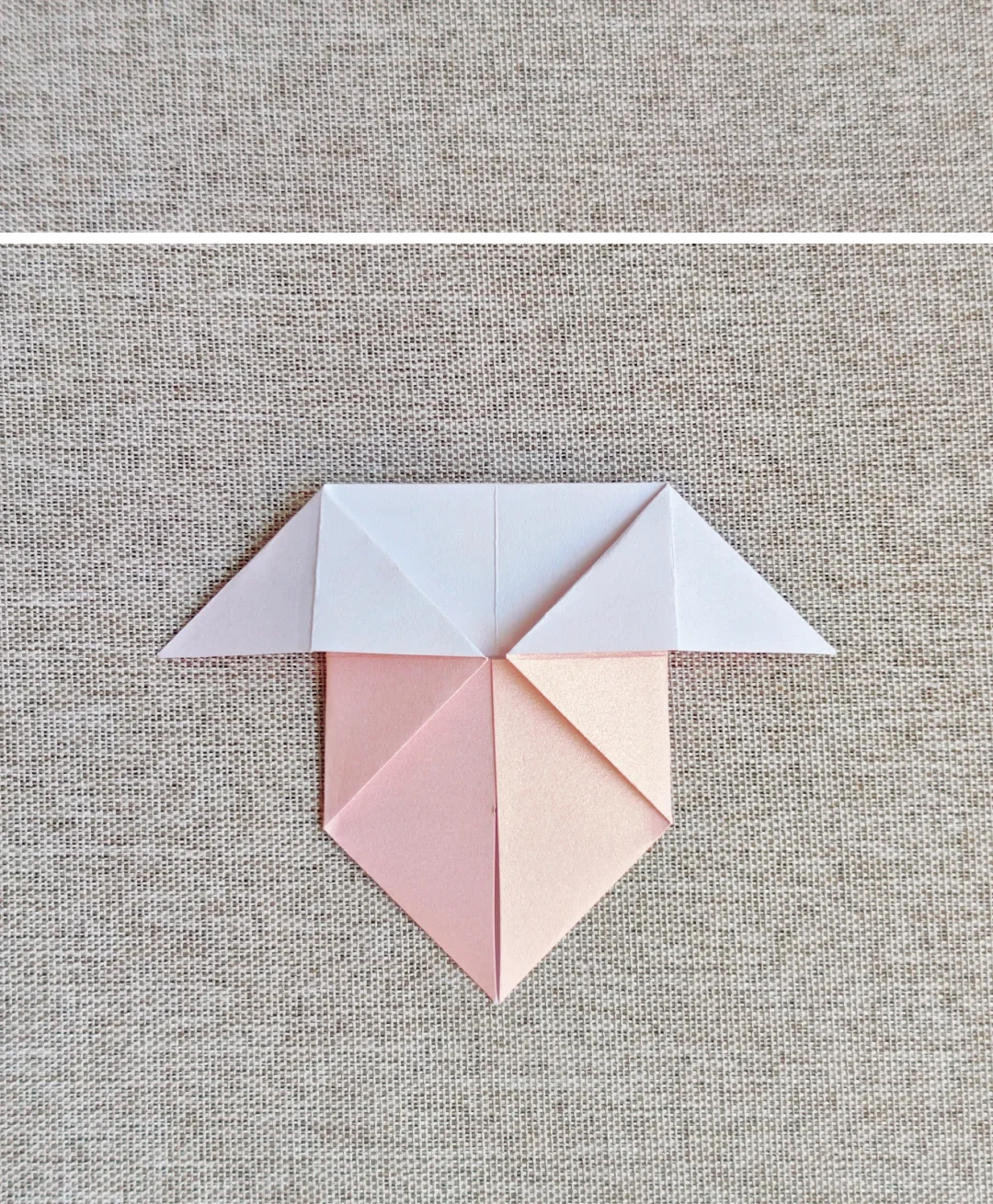 Open image at full size ↗
Open and flatten the upper side pockets so the white sections spread sideways.
Pull out the lower layer
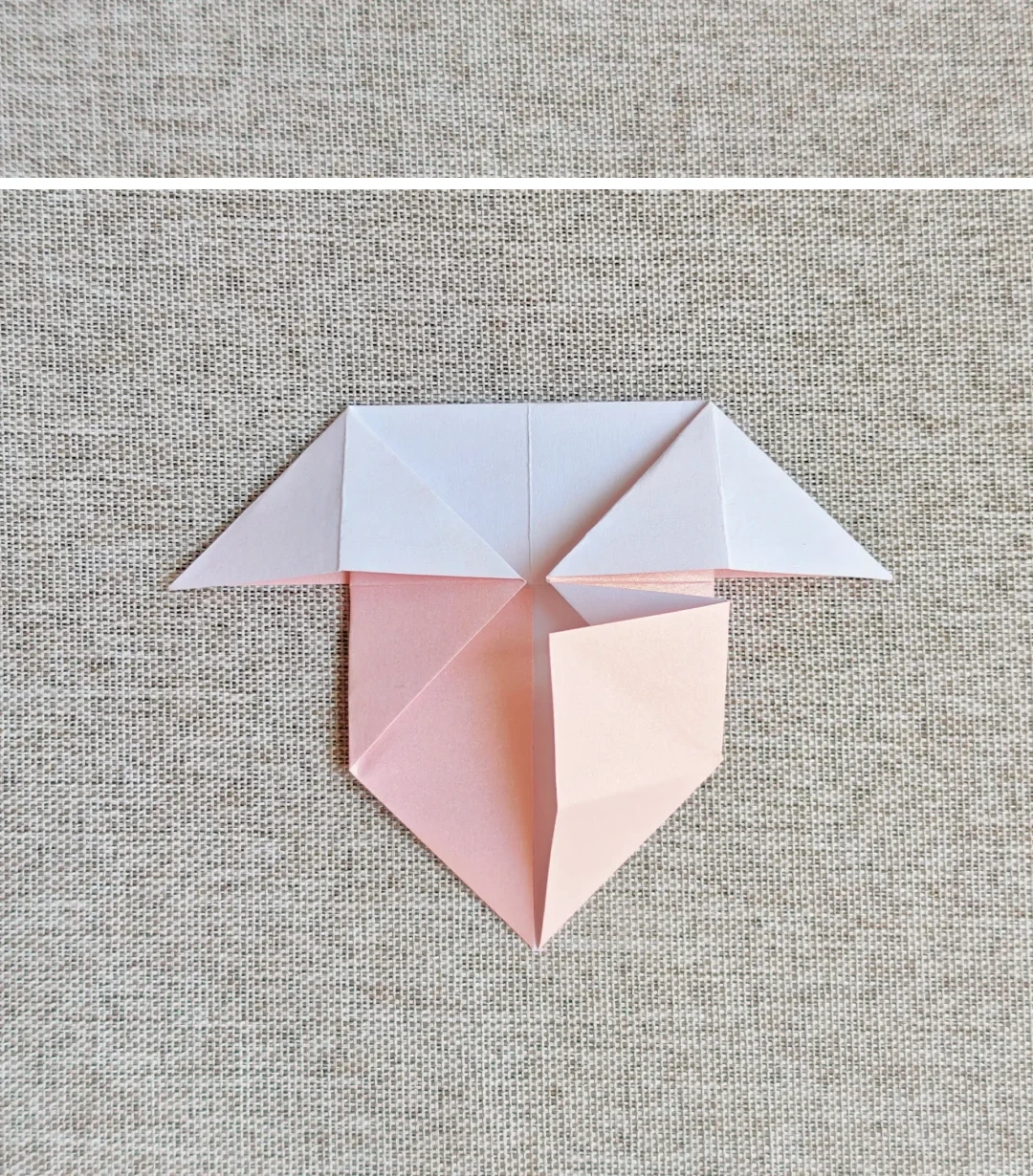 Open image at full size ↗
Pull the lower flap outward and fold it along the pictured crease.
Repeat on the left
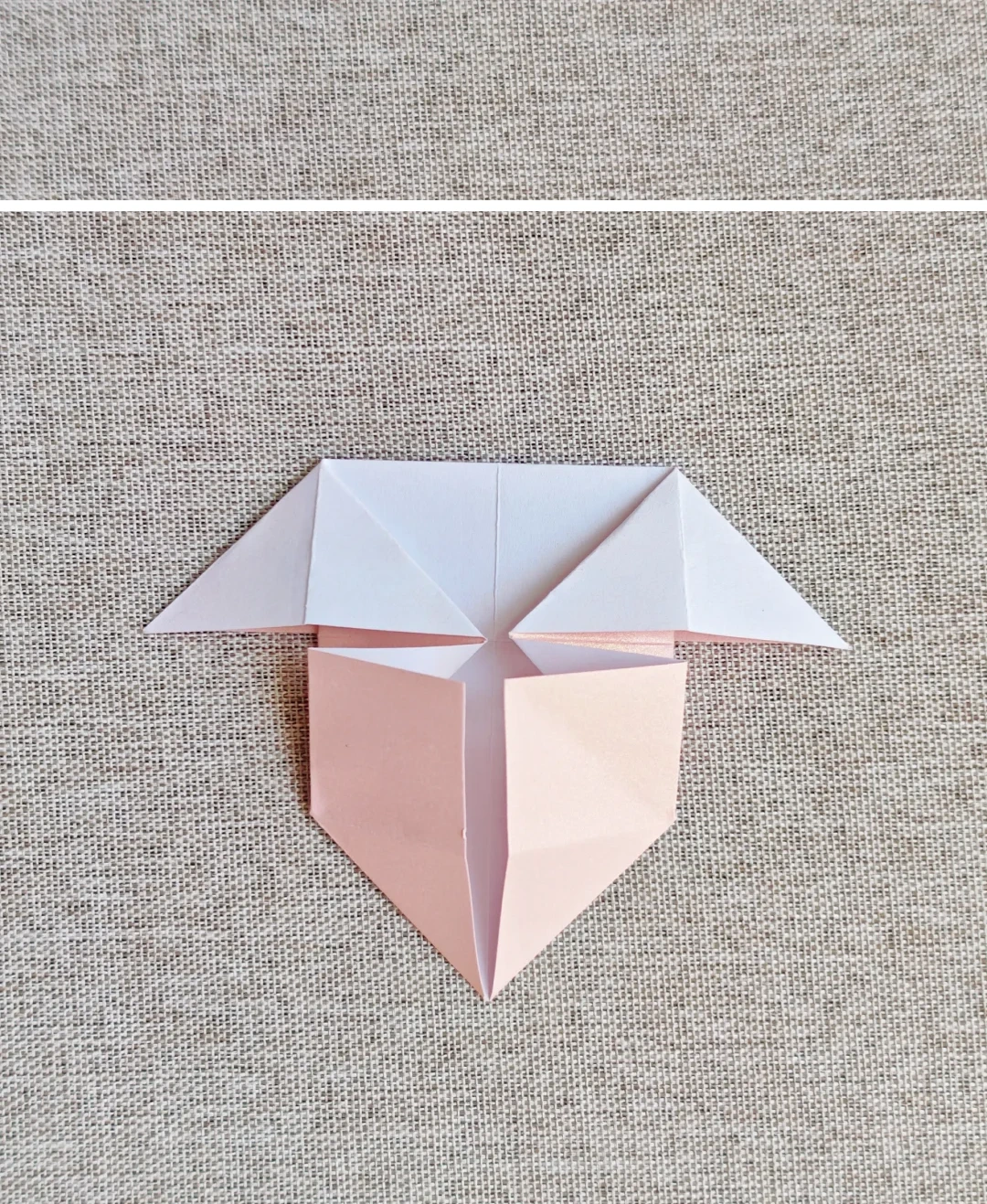 Open image at full size ↗
Make the same fold on the other side.
Turn the model over
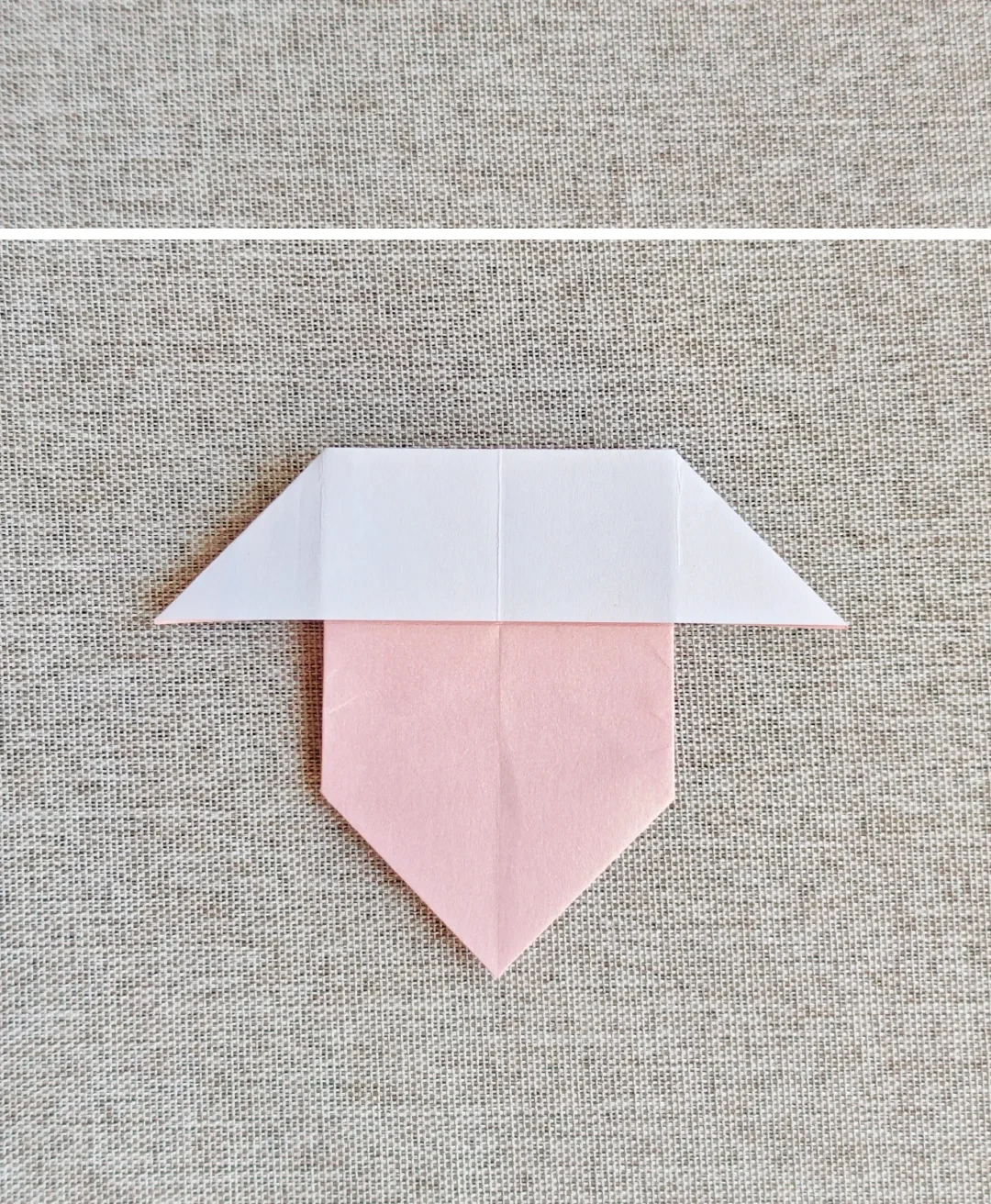 Open image at full size ↗
Turn to the opposite face.
Fold upward
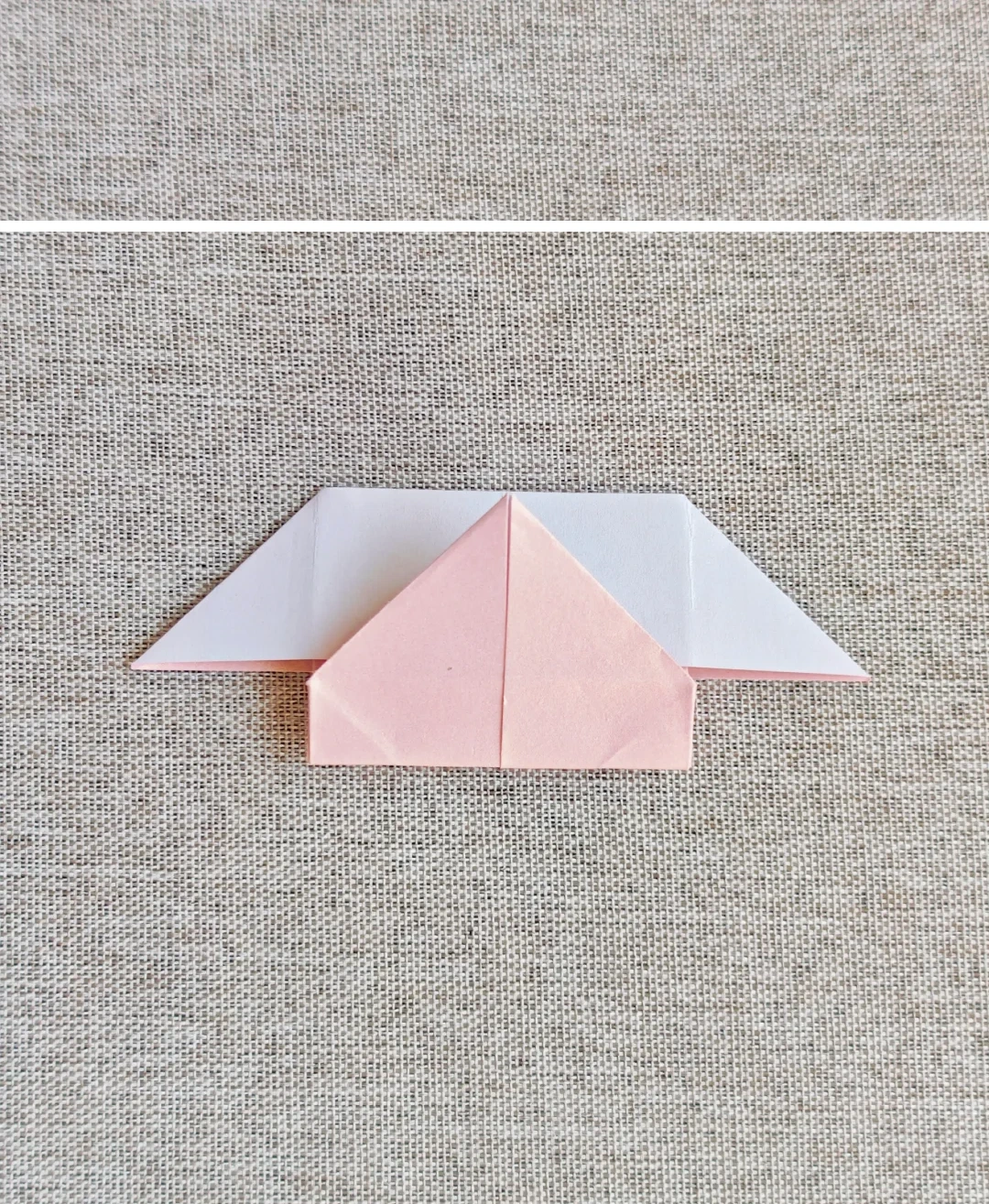 Open image at full size ↗
Fold the lower part upward along the horizontal center.
Turn again
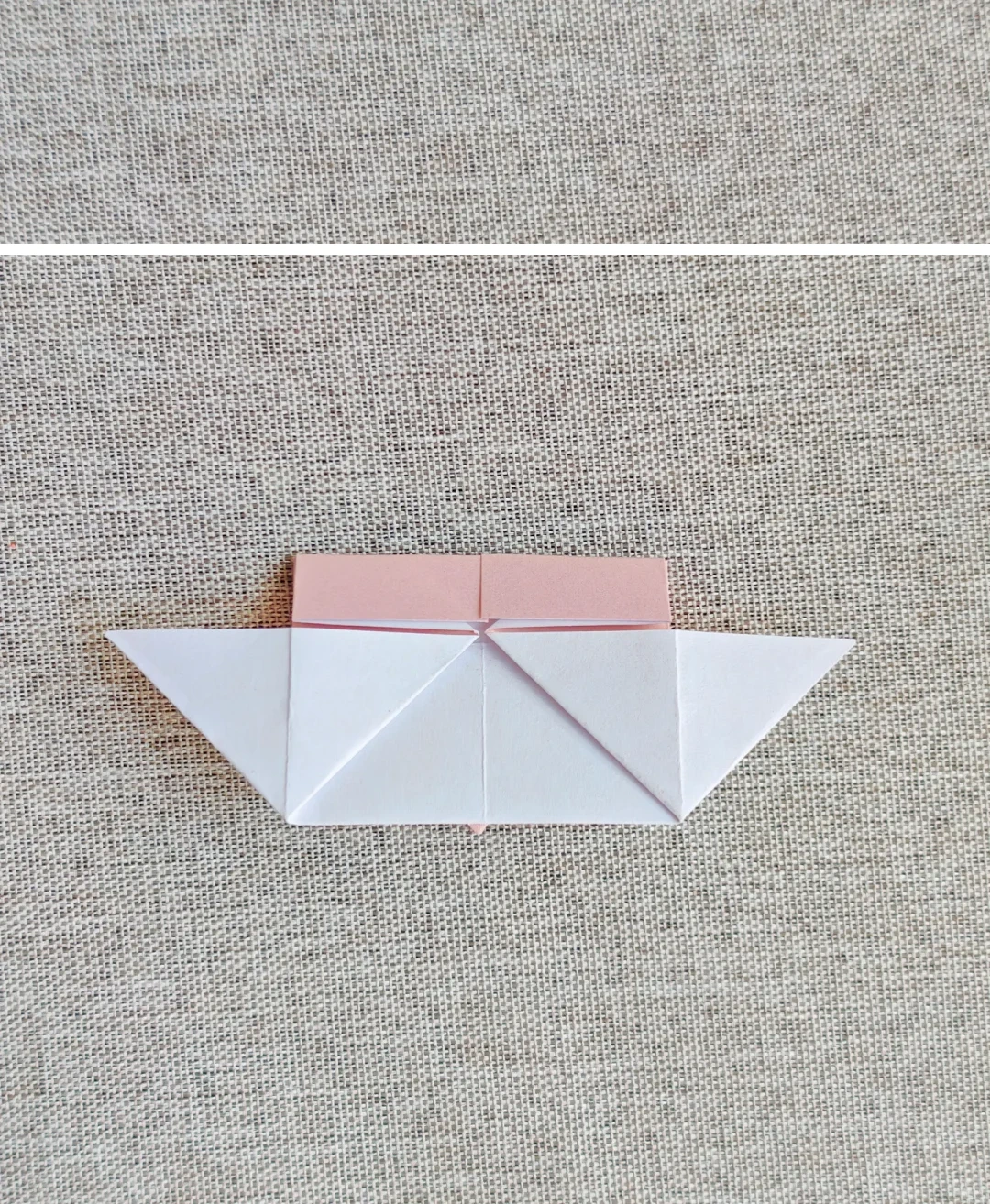 Open image at full size ↗
Turn the model over to work on the heart's back.
Open the upper pockets
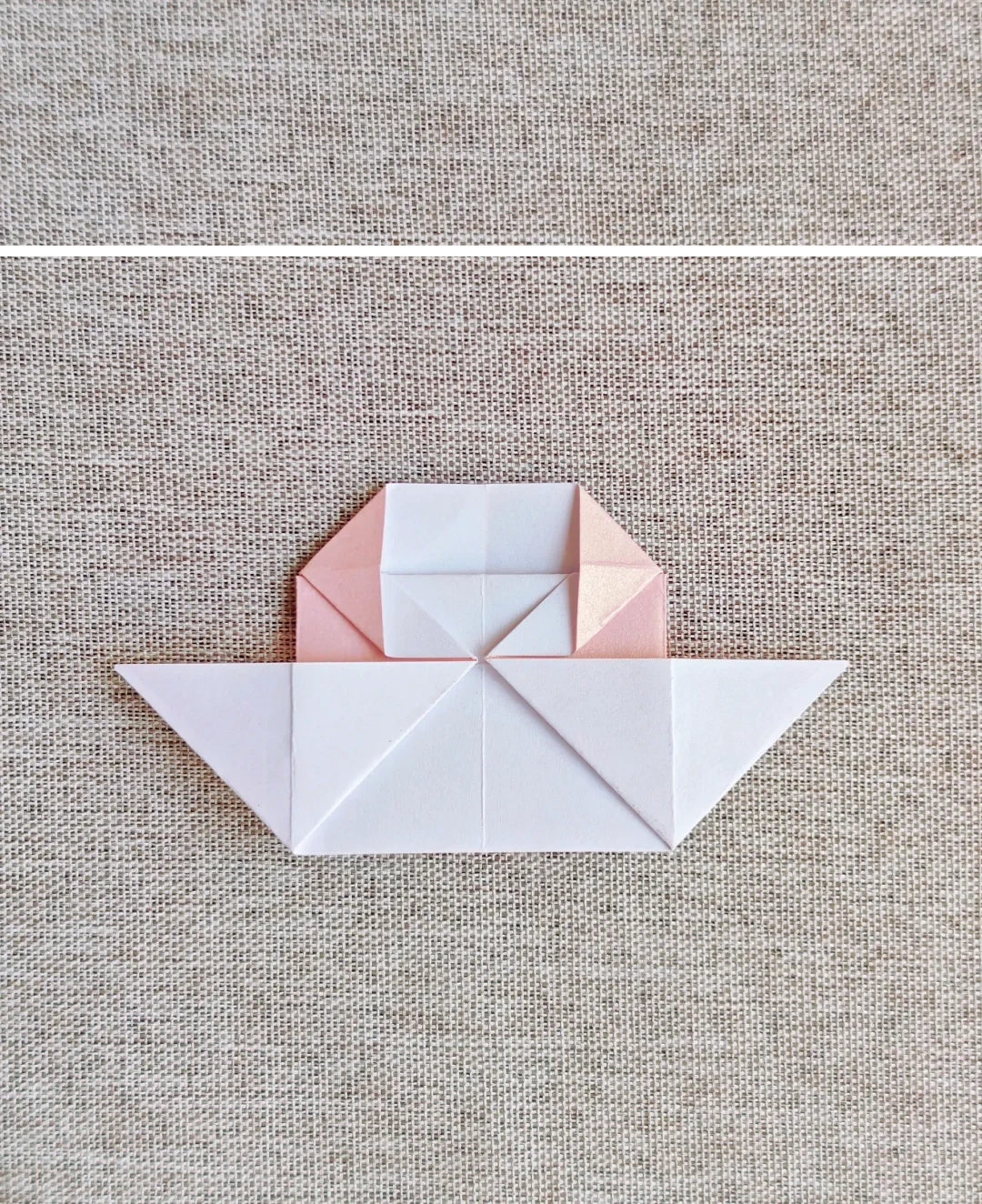 Open image at full size ↗
Open the upper part and flatten both pockets.
Make the center dip
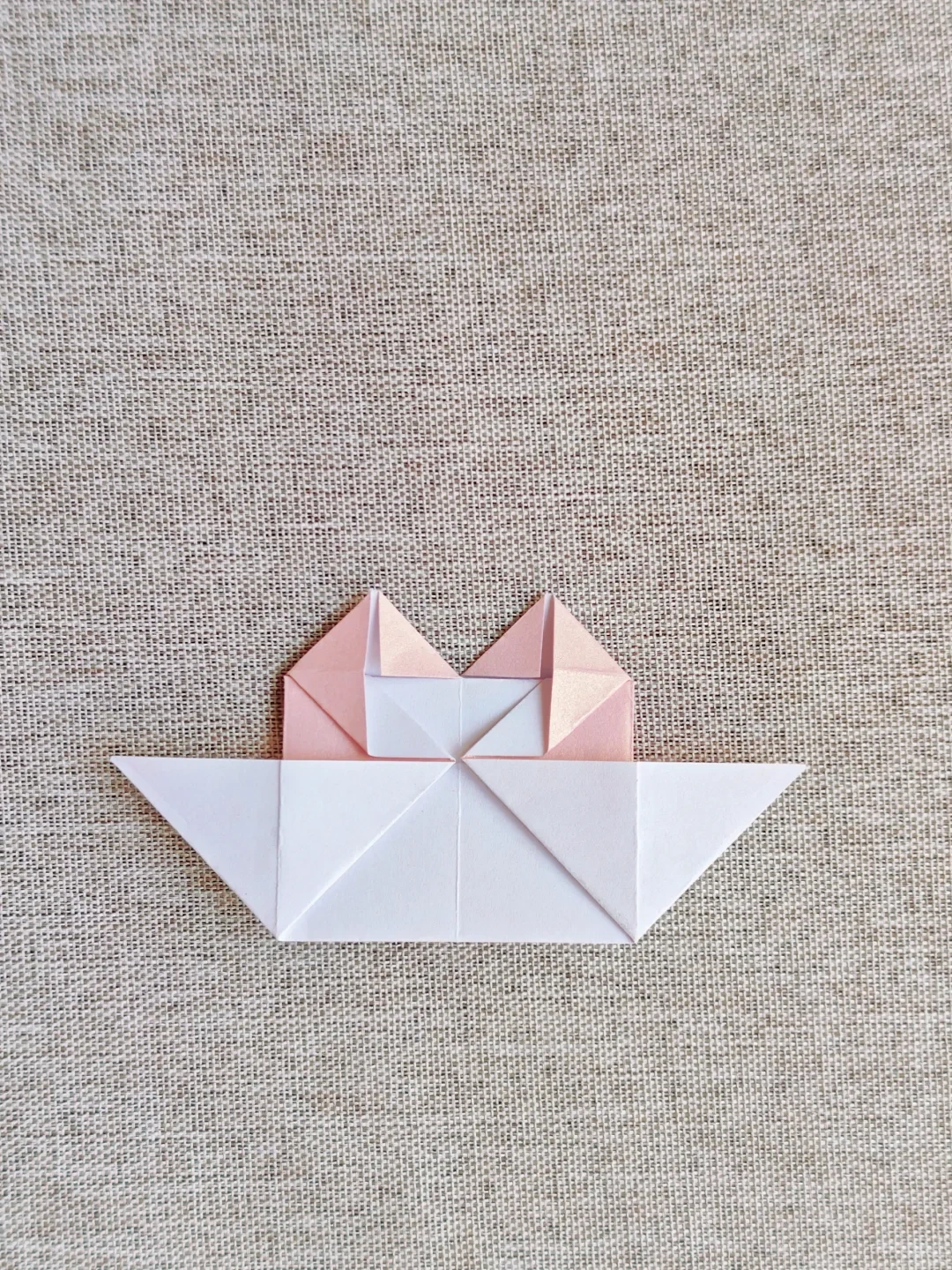 Open image at full size ↗
Fold the two inner corners downward to form the cleft of the heart.
Round the heart
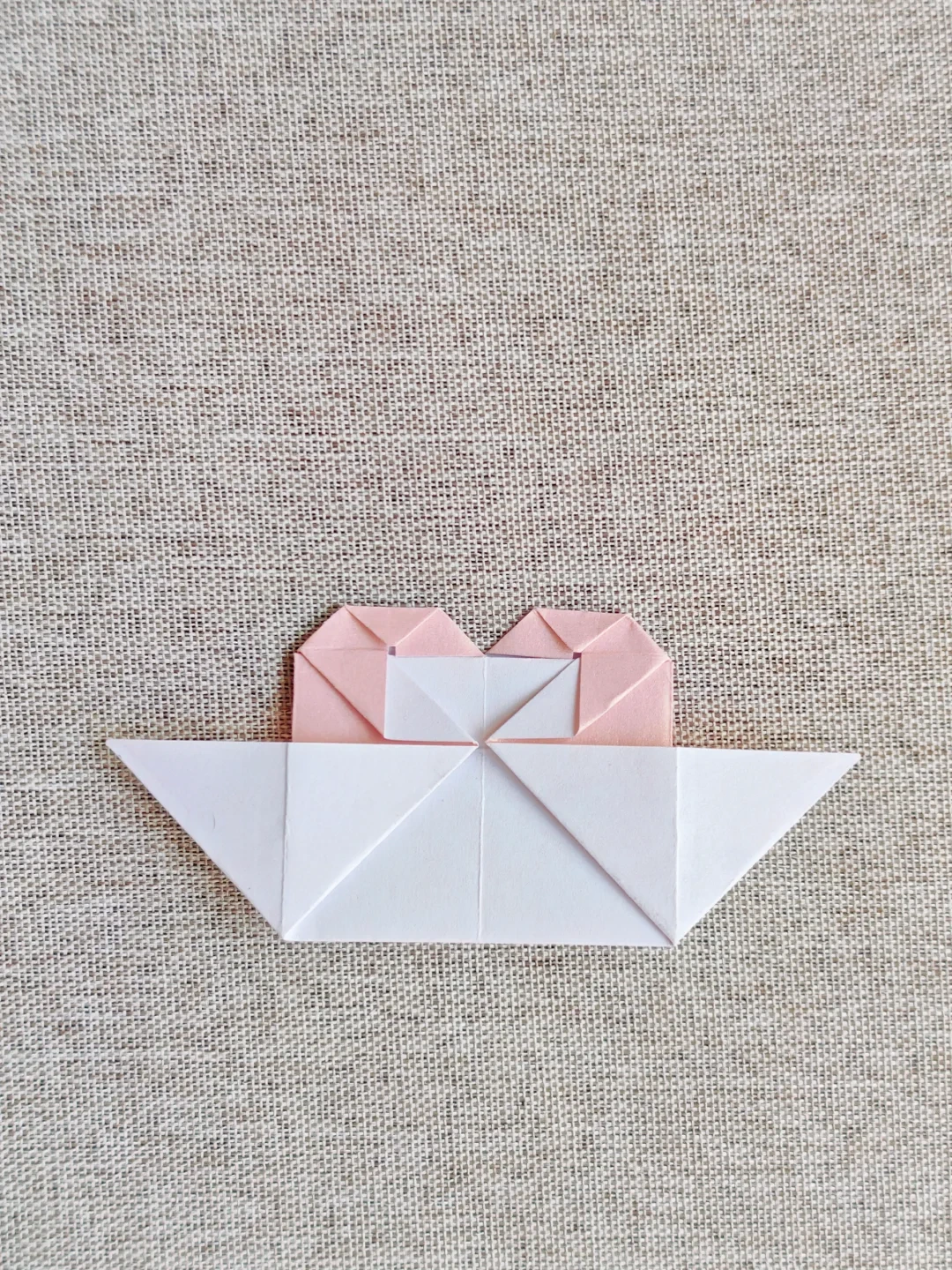 Open image at full size ↗
Fold the outer top corners inward in small amounts.
Pleat the wing strip
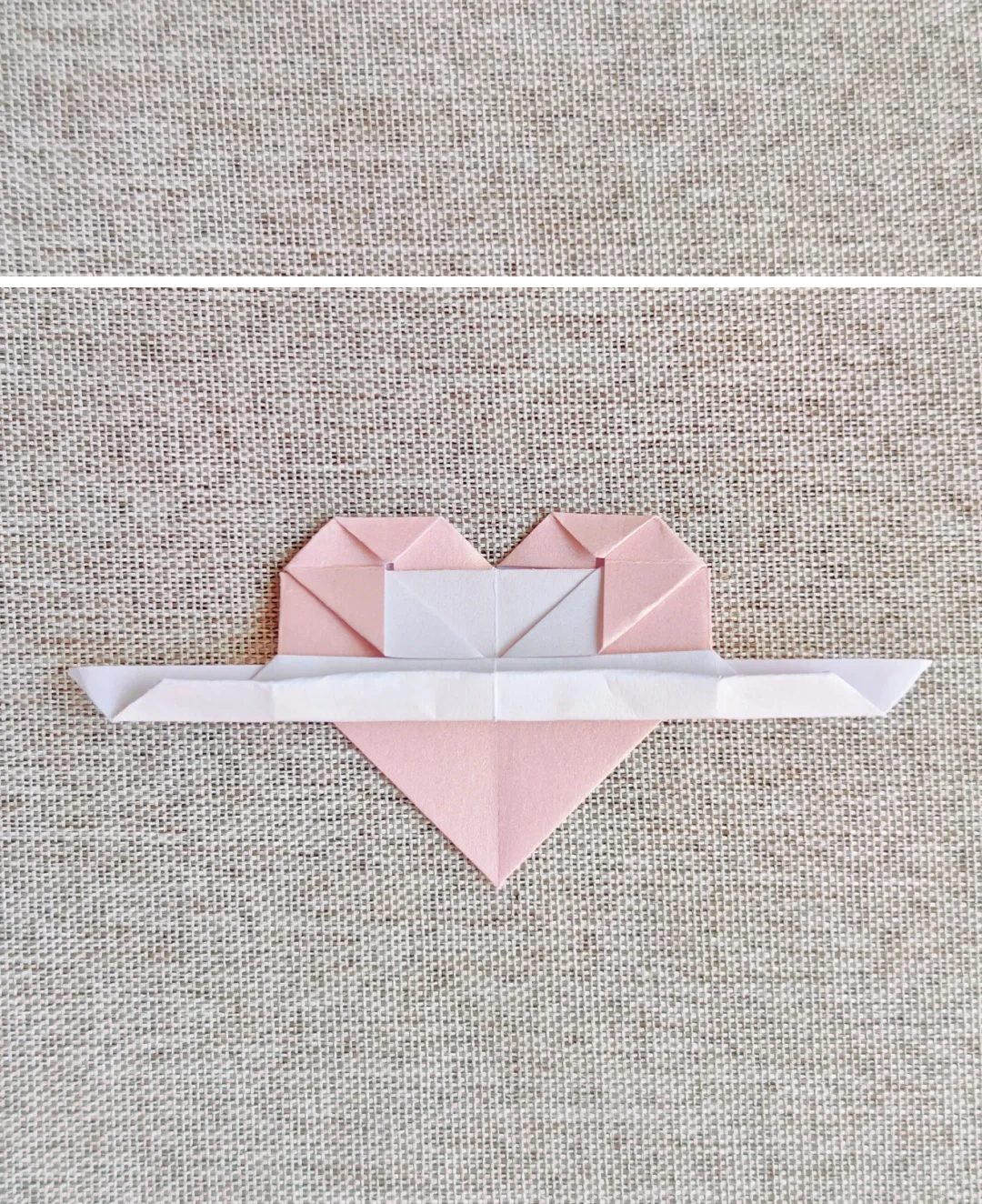 Open image at full size ↗
Fold the white strip upward twice, making even narrow folds.
Open the pleats
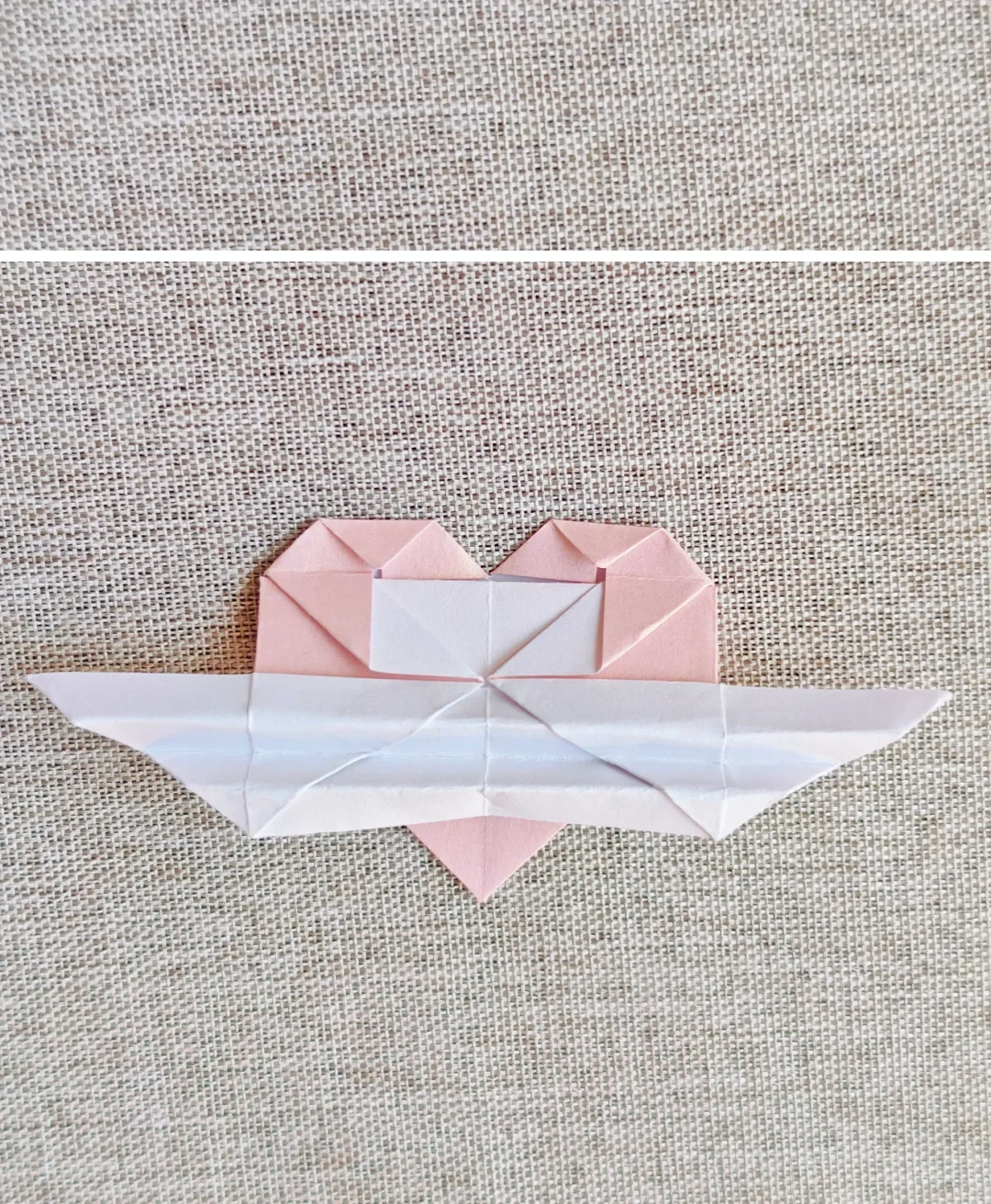 Open image at full size ↗
Unfold the strip and arrange the creases into the wing folds shown.
Secure the middle
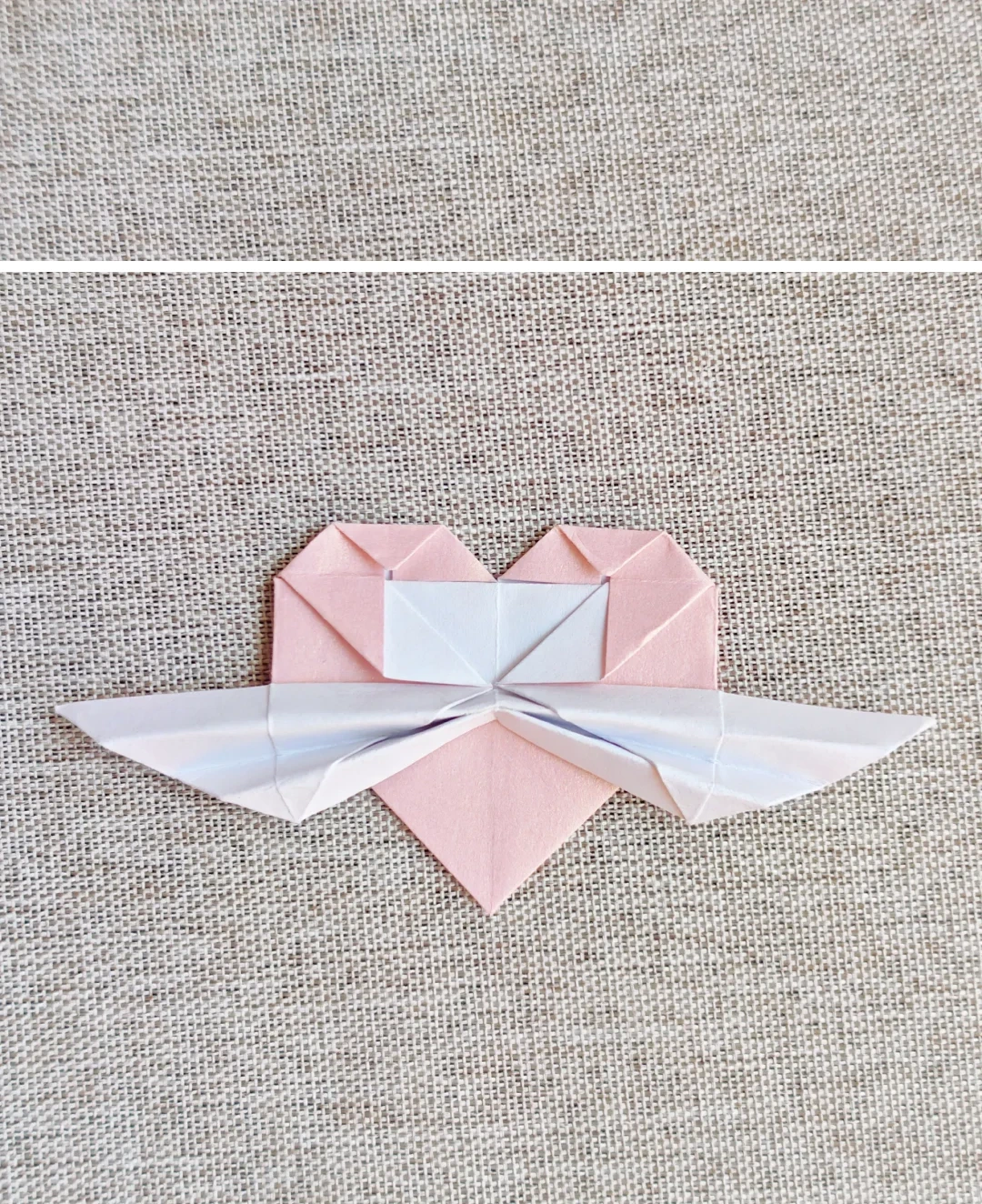 Open image at full size ↗
Pinch the wing folds together at the center; add a little glue if needed.
Reveal the heart
 Open image at full size ↗
Turn to the front and spread the wings evenly.
Follow the diagrams alongside the step-by-step English instructions.
Choose your next project →