
Animals · Step-by-step guide
Paper Elephant
Fold an elephant with a broad body, small legs and a raised trunk.
What you’ll need
- One 15 × 15 cm paper square
- A fine marker
- Tweezers or a folding tool, optional
Origami · Folding and shaping
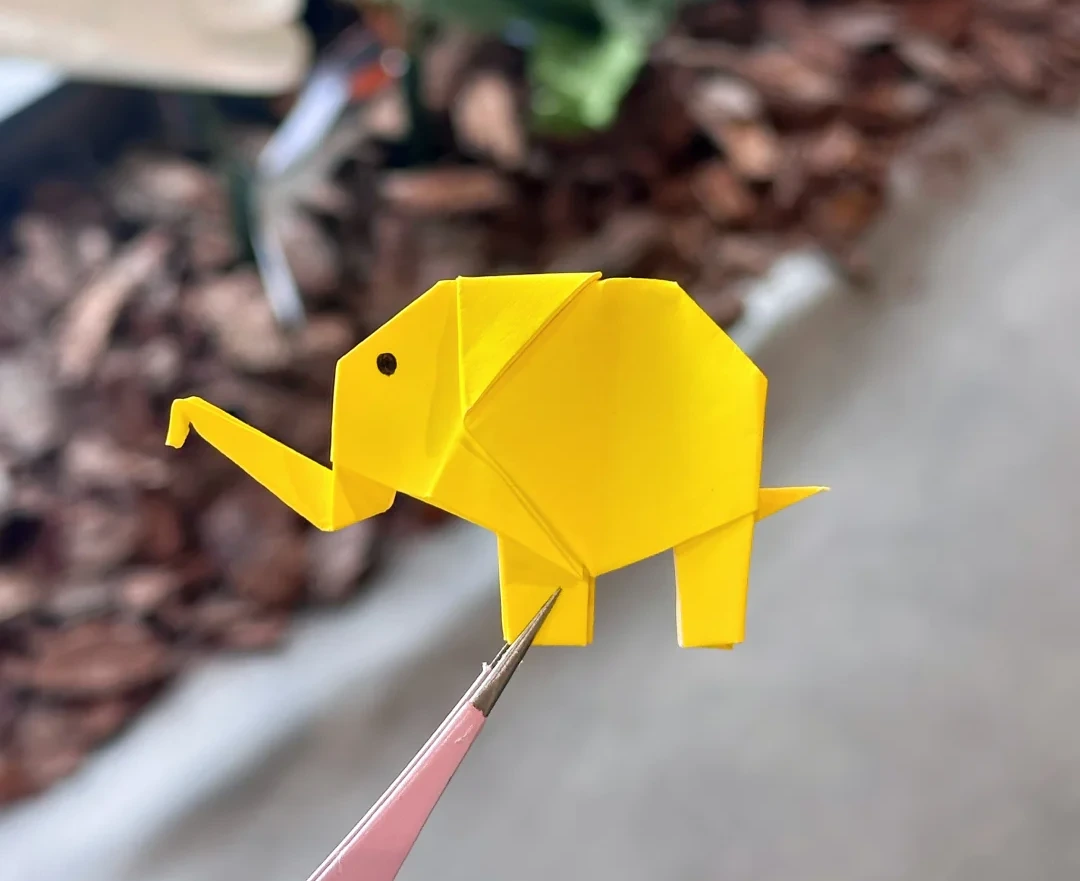
Make it, step by step.
21 steps · Original diagrams with English instructions
Read each picture from left to right, then top to bottom.
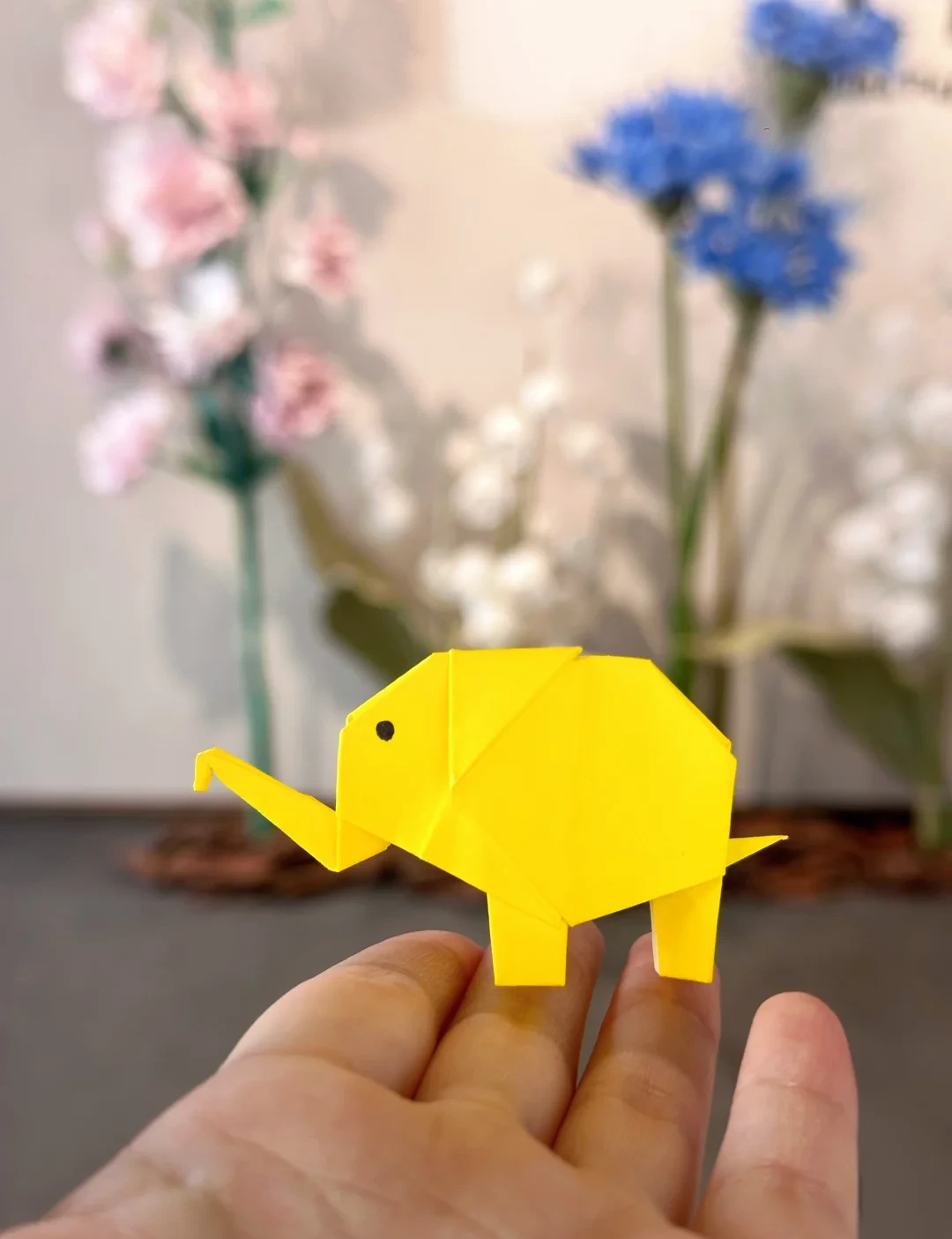
Finished model
 Open image at full size ↗
Use this finished example to compare the shape and proportions of your model.
Make the square base
 Open image at full size ↗
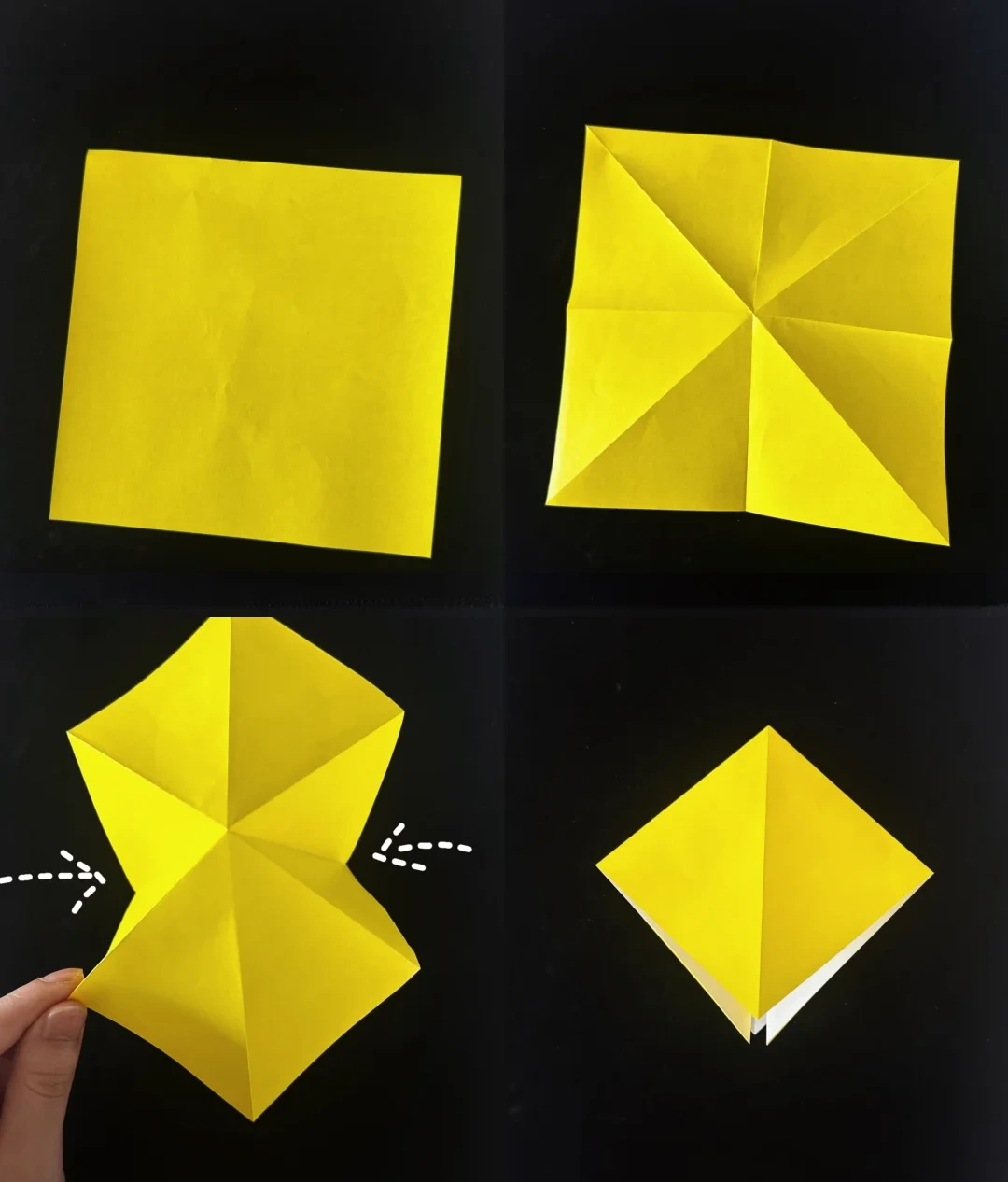
Crease both diagonals and both midlines. Bring the sides inward along the creases and flatten into a layered square.
Precrease a petal fold
 Open image at full size ↗
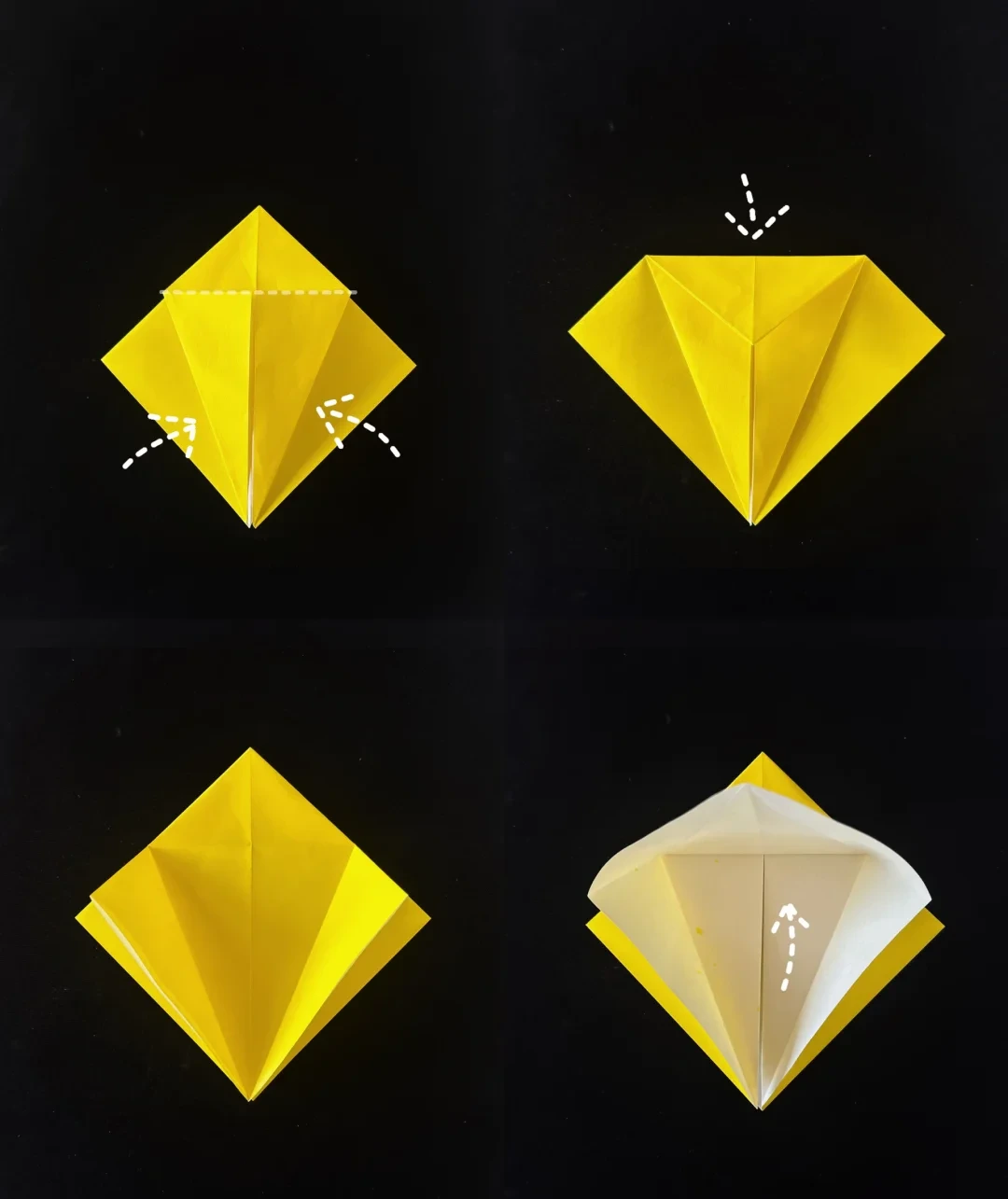
Fold the two front side edges to the center. Fold the top triangle downward to mark a horizontal crease.
Open those folds and lift the lower front point upward.
Lengthen the base
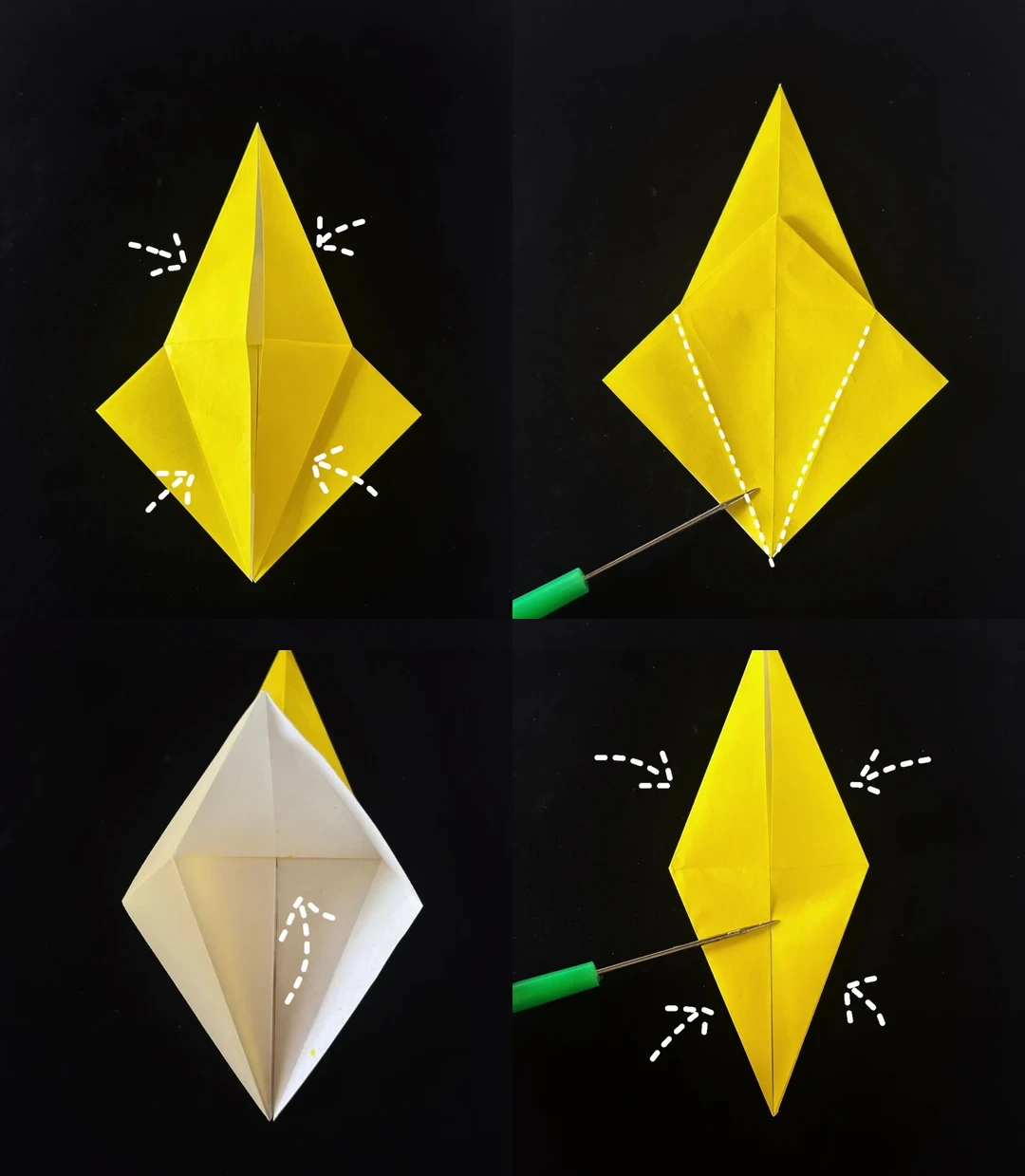 Open image at full size ↗
Bring the sides inward along the creases and flatten the raised flap. Repeat on the back.
Fold the lower side edges toward the center to mark the next creases, then open and raise the indicated flap. Flatten its sides inward as pictured.
Open the side sections
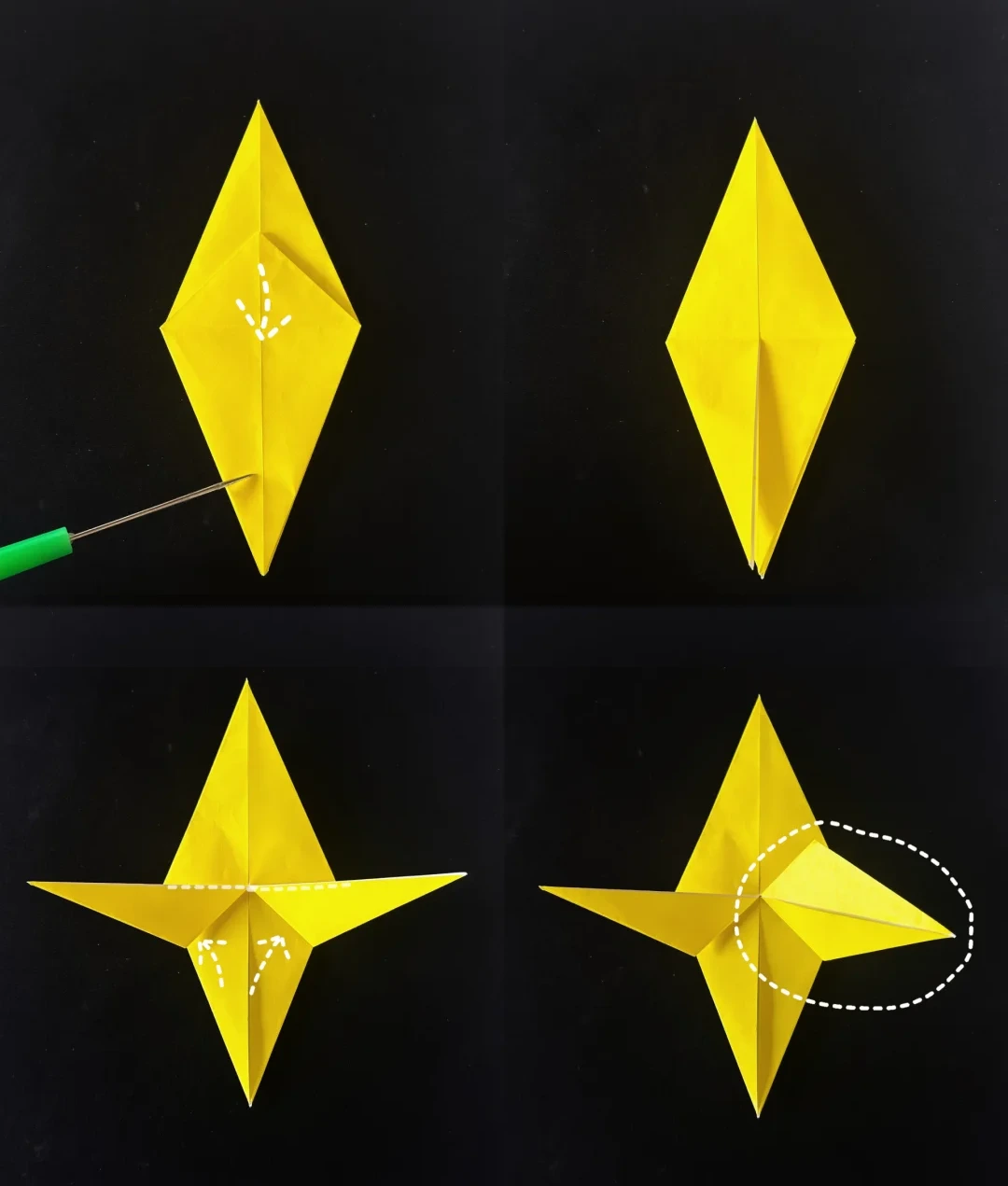 Open image at full size ↗
Lower the raised flap and turn back to the front face.
Fold the indicated side sections to the center line, open them, and squash each pocket into a diamond.
Fold the small central tabs
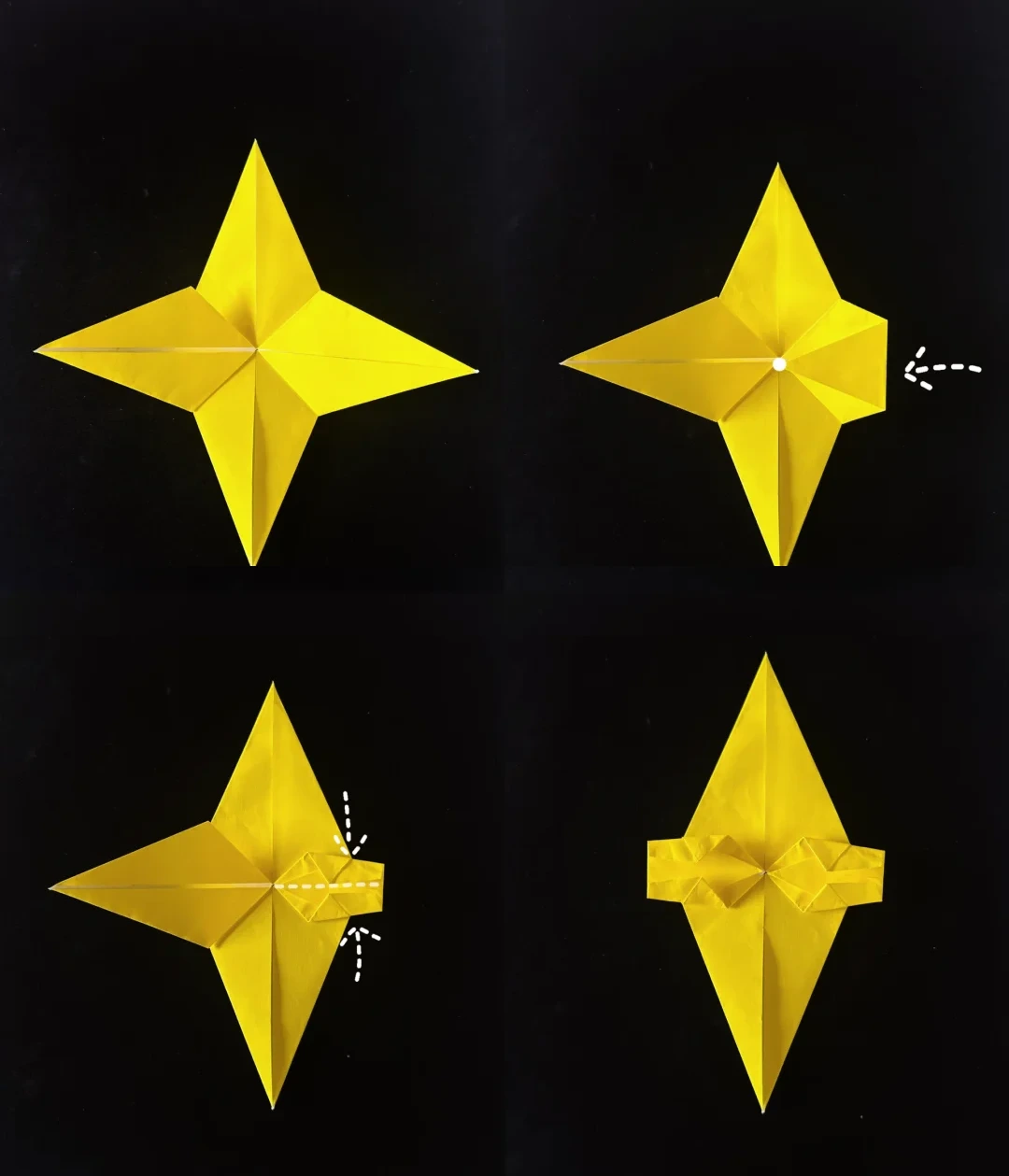 Open image at full size ↗
Finish the diamond folds on both sides. Bring the indicated side tip to the center.
Fold the upper and lower small sections along the guides, repeating on the opposite side to make matching tabs.
Arrange the body layers
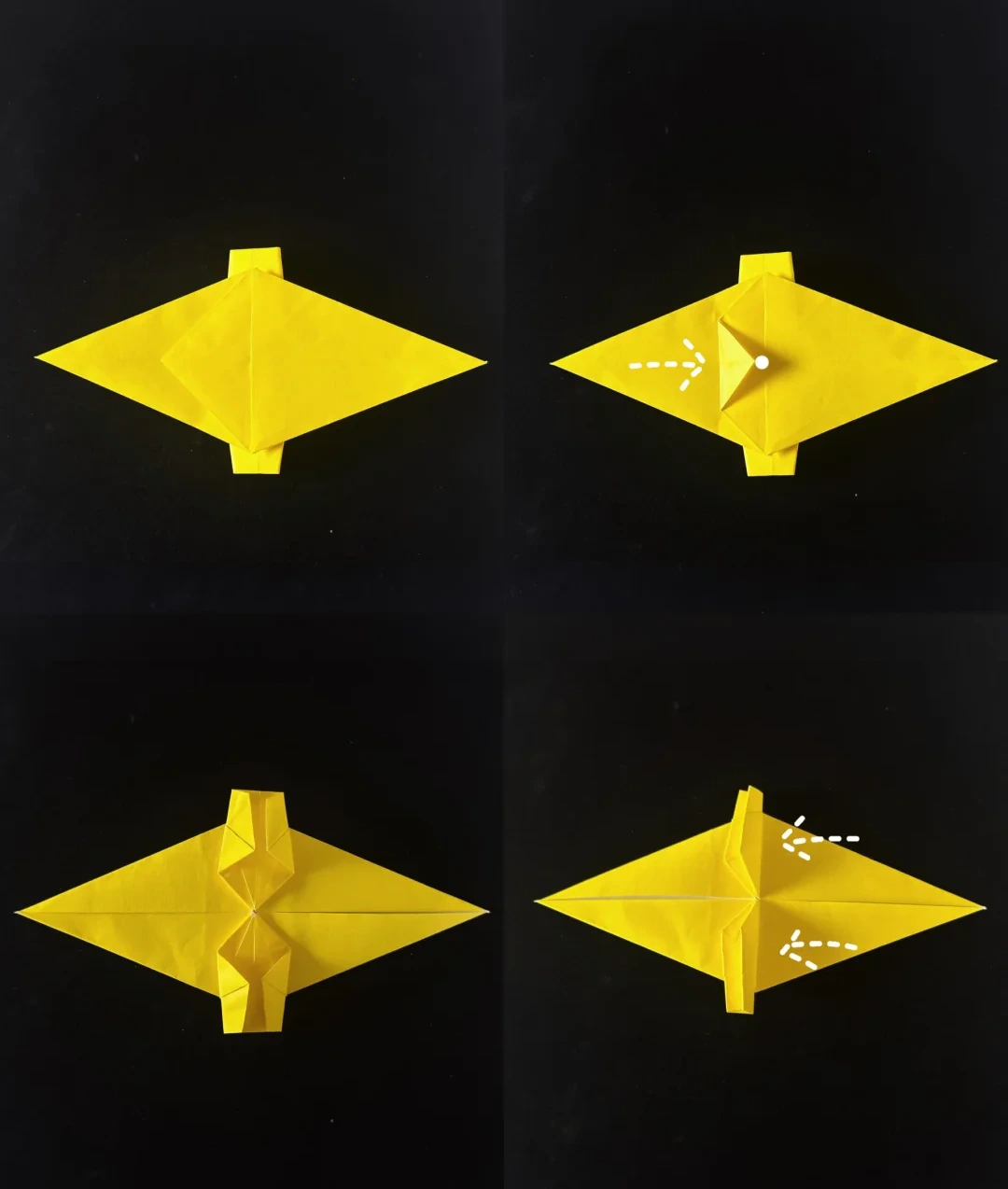 Open image at full size ↗
Turn the model over and fold the small central triangle to the right.
Turn it over again and fold the corresponding triangle to the left.
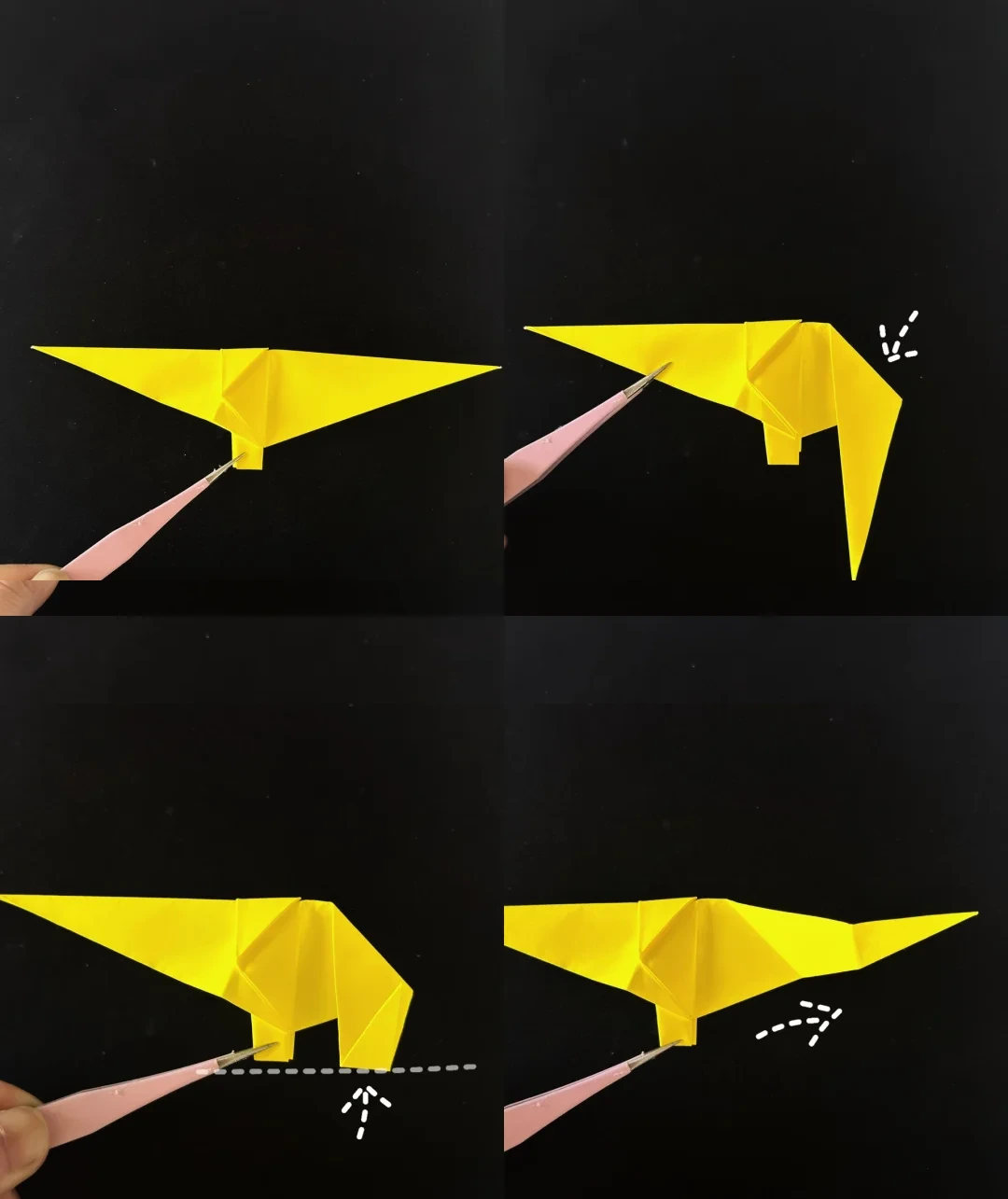
Precrease the legs
 Open image at full size ↗
Fold the model in half from top to bottom. Fold the indicated rear section along the guide.
Bring that section upward to align with the front leg, crease it, and unfold the last two folds.
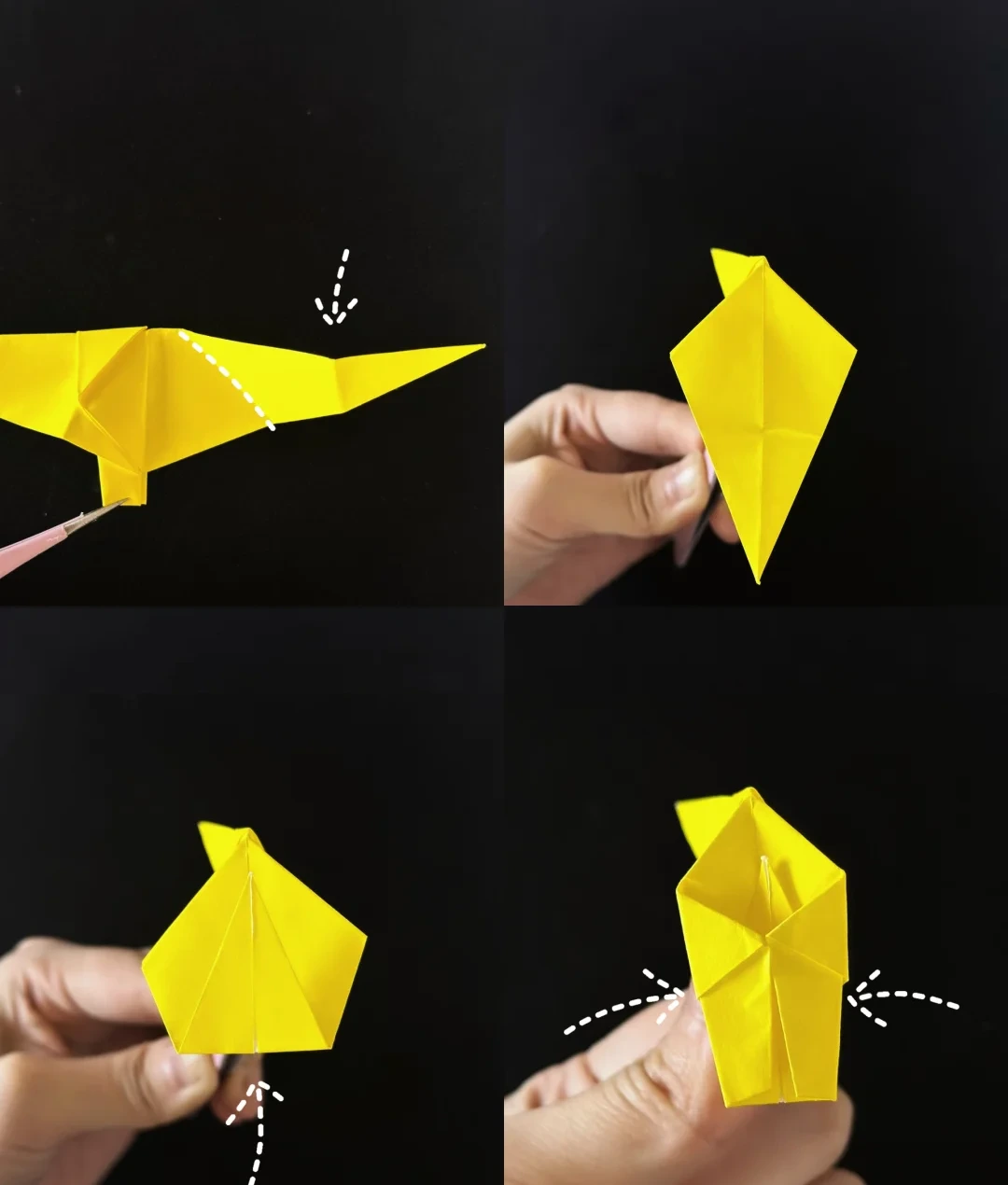
Reverse the rear folds
 Open image at full size ↗
Open the rear section and fold it downward along the diagonal crease. Fold it upward again along the next crease.
Flatten the side layers together to establish the body and hind leg.
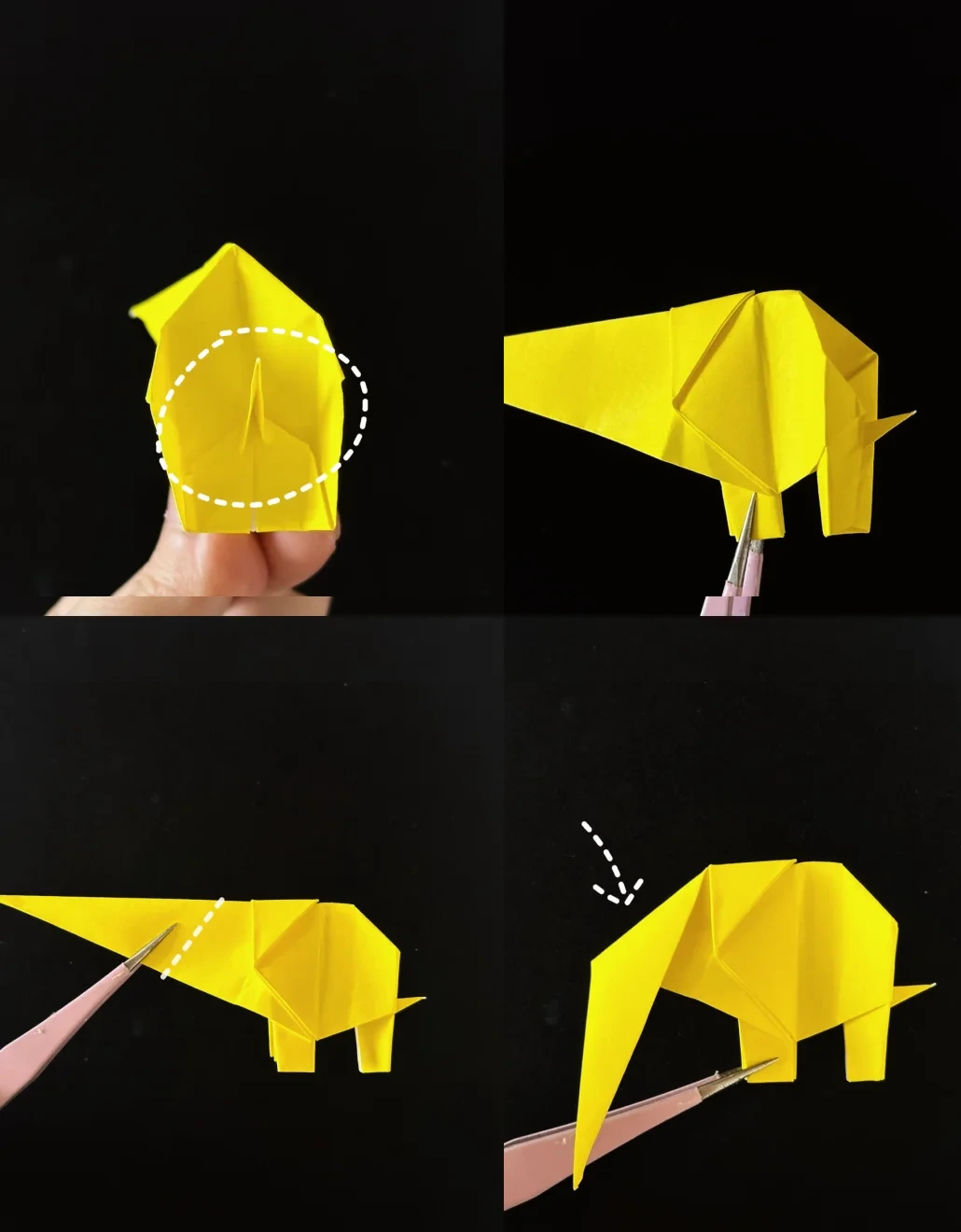
Form the tail and trunk crease
 Open image at full size ↗
Open the rear layers and bring a small inner point outward to form the tail. Close the layers again.
Fold the long front point downward along the indicated line to begin the trunk.
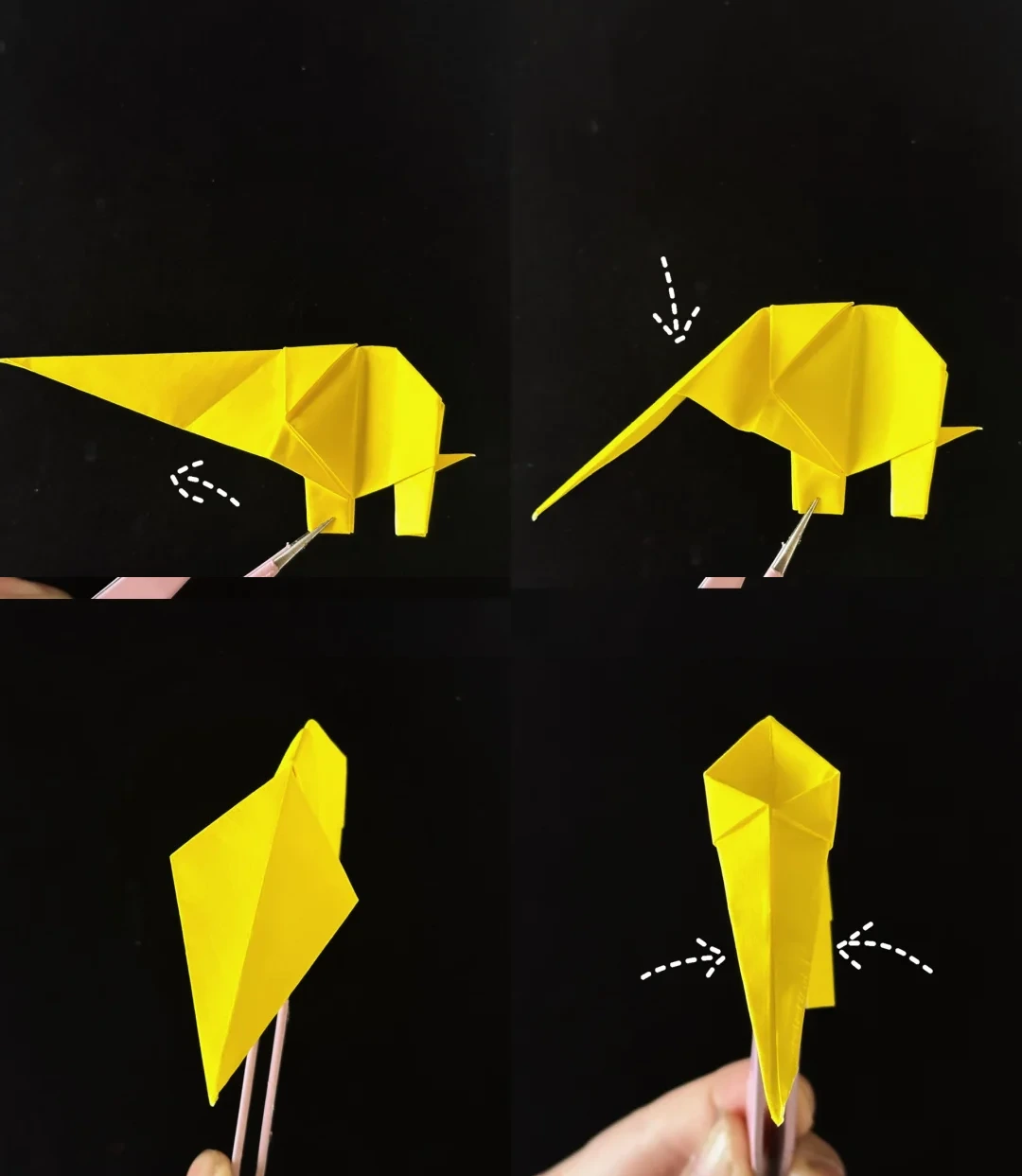
Narrow the trunk
 Open image at full size ↗
Unfold the trunk crease, open that section, and reverse it downward along the crease.
Viewed from the front, bring both trunk edges inward toward the middle.
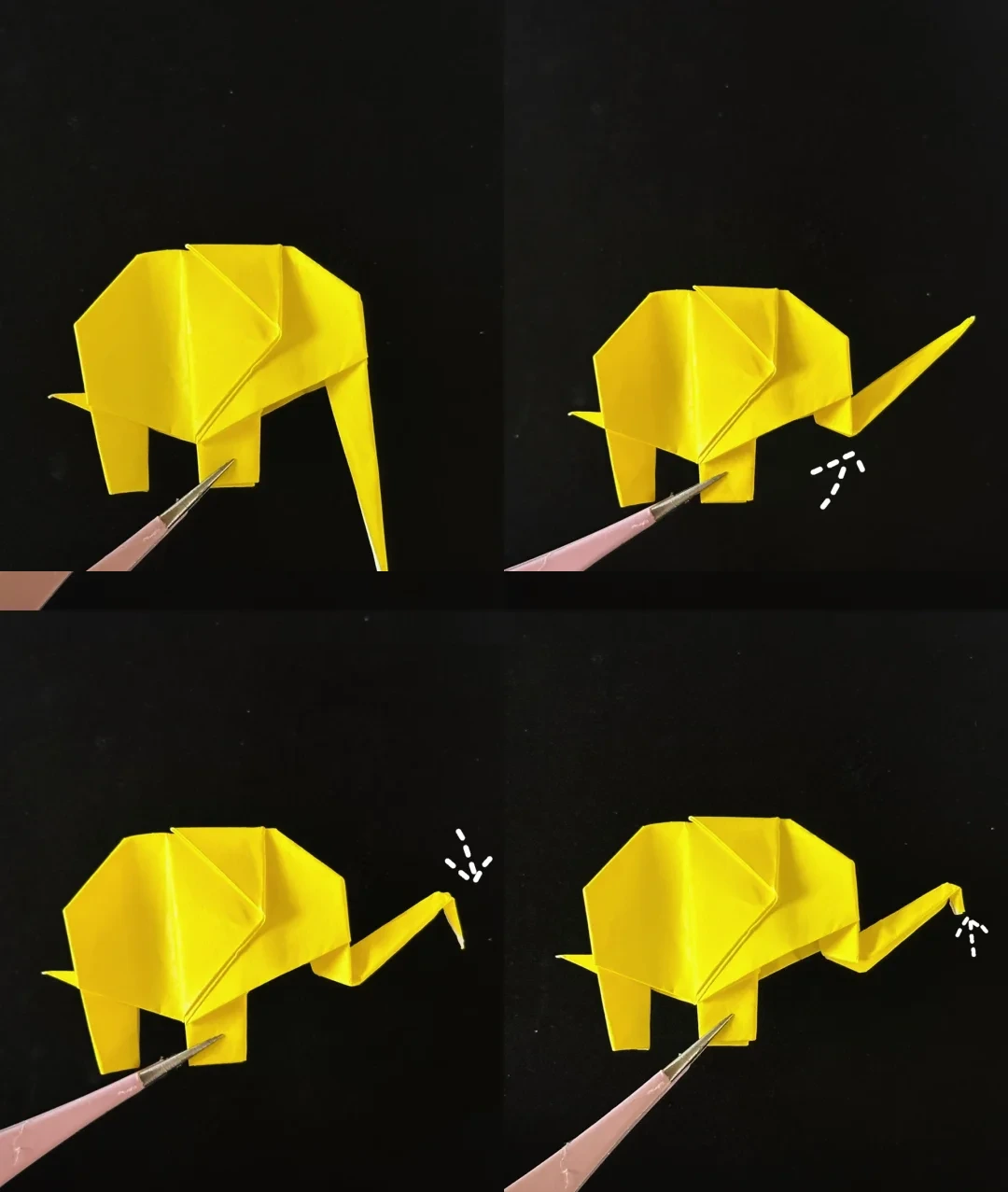
Raise the trunk tip
 Open image at full size ↗
Return to the side view. Fold the trunk upward, fold a short section downward, then fold its tip upward again.
Press the folds gently and add a small eye with a marker.
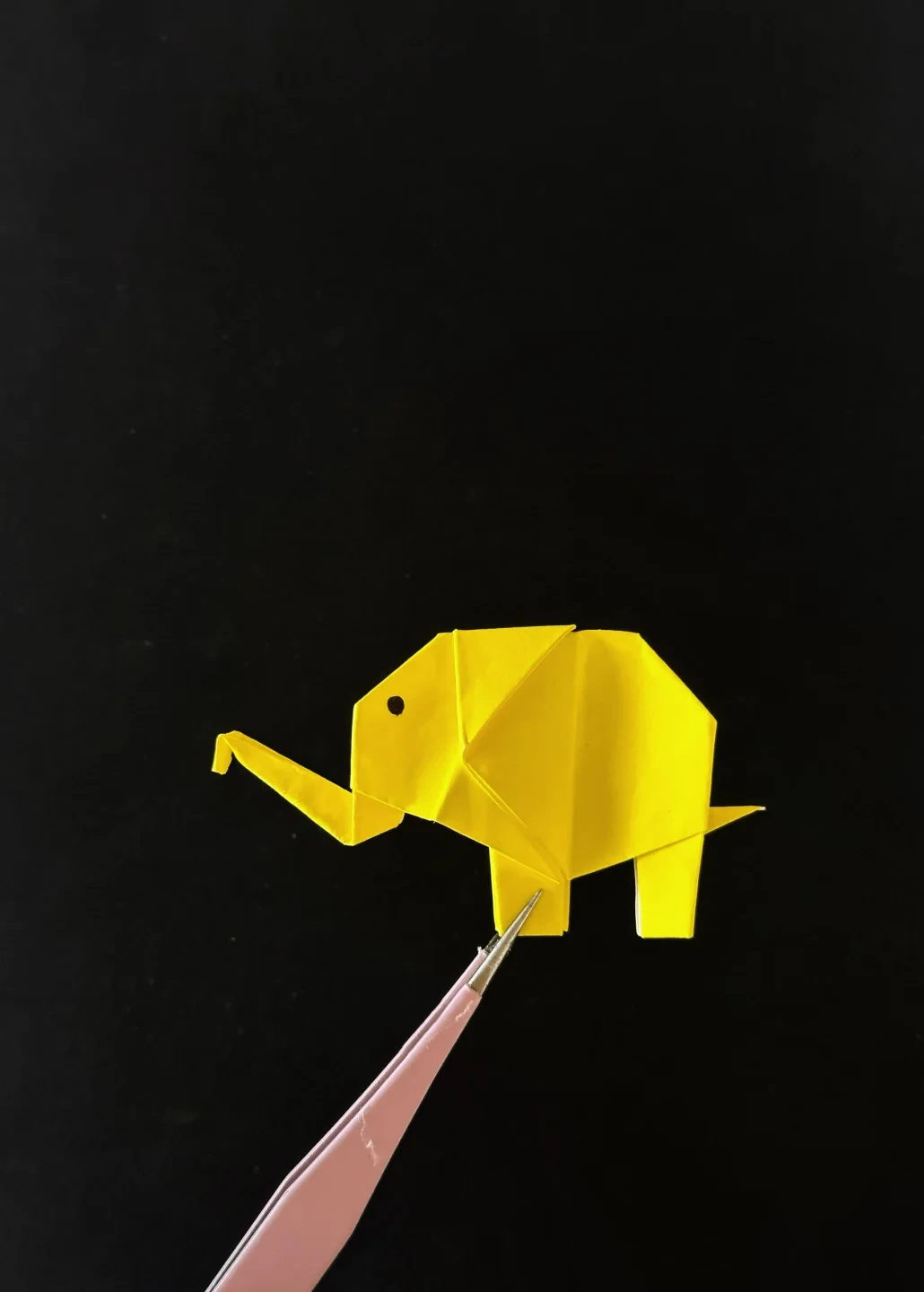
Finished model
 Open image at full size ↗
Use this finished example to compare the shape and proportions of your model.
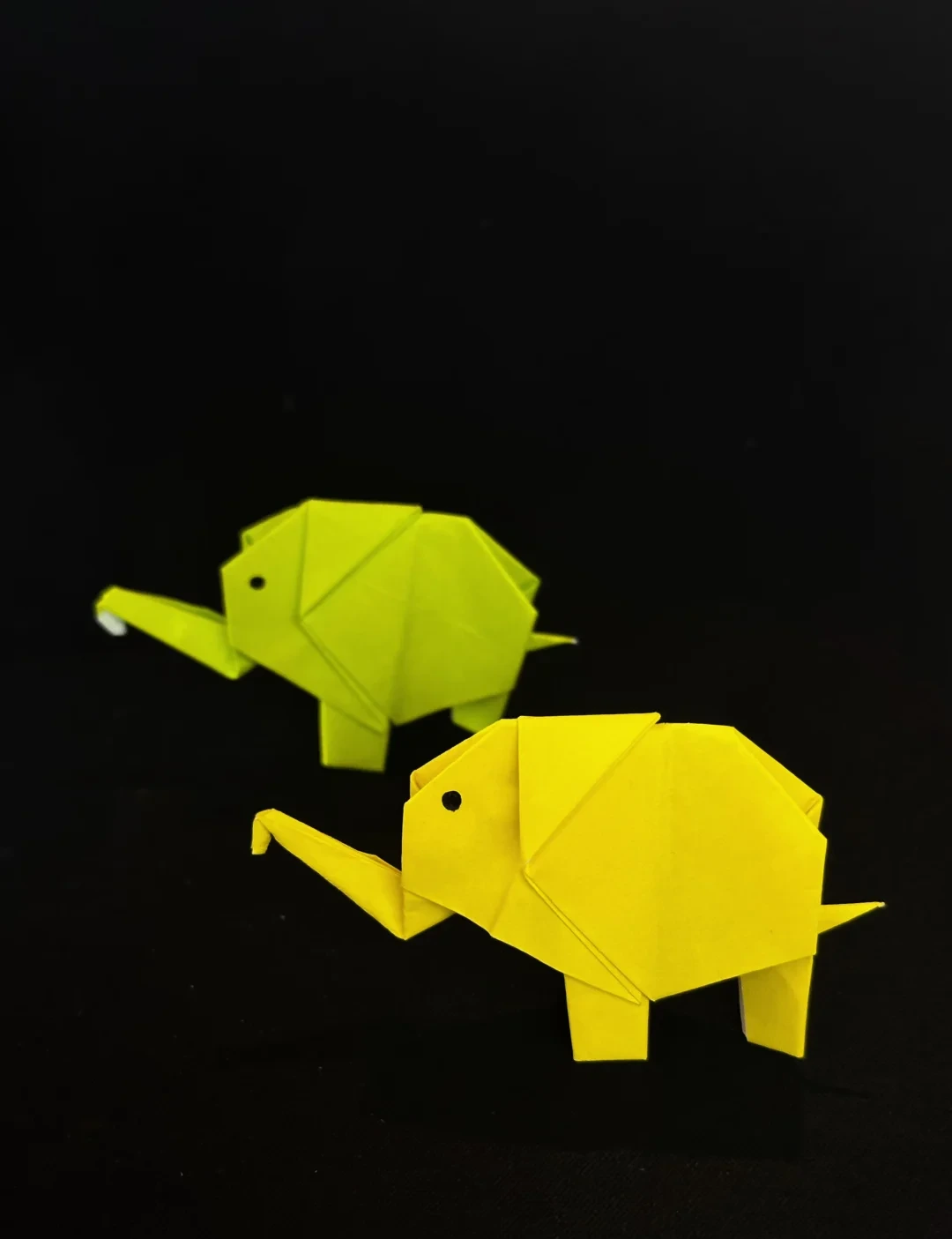
Finished model
 Open image at full size ↗
Use this finished example to compare the shape and proportions of your model.
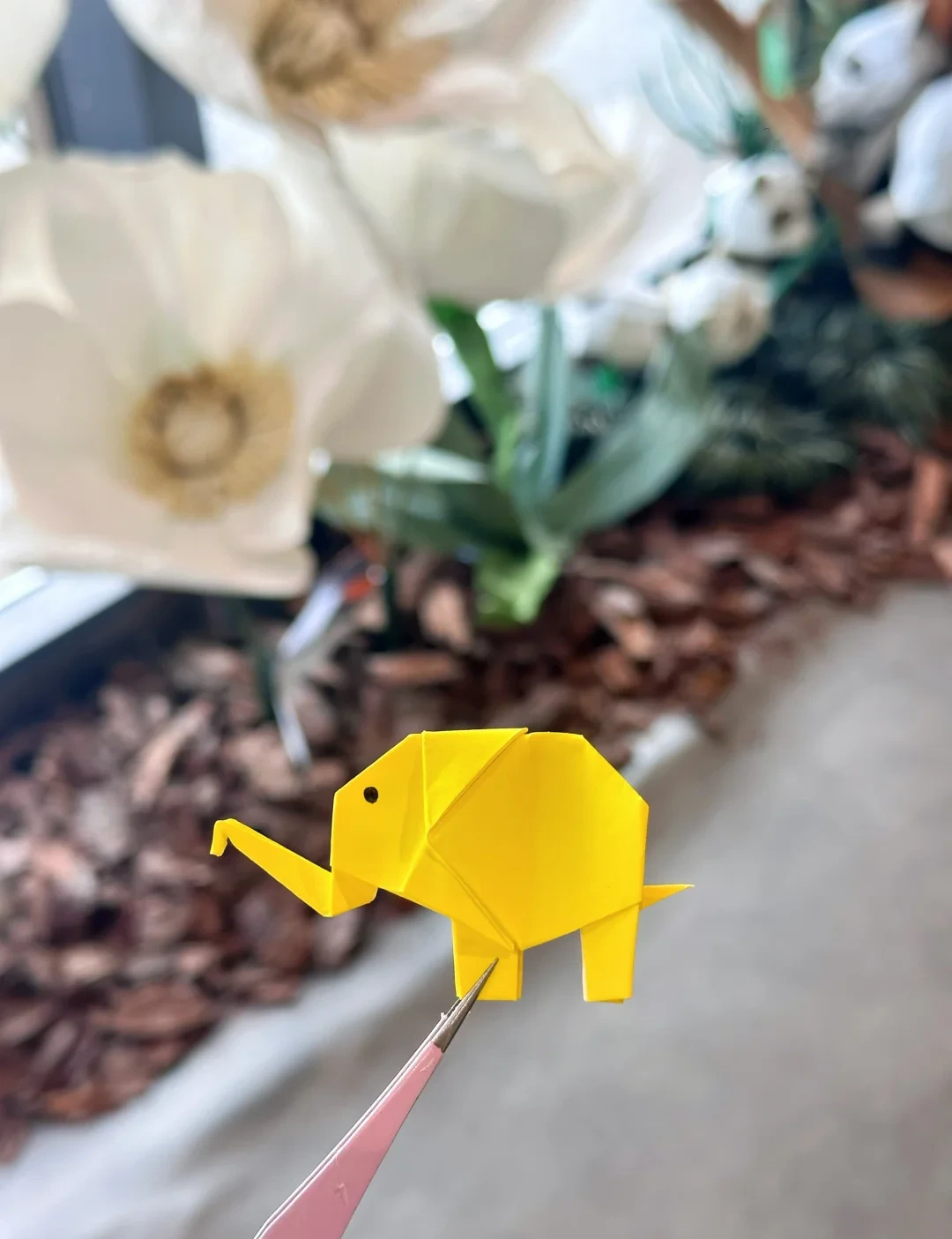
Finished model
 Open image at full size ↗
Use this finished example to compare the shape and proportions of your model.
Follow the diagrams alongside the step-by-step English instructions.
Choose your next project →