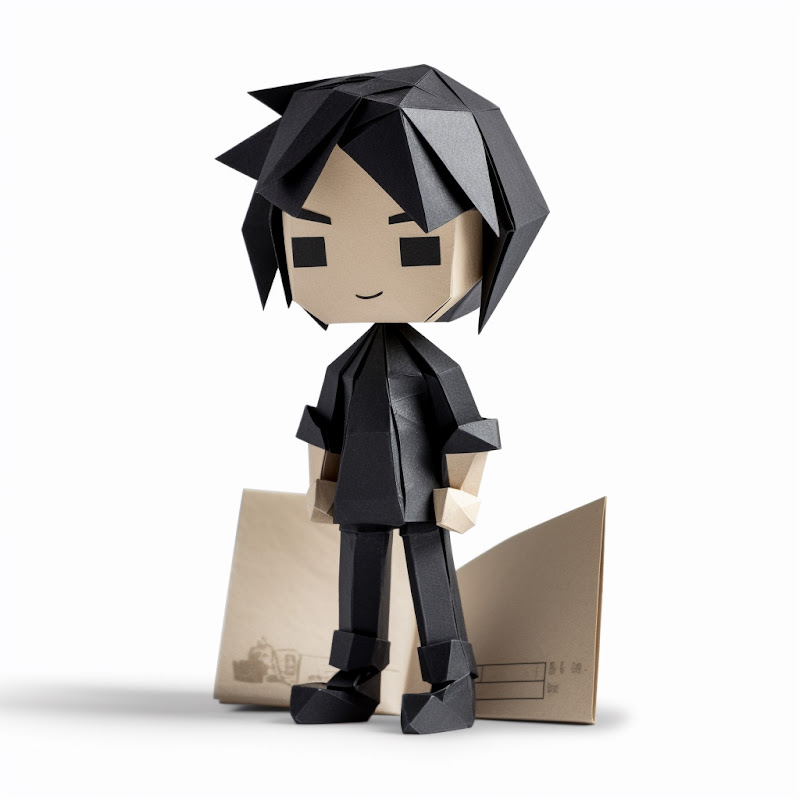
Flowers & nature · Step-by-step guide
Five-Petal Flower Bookmark
Turn a small paper square into a flat five-petal flower for your next book.
What you’ll need
- One 8 × 8 cm paper square
- Scissors
Paper craft · Folding and assembly
Make it, step by step.
13 steps · Original diagrams with English instructions
Read each picture from left to right, then top to bottom.
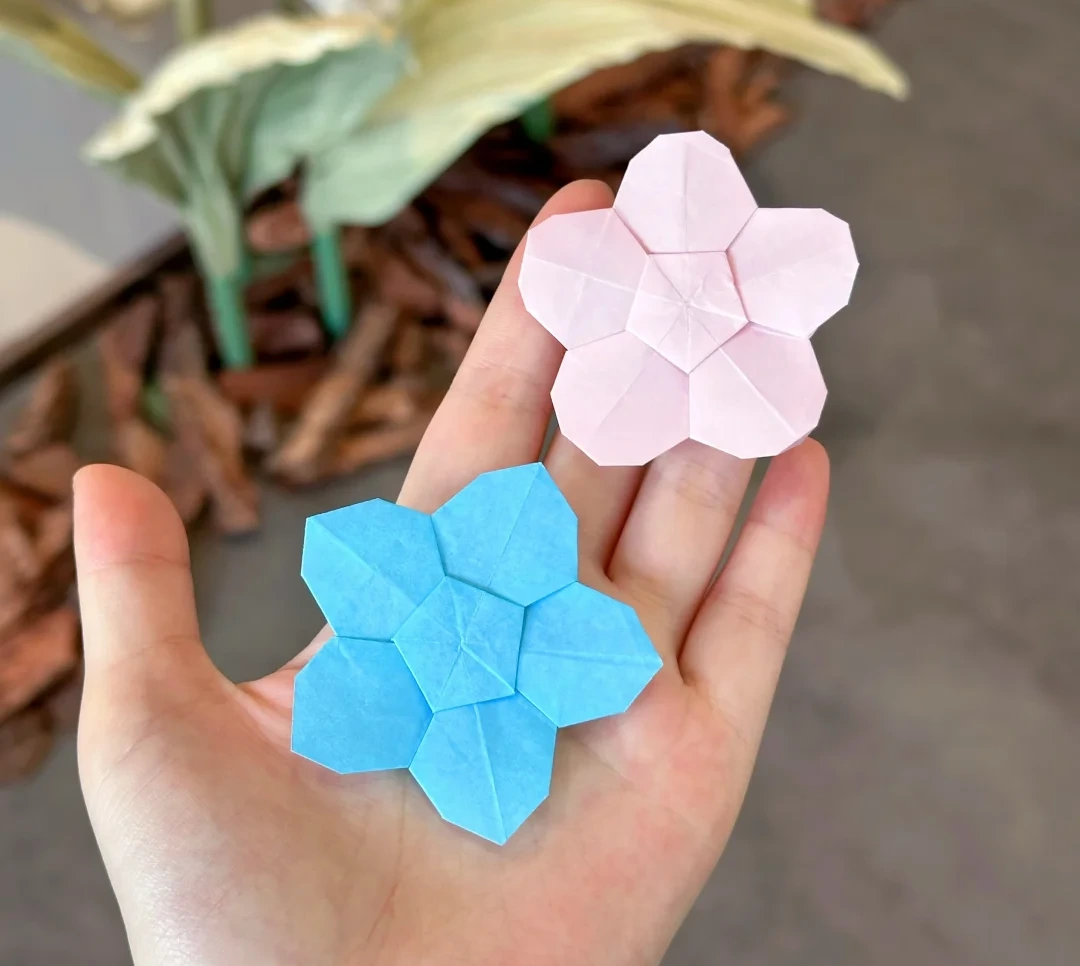
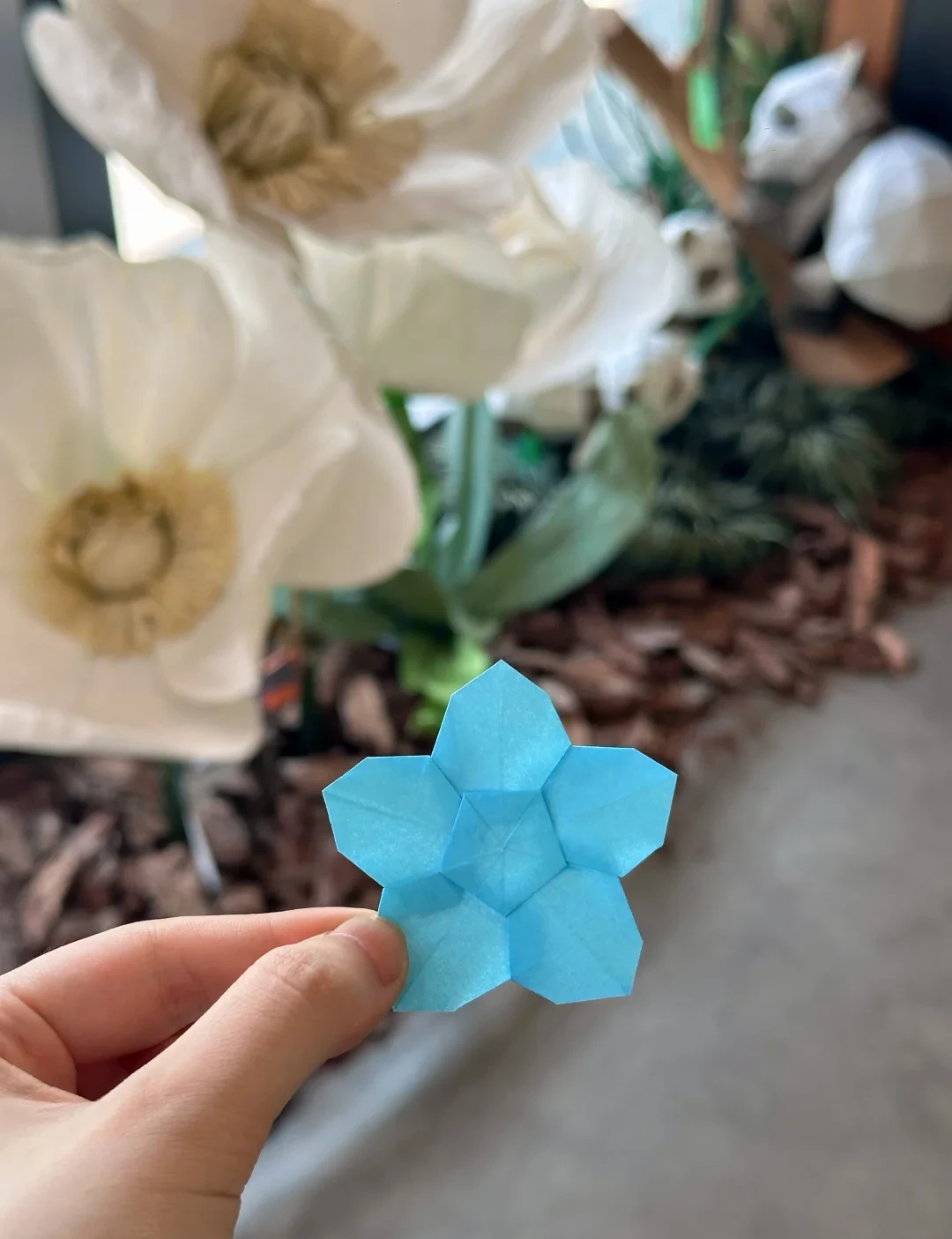
Finished model
 Open image at full size ↗
Use this finished example to compare the shape and proportions of your model.
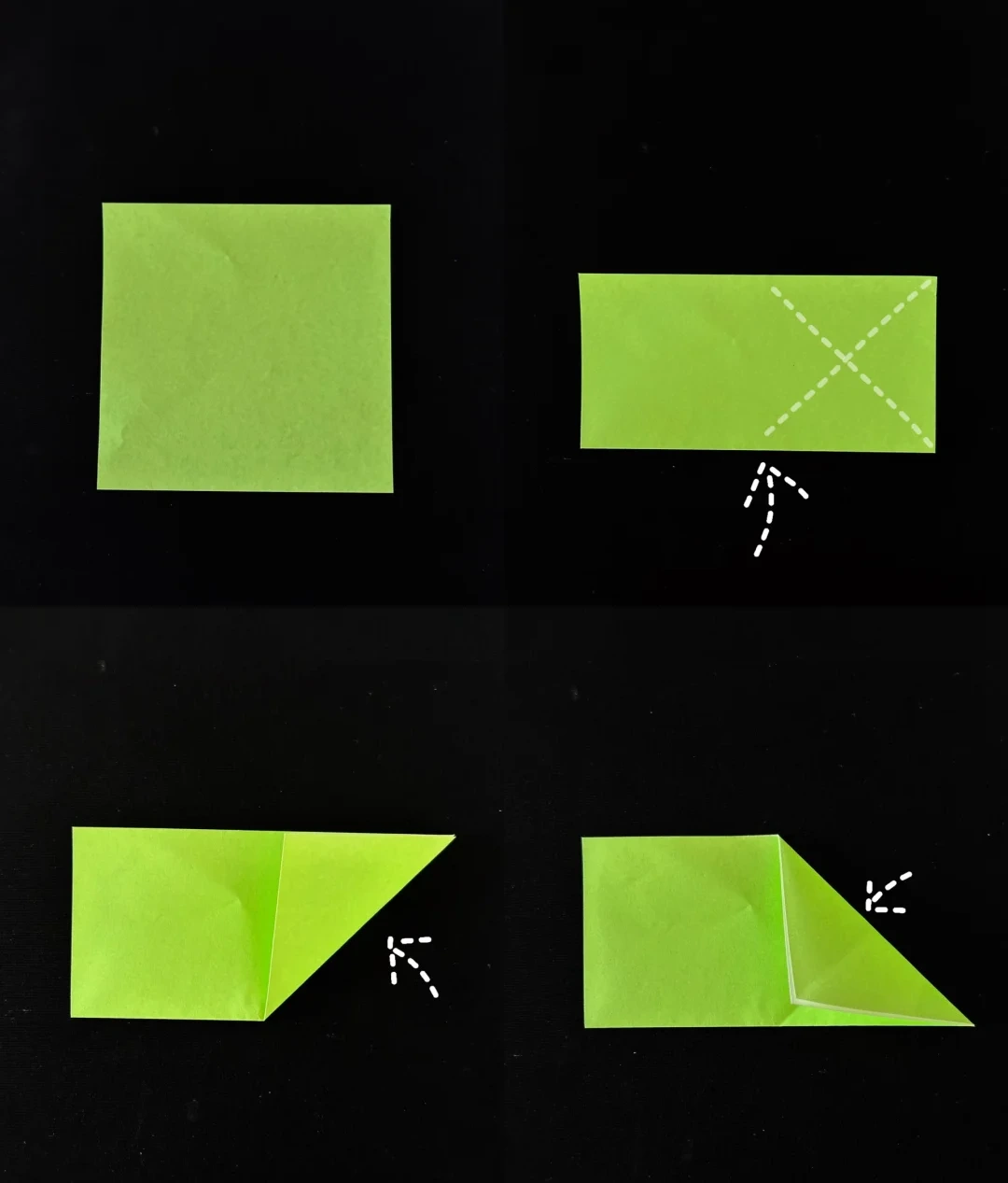
Locate the pentagon guide
 Open image at full size ↗
Fold the square upward in half. Fold the right end diagonally in both directions, opening each fold to mark their intersection.
Fold a cutting wedge
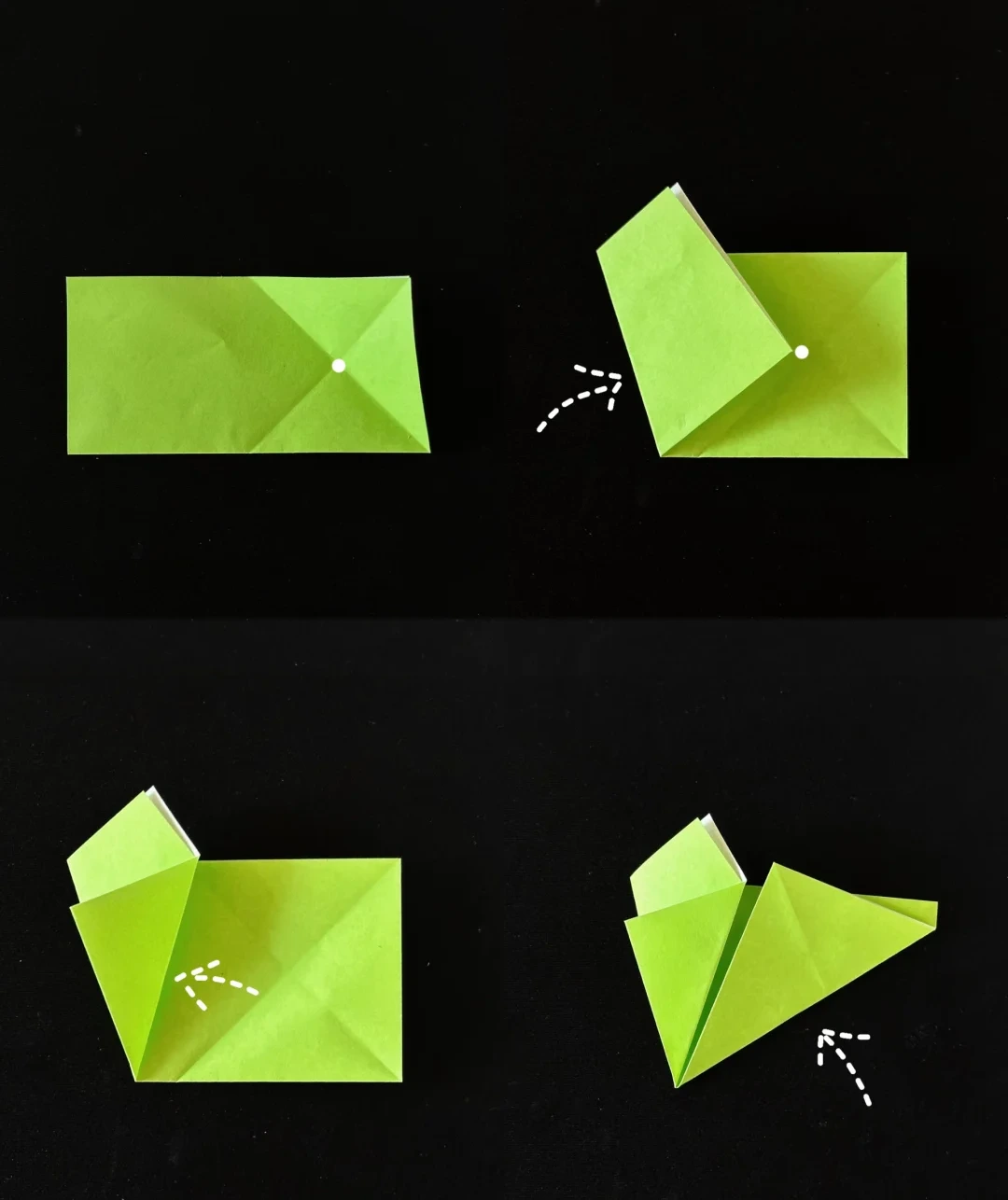 Open image at full size ↗
Bring the opposite corner to the marked intersection. Fold that flap back so its edge aligns with the left edge.
Fold the right section to the left along the guide.
Cut a pentagon
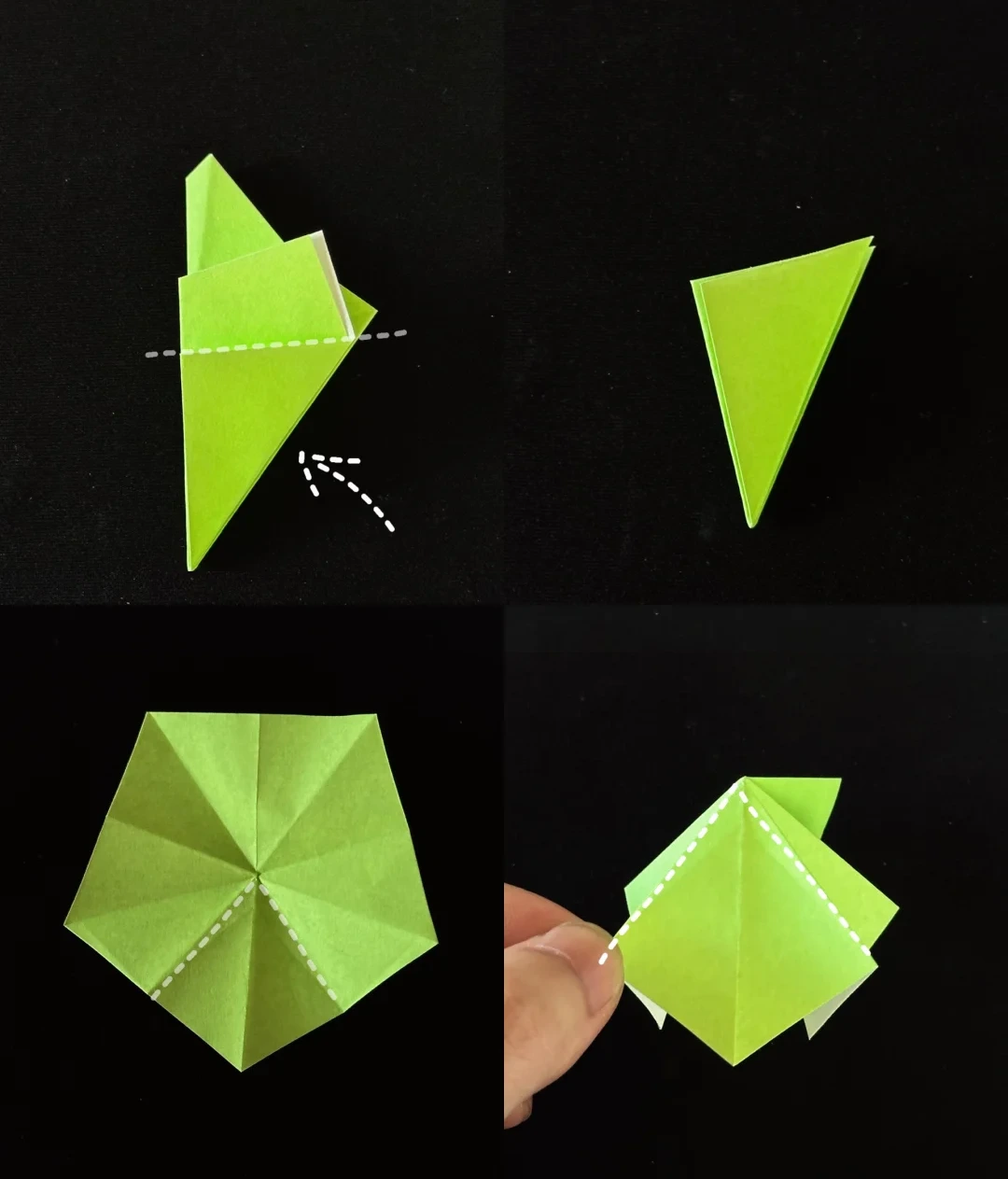 Open image at full size ↗
Fold the wedge backward along the dotted line. Cut away the excess above the marked cutting guide.
Open the pentagon, then fold its sections together along the radial creases into the layered diamond shown.
Mark the inner pentagon
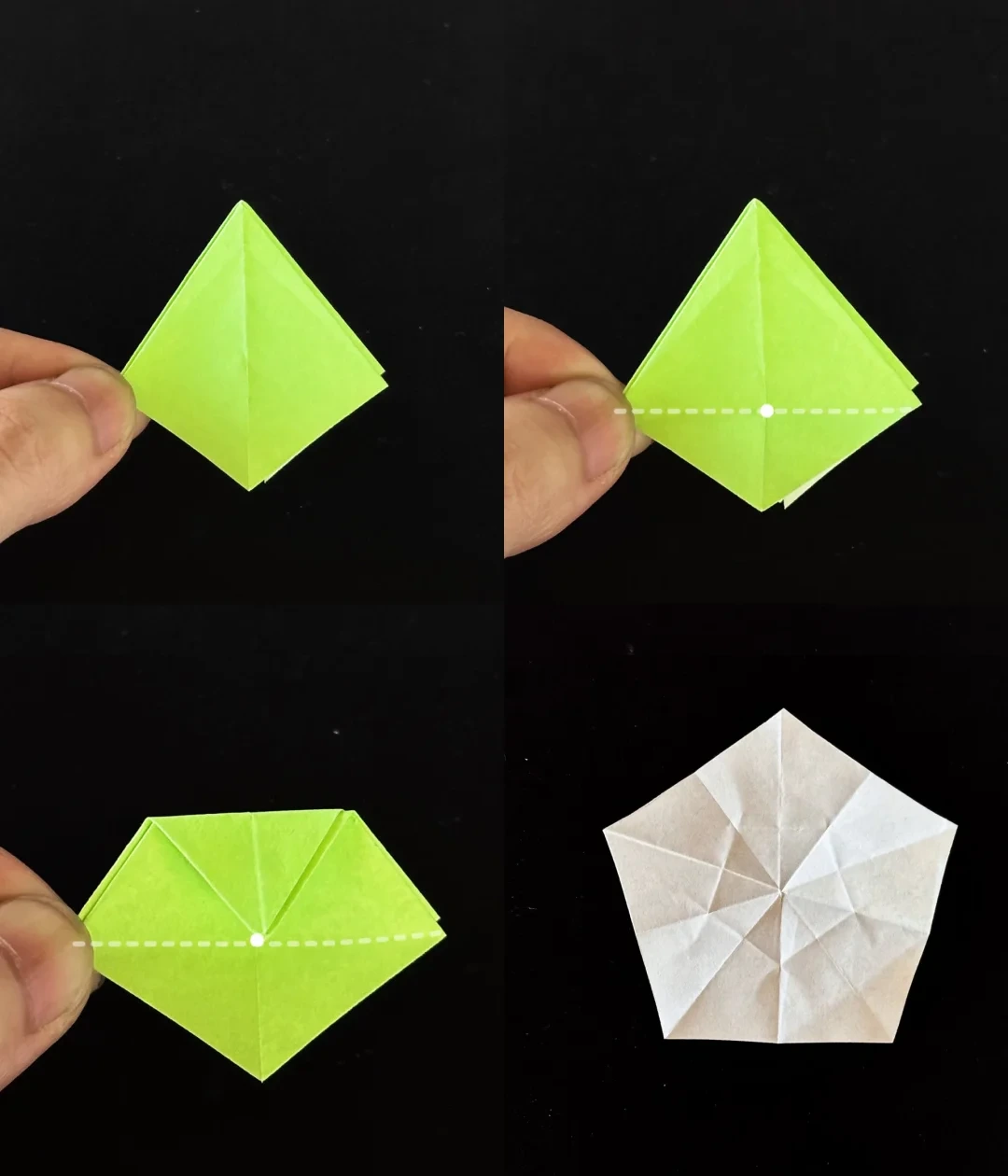 Open image at full size ↗
Fold the top part of the diamond downward along the guide to mark a crease.
Open the paper and reinforce the same fold around the other sections to outline a small pentagon in the center.
Gather the five sides
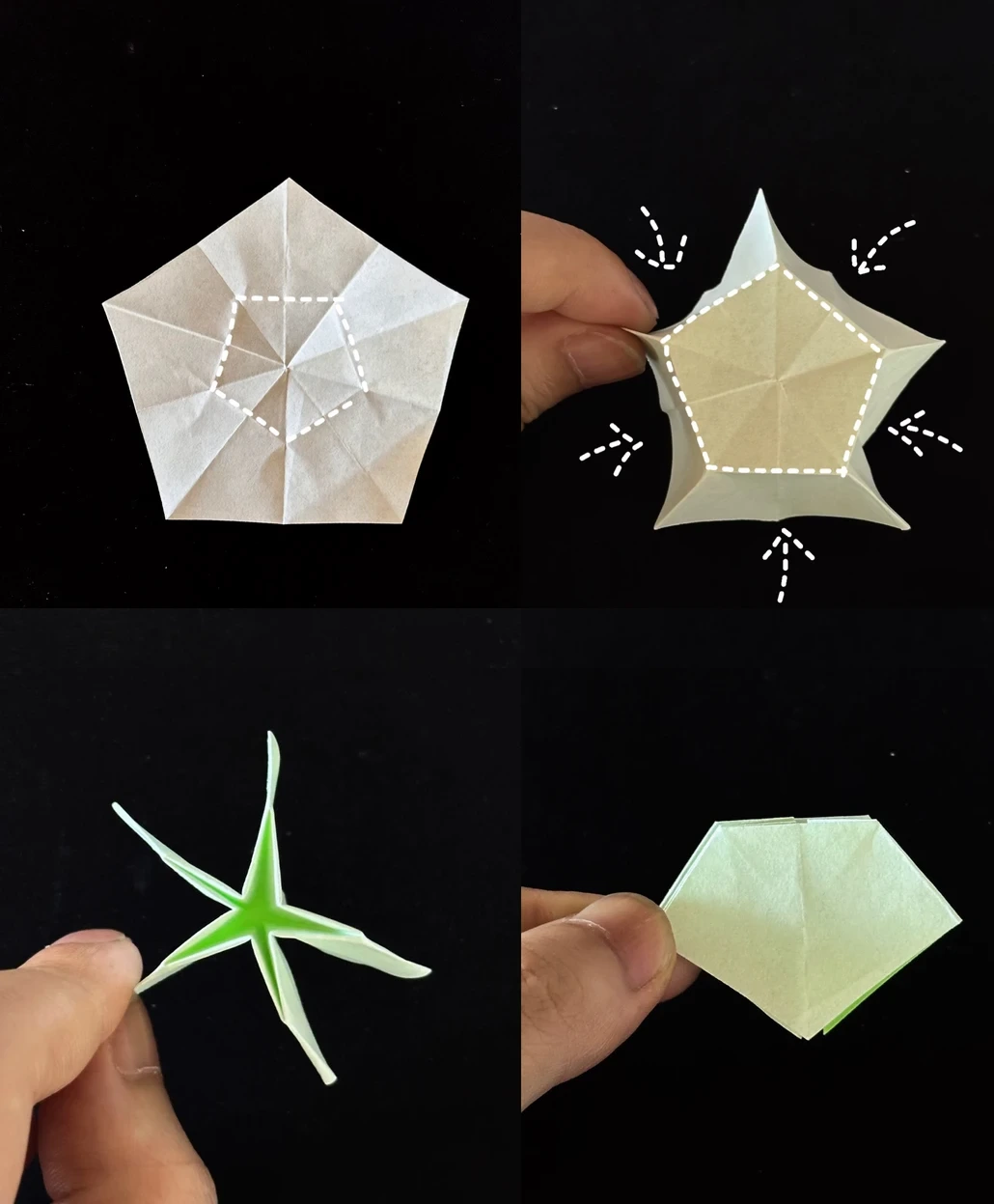 Open image at full size ↗
Deepen the creases around the central pentagon. Bring the five sides inward and raise the intervening folds.
Gather the layers into an upright star, then flatten them into the compact shape shown.
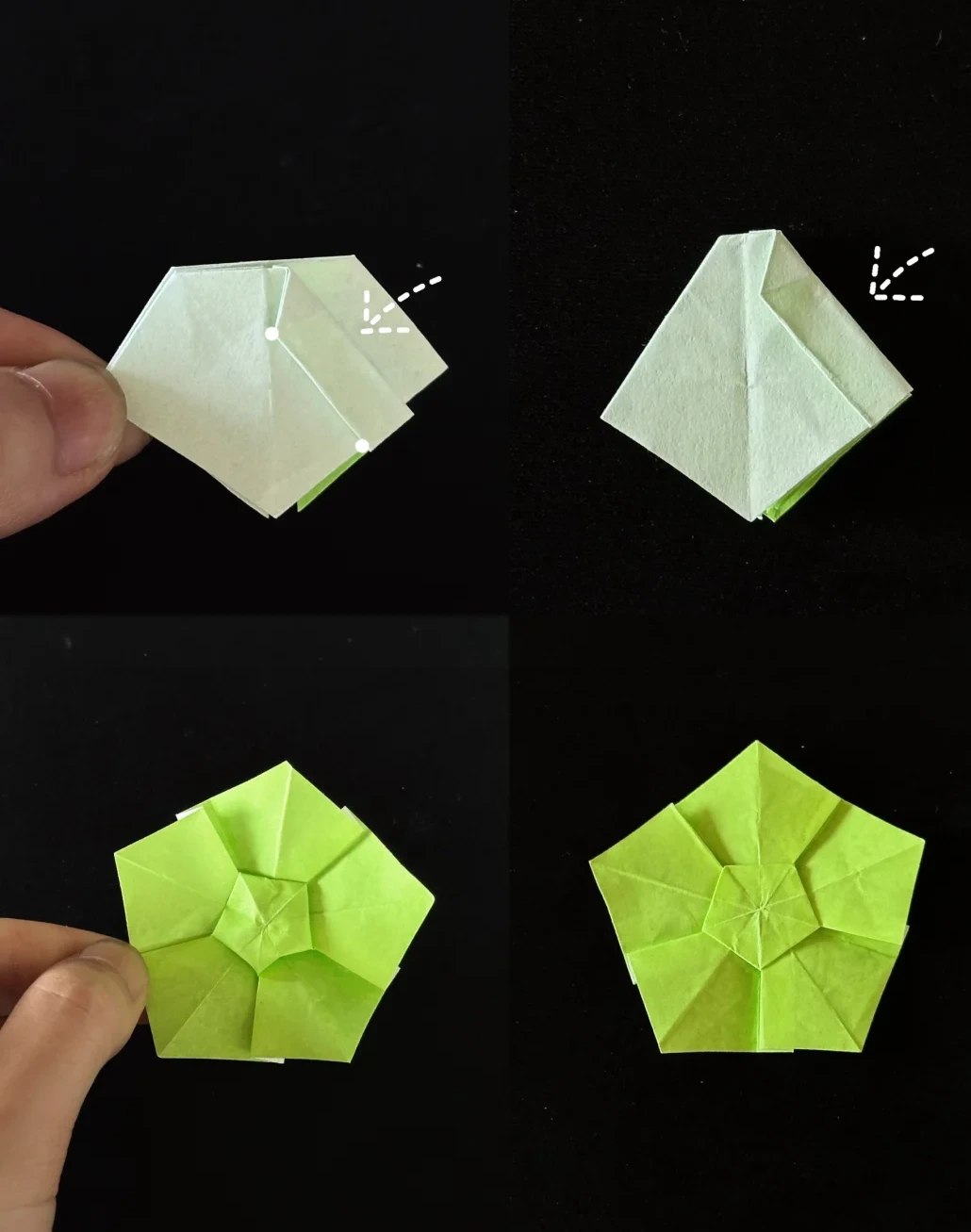
Open the flower face
 Open image at full size ↗
Align the indicated edge with the center crease and lower edge. Repeat around the five sections.
Open the model from its bottom and spread the sections flat to reveal the flower face.
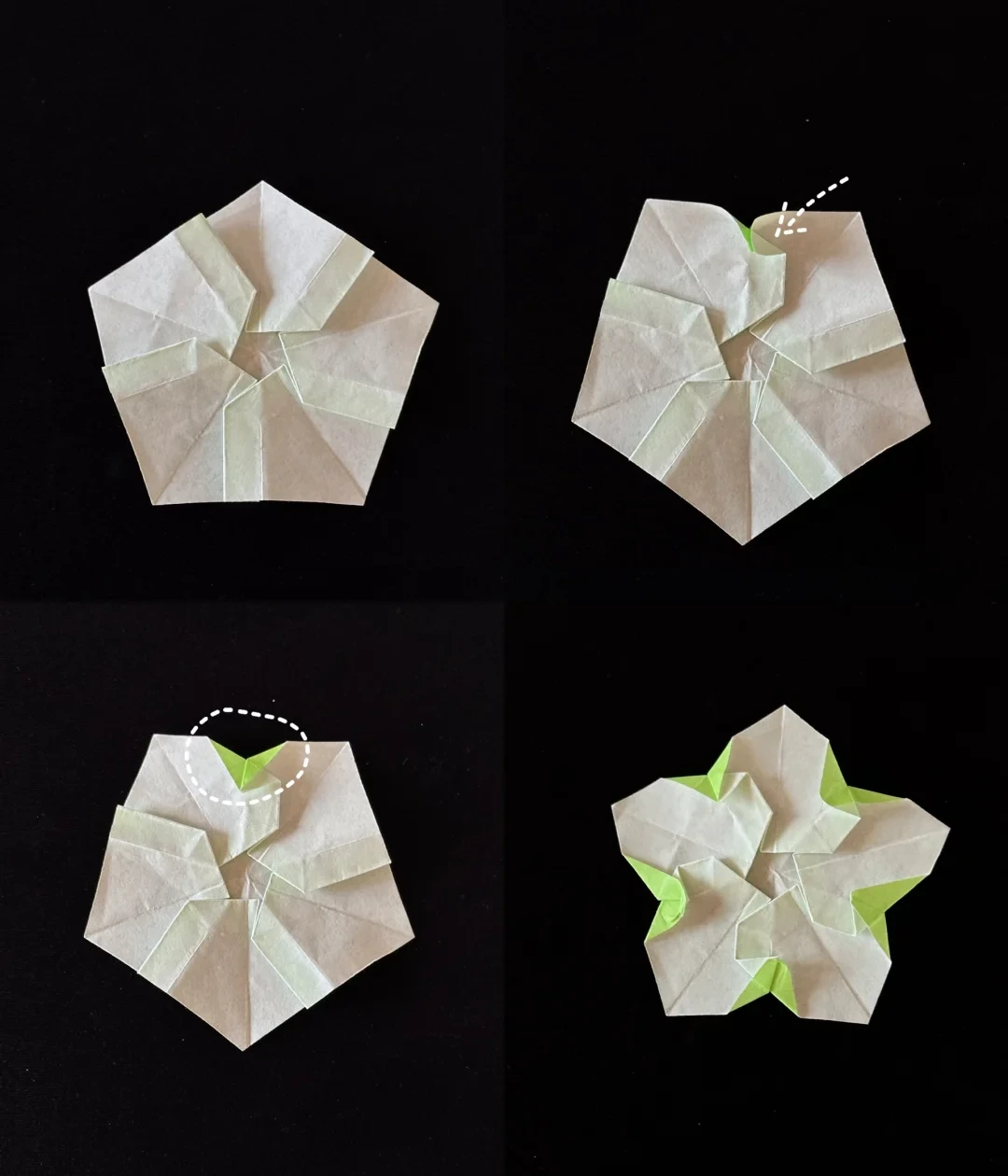
Shape the petal edges
 Open image at full size ↗
Turn the flower over. Fold the indicated edge slightly down and to the left, then flatten the two adjacent sides.
Repeat on every petal and turn the flower face up.
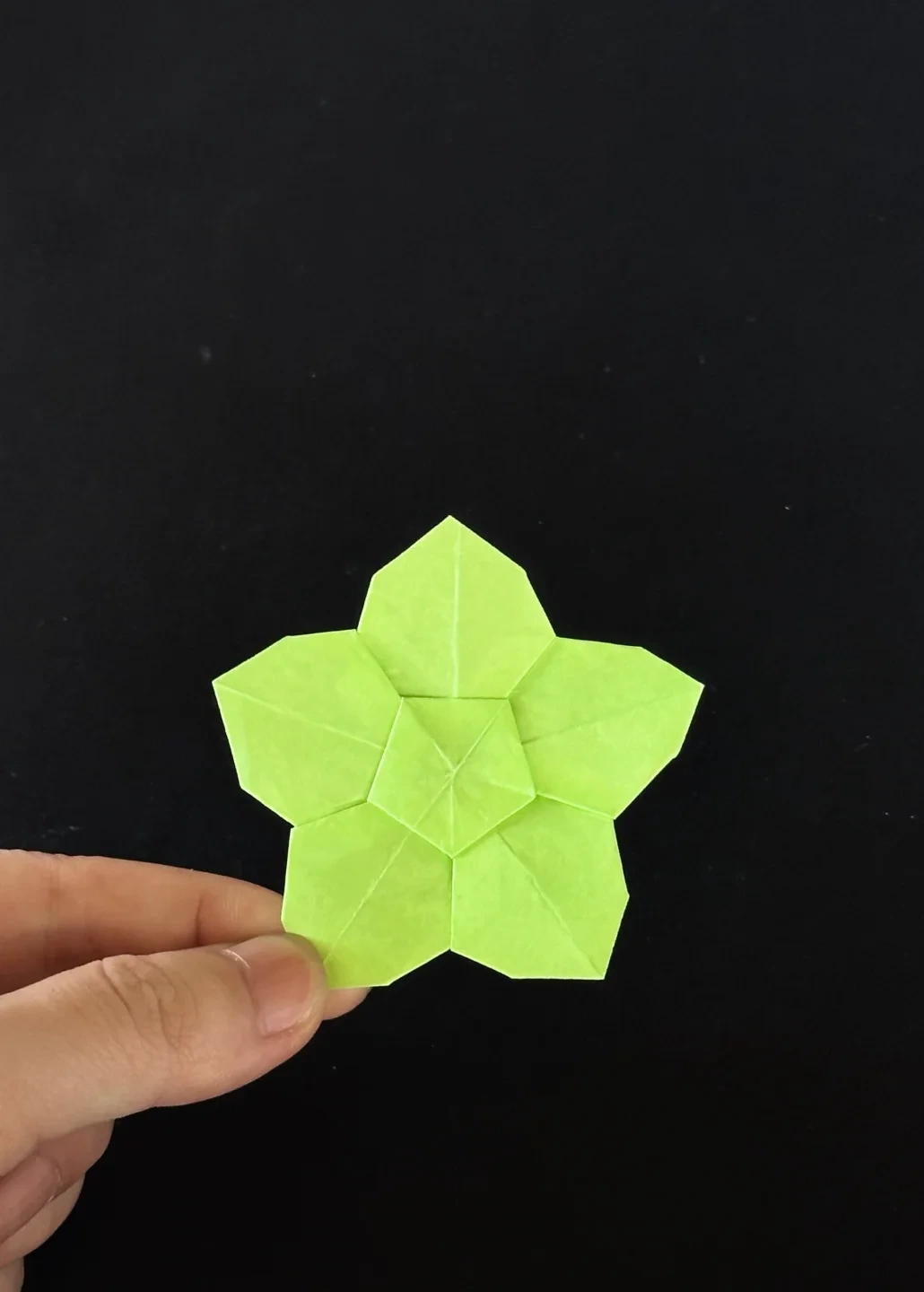
Finished model
 Open image at full size ↗
Use this finished example to compare the shape and proportions of your model.
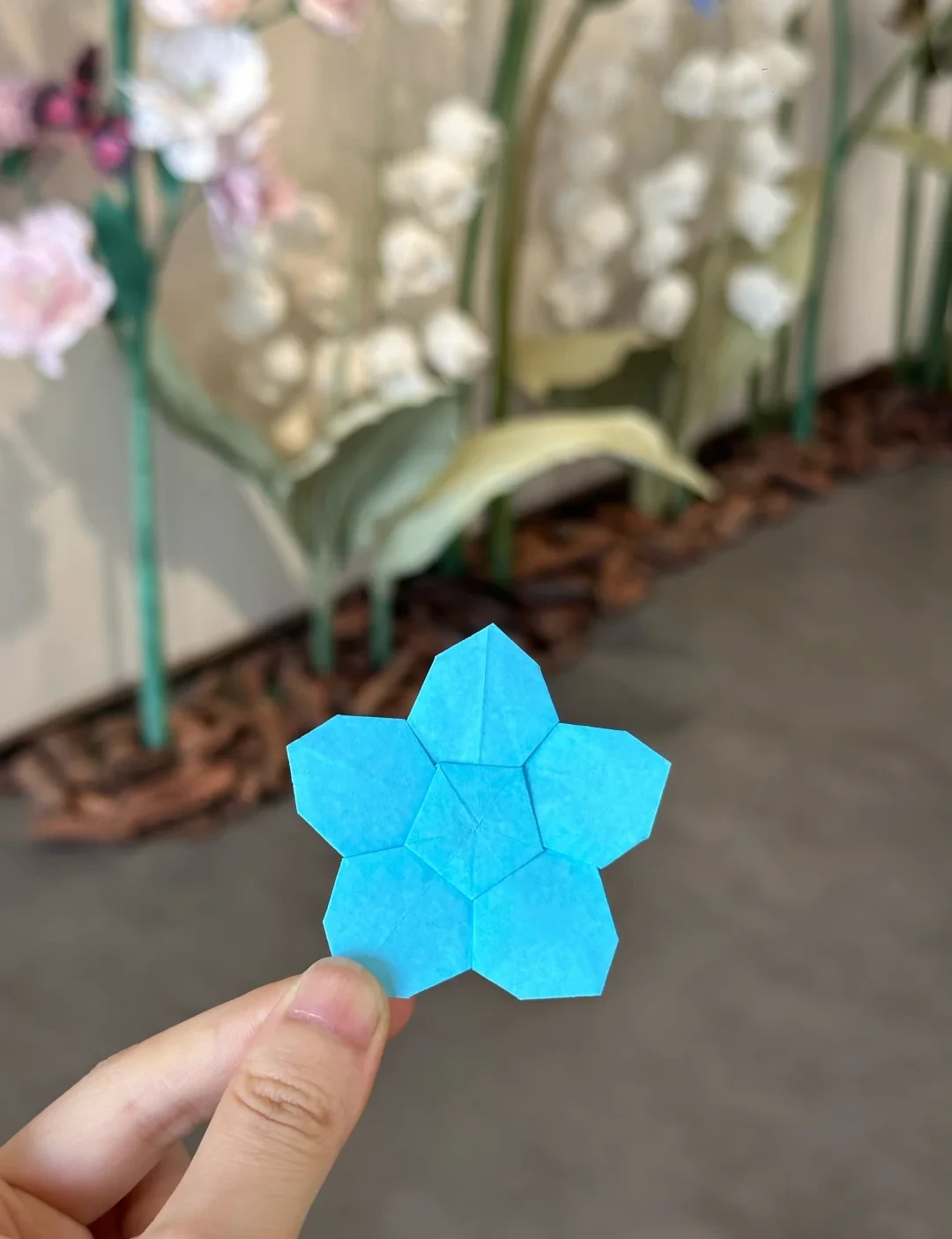
Finished model
 Open image at full size ↗
Use this finished example to compare the shape and proportions of your model.
Finished model
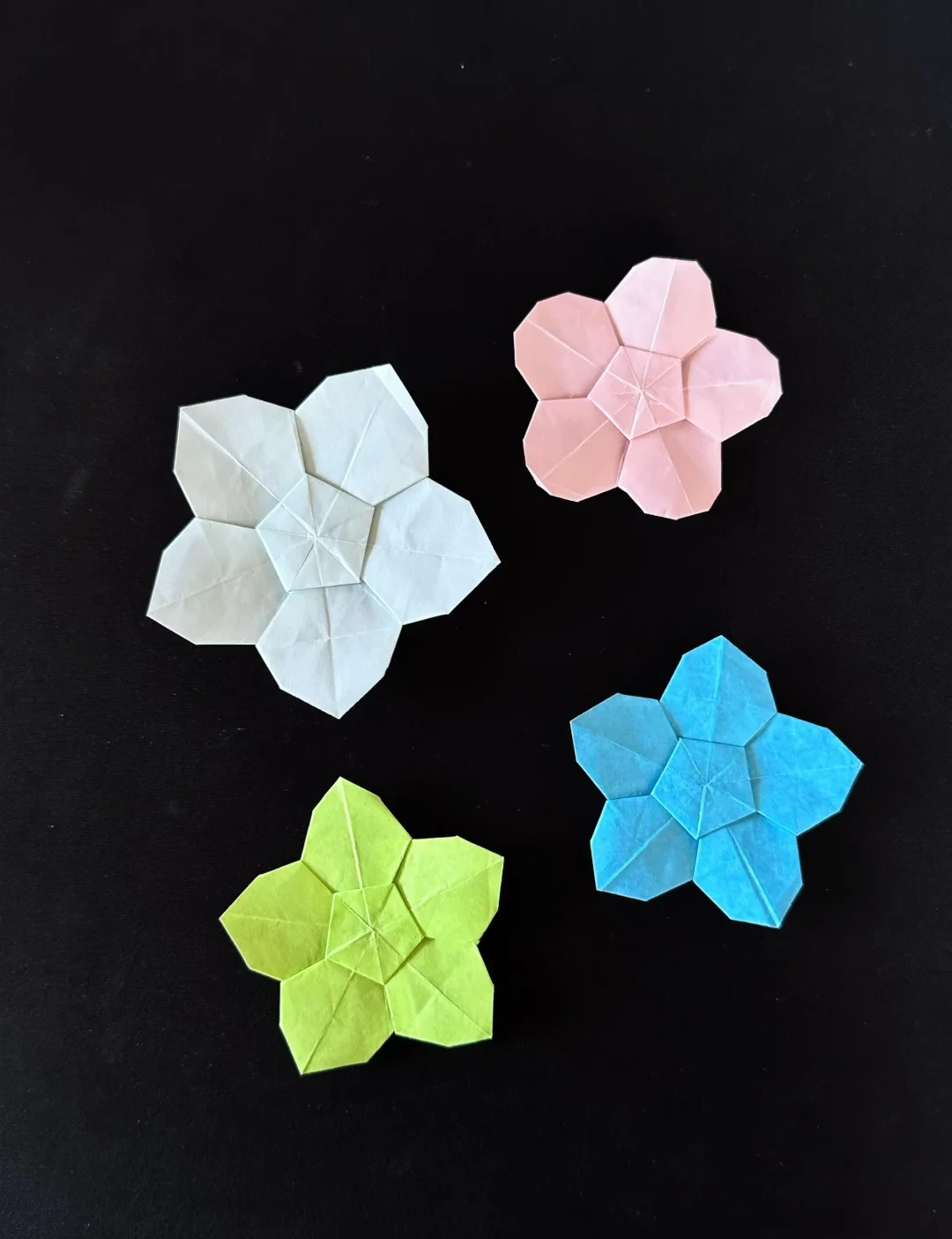 Open image at full size ↗
Use this finished example to compare the shape and proportions of your model.
Follow the diagrams alongside the step-by-step English instructions.
Choose your next project →